
Participant
October 4, 2018
Answered

Half blank address labels after todays update for Adobe Acrobat Reader DC

  • October 4, 2018
  • 3 replies
  • 2293 views

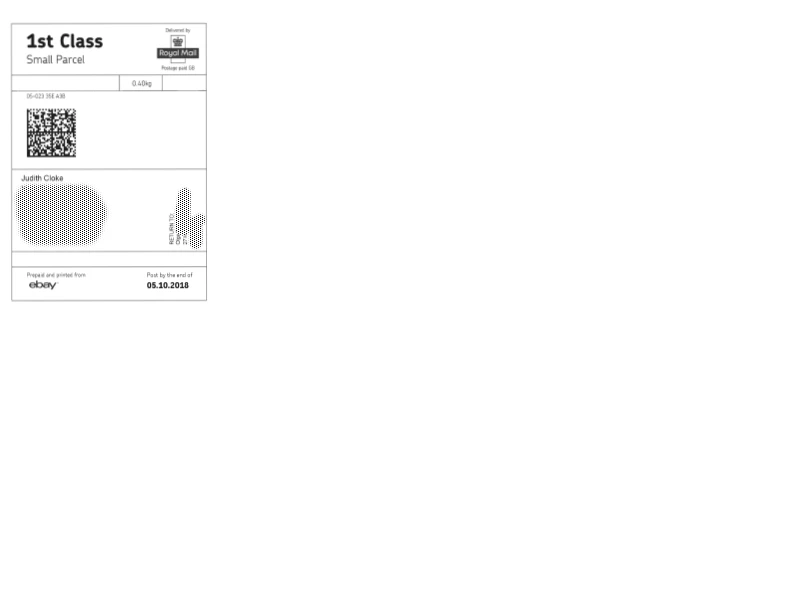
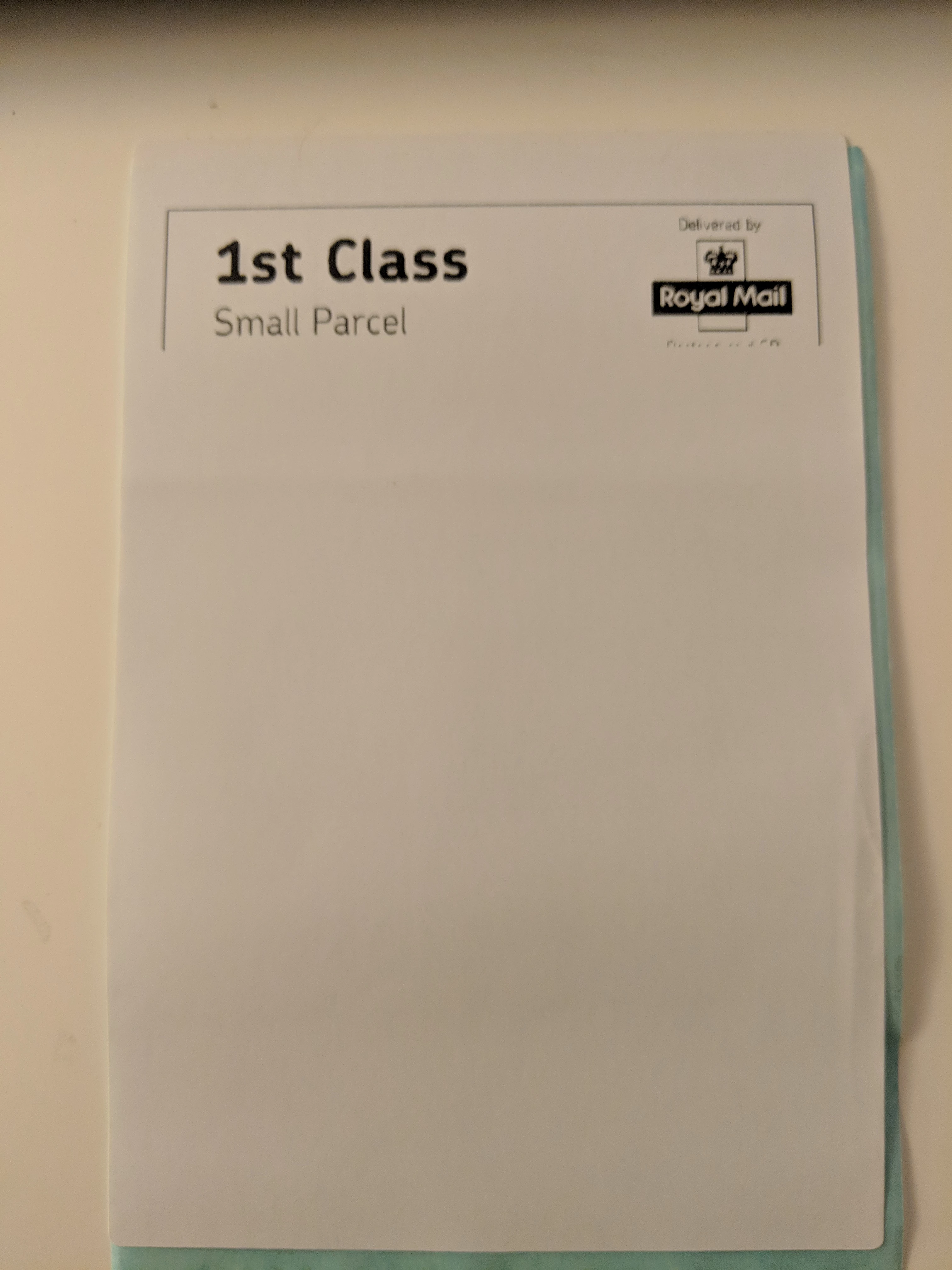
I am using my Adobe Reader for printing address labels on Zebra ZP-450 and since latest update today for my Adobe Acrobat Reader DC my printing gone mad. Befor  update I was able to print full normal address label (fully showing name, address, barcode etc), Like you can see on a 1st image. After this update my printer only prints top of label (no barcode, no address!!!!!, no date!!!!), see 2nd image below. I spent all day trying to find where is the problem. I spent dozens of labels trying different options and I can't fix this. I tried help--> check for updates, it doesn't work as it shows I have latest version, so no updates available. So I can't do my normal routine. Please help!!!!
This topic has been closed for replies.
Correct answer Vishal@PDF

Acrobat team has a identified a fix for the print issue which has recently surfaced (with Oct 2 update).

We are evaluating the fix currently and will roll out patch soon. We are also getting it validated with some of the users like you-all so that we know it is addressing all scenarios.

For validation, I will be sending direct messages with more details. Please get it tested and provide us feedback.

-Vishal

3 replies

Inspiring
October 5, 2018

A temporary fix I have found was to Print As Image. Select the printer and then click Advanced and tick the Print As Image checkbox. The quality of the label will not be as good but it was a work around for now on the 2019 Reader DC update.

mikeg69080342
Participant
October 5, 2018

Thanks, that did work for me also

mikeg69080342
Participant
October 5, 2018

I am also having the same problem after the update with the zebra gk420d.  I am also installing an older version until this is fixed.

Participant
October 5, 2018

If Adobe support can reply would be great. For now my only solution was to find old wersion of Adobe Reader, install and turn off automatic updates, so it won't update to the latest version of Reader.. This fixed my printing bug as I have to do lots of printing everyday.

Vishal@PDFCorrect answer
Adobe Employee
October 5, 2018

Acrobat team has a identified a fix for the print issue which has recently surfaced (with Oct 2 update).

We are evaluating the fix currently and will roll out patch soon. We are also getting it validated with some of the users like you-all so that we know it is addressing all scenarios.

For validation, I will be sending direct messages with more details. Please get it tested and provide us feedback.

-Vishal

mikeg69080342
Participant
October 5, 2018

Patch worked for me, Thank you for the quick fix!