


Participant
August 3, 2021
Question

having trouble in Adobe Reader DC.. with “reminders” and “cancel” not coming up

  • August 3, 2021
  • 1 reply
  • 868 views

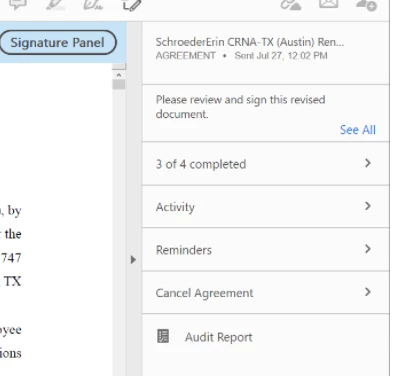
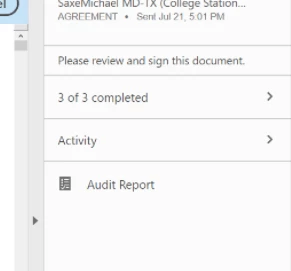
I am having trouble in Adobe with “reminders” and “cancel” not coming up when I open an agreement that has already been sent.  I should be able to open it and have “Activity”, “Reminders”, and “Cancel” as options on the right sideof the screen, but for some reason on a majority of the pdfs it only shows “Activity”.

can someone provide steps to turn it on for a doc etc.

It should show this..
But I can only see this on some docs...
 

This topic has been closed for replies.

1 reply

Amal.
Legend
August 3, 2021

Hi there


Hope you are doing well and sorry for the trouble. Please try the following steps and see if that works for you.


  1. Open the Adobe Acrobat Reader DC application
  2. Go to Home tab
  3. Under Sign > Click on All agreements > Open Adobe Sign
  4. In the progress tab, select the check box next to the sent document  to get the option in the right hand pane to add reminder or cancel the agreement.


Hope this will help


Regards

Amal

Participant
August 5, 2021

this is good

but we do not see the Manage tab  how do you get it to show??


Amal.
Legend
August 6, 2021

Hi there


Hope you are doing well and sorry to hear that. Please check the correct answer marked in a similar discussion here https://community.adobe.com/t5/adobe-sign/how-to-access-the-adobe-sign-manage-page/m-p/10056511


Additional information. Please check out the help pages listed below:

- https://helpx.adobe.com/sign/help/new-manage-page.html

- https://helpx.adobe.com/sign/using/manage-documents-sent-for-signature.html


Regards

Amal