


Participant
July 19, 2021
Question

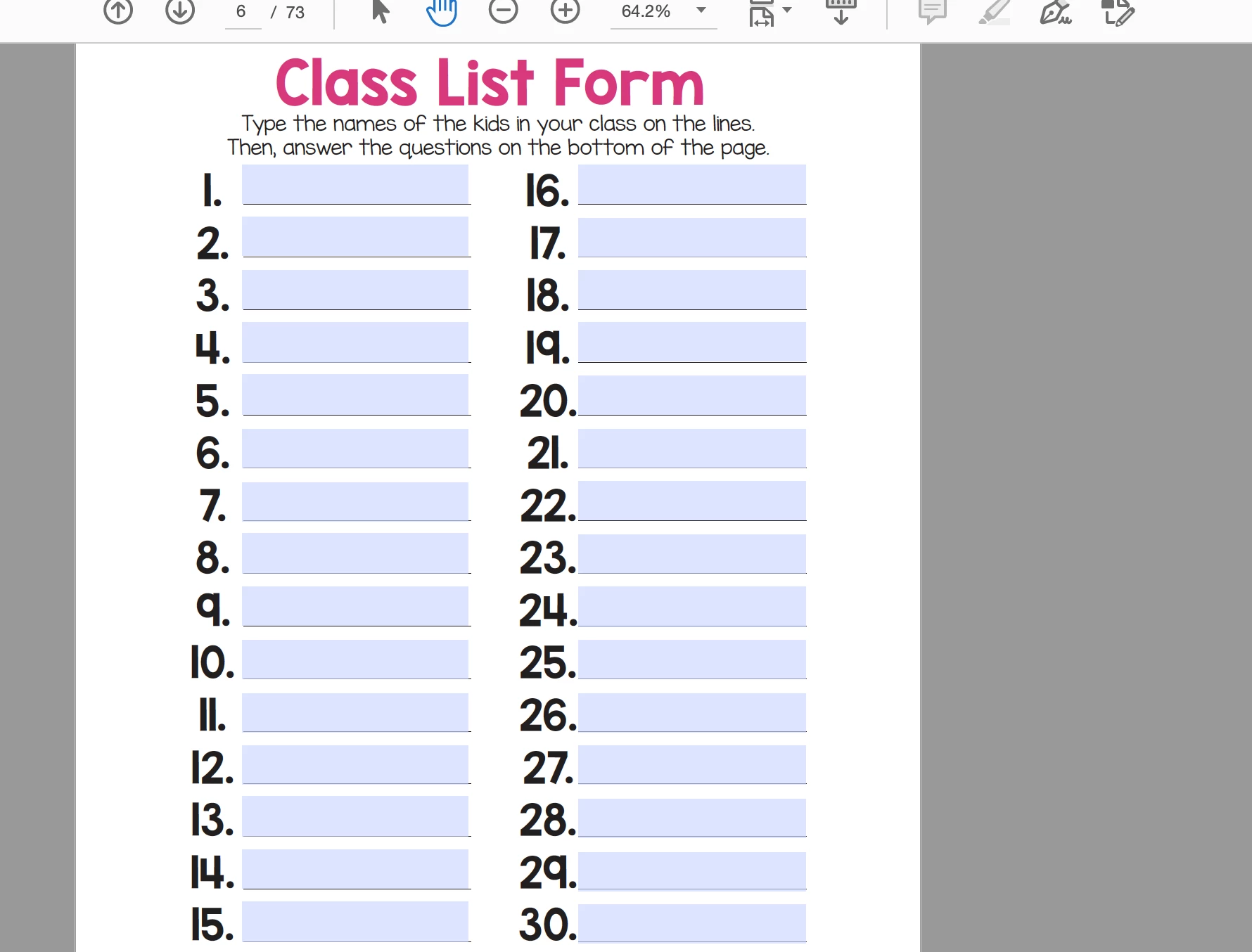
HELP NEEDED!!! I want to make a fillable pdf form for my class
  • July 19, 2021
  • 1 reply
  • 1054 views

I want it to be able to link to the pages or images?? I've been trying to figure out how to do this and Ive finally have Adobe Acrobat. I have a trial period that's ticking away and schools starting in a couple of weeks!! HELP


This topic has been closed for replies.

1 reply

Amal.
Community Manager
Community Manager
July 20, 2021

Hi Lisarichard


Hope you are doing well and sorry for the trouble. As described you wan to add links to pages or images in the PDF form.


Links let you jump to other locations in the same document, to other electronic documents including attachments, or to websites. You can use links to initiate actions or to ensure that your reader has immediate access to related information. For information about how it works please check the steps shared in the help page - https://helpx.adobe.com/acrobat/using/links-attachments-pdfs.html and see if that works for you.


Note: The option to add/create link is available in Adobe Acrobat 2020, Adobe Acrobat 2017 and Adobe Acrobat Pro DC (Paid Subscription)


Let us know if you experience any trouble and need more help


Regards

Amal

Participant
July 22, 2021

I'm not really understanding that.. or its not what i want. 

That page i uploaded has the the names of my students.. it will then put them in the selected spot on the following pages in the document -whatever that might be. It sorta hard to explain. I've been seeing and buying these things for years, i want to make it ..  lol

It's .like merging, i'm guessing.  

I want to put each letter of a child's name on each a slice of apple.. i have a million of ideas to do. this would make my job easier.

Bernd Alheit
Community Expert
Community Expert
July 23, 2021

In Acrobat use Tools > Prepare Form and add form text fields.