
Answered
Hide the “welcome” screen?
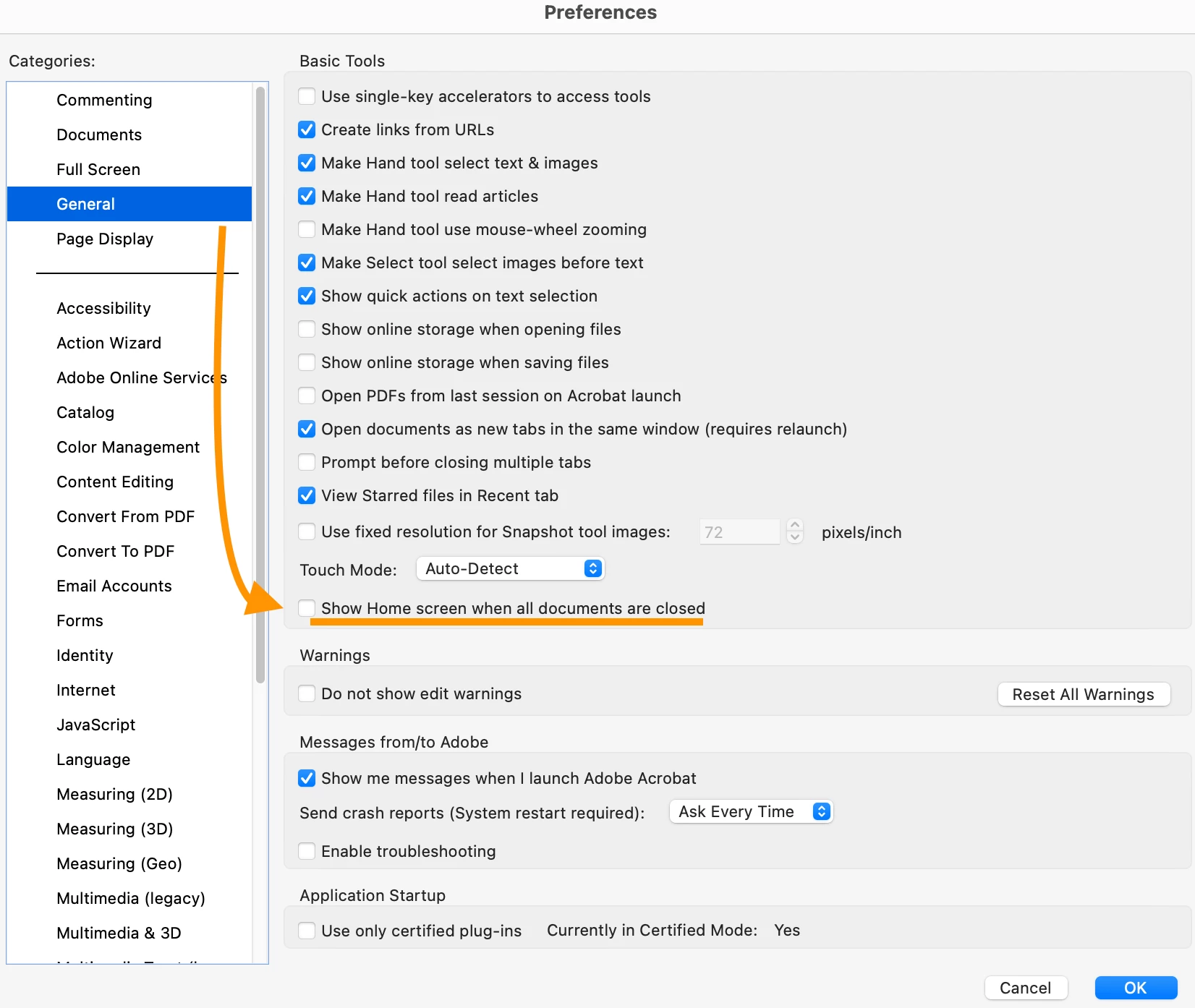
I have installed Adobe acrobat reader on my Mac. When no PDF files are open, I see it automatically opens a “welcome” screen, the default page being the Recent tab. This tab contains advertisements which I don’t like so I would like to hide this tab or perhaps the whole default screen When acrobat reader launches. Can I find a setting to do that in the preferences?
Architecture: x86_64
Processor: Intel
Build: 25.1.20643.0
AGM: 7.1.17
CoolType: 10.0.7
JP2K: 4.0.2.54782


 AdChoices