
Answered
how do i change font size in adobe acrobat reader dc?
In my previous version, Adobe Reader X, the menu bar had a tab for setting the font size to any % desired. I don't see that anywhere on this new version.

In my previous version, Adobe Reader X, the menu bar had a tab for setting the font size to any % desired. I don't see that anywhere on this new version.
Hi sambusac,
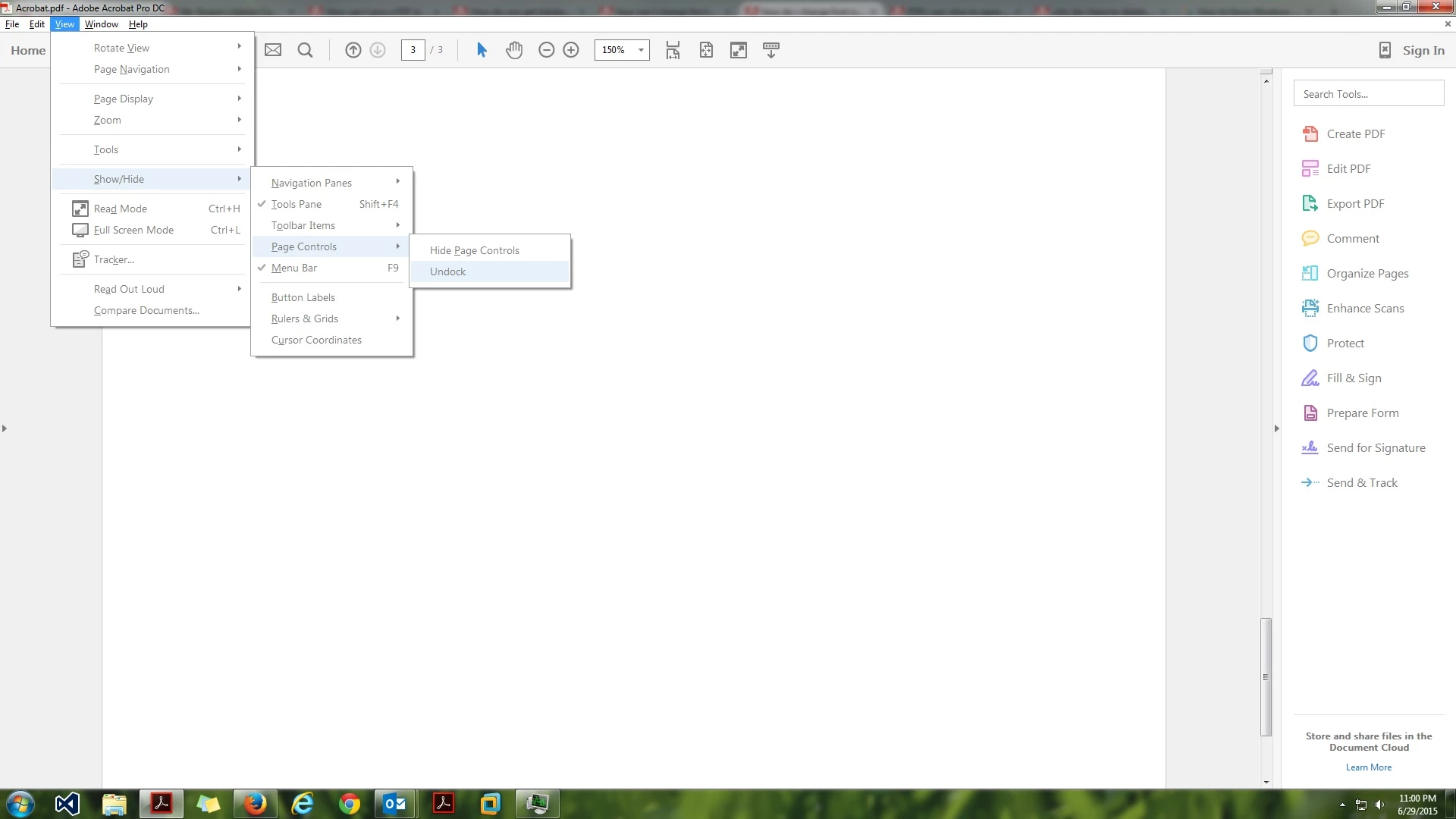
Go to View-> Show/Hide-> Page Controls-> Uncheck 'Undock' and the option above should be 'Hide Page Controls'. Please refer the following Image :
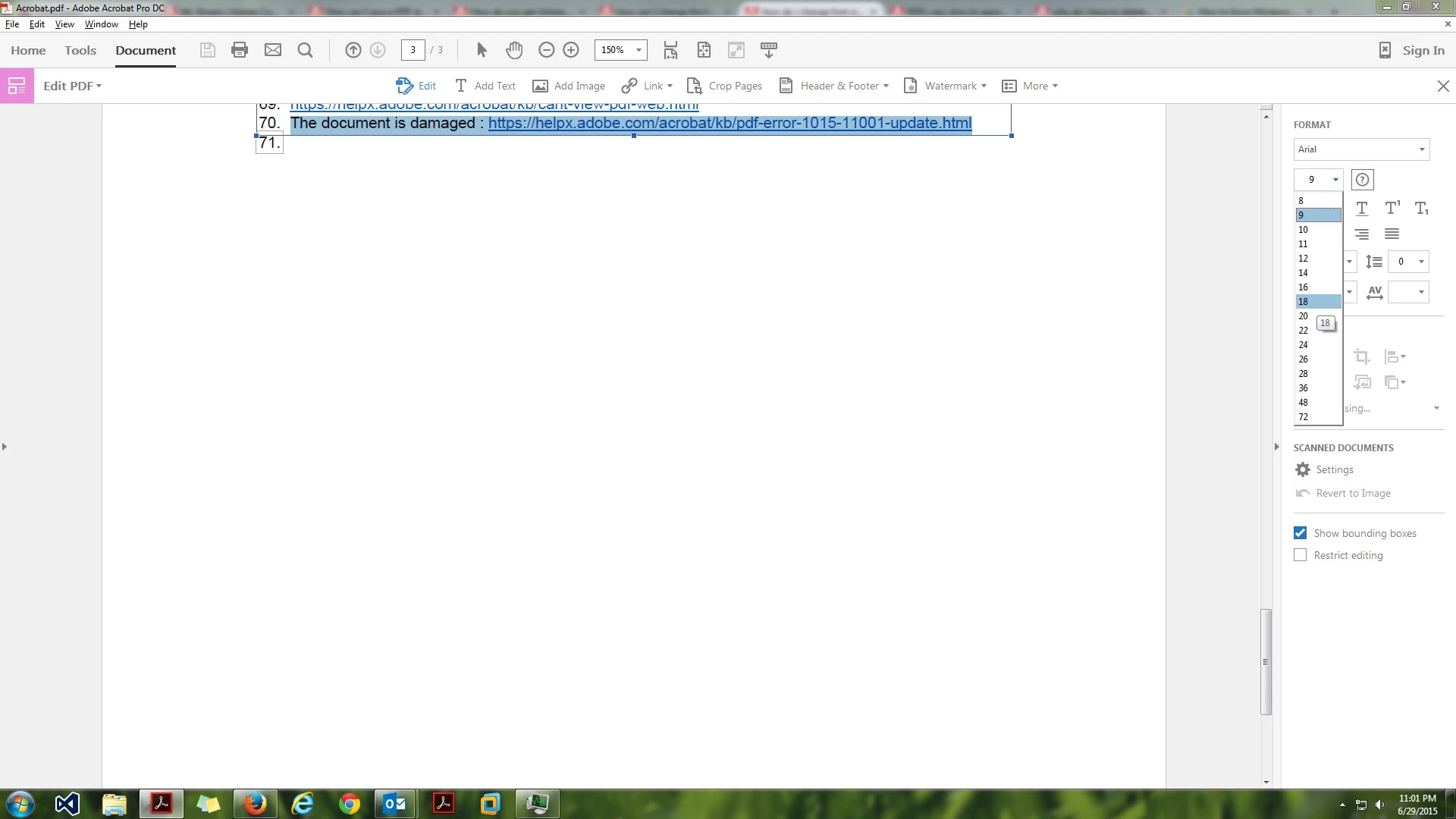
If you want to change font size while you are editing the file :
You can do so by clicking on the Edit PDF option on the right hand side pane and then you can choose font size under Format options.
Hope that helps. 
Regards,
Rahul
Already have an account? Login
No account yet? Create an account
Enter your E-mail address. We'll send you an e-mail with instructions to reset your password.


 AdChoices