I was once stuck in the same situation but I realized You and I are missing one important step. (I will highlight it for you underneath) but for the rest of the viewers I will try to write down all the steps to get it done.
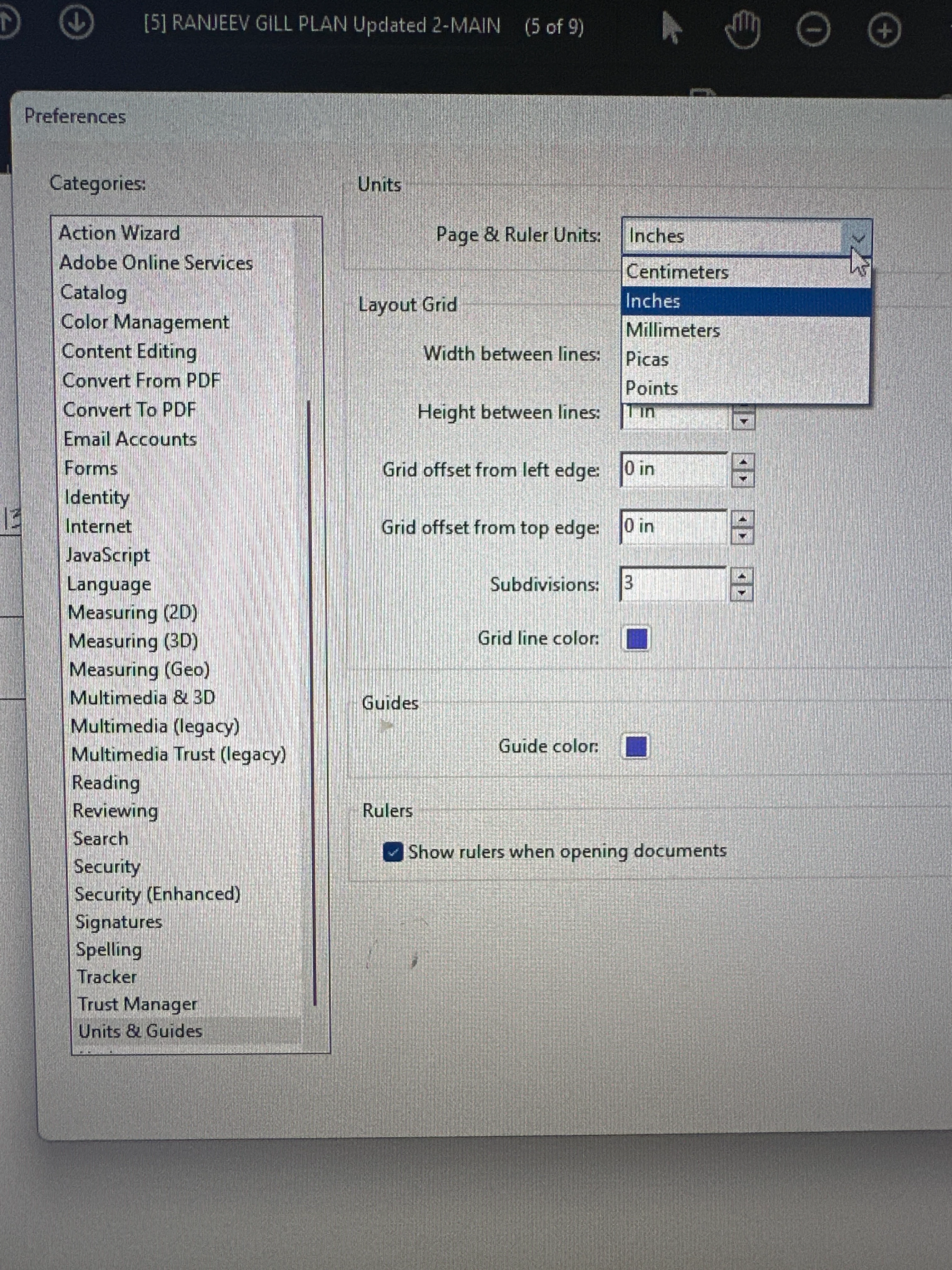
first you need to change the measurement units to inches
Go to
- Edit from top menu
- Scroll down to Preferences (Ctrl +K)
- From Categories Pan: Select "Units & Guides"
- Select "Inches" from "Page & Ruler Units" drop down menu
- Press Ok
Now Select "Measure" tool.
Go to:
- "View" from top menu
- Scroll down to "Tools"
- Scroll down to "Measure"
Select "Open"
- Select "Measuring Tool" from Menu bar
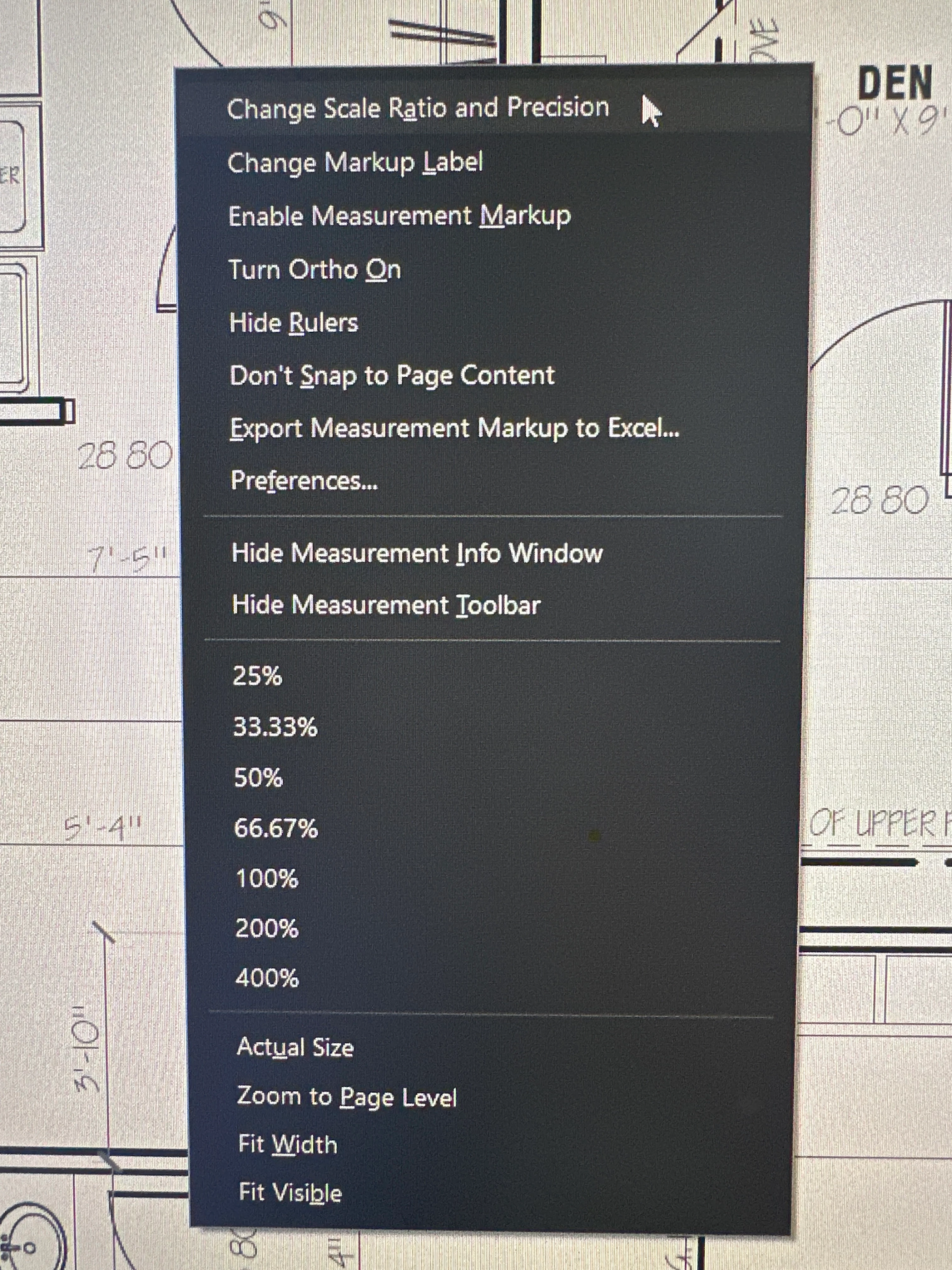
- Right Click on Screen
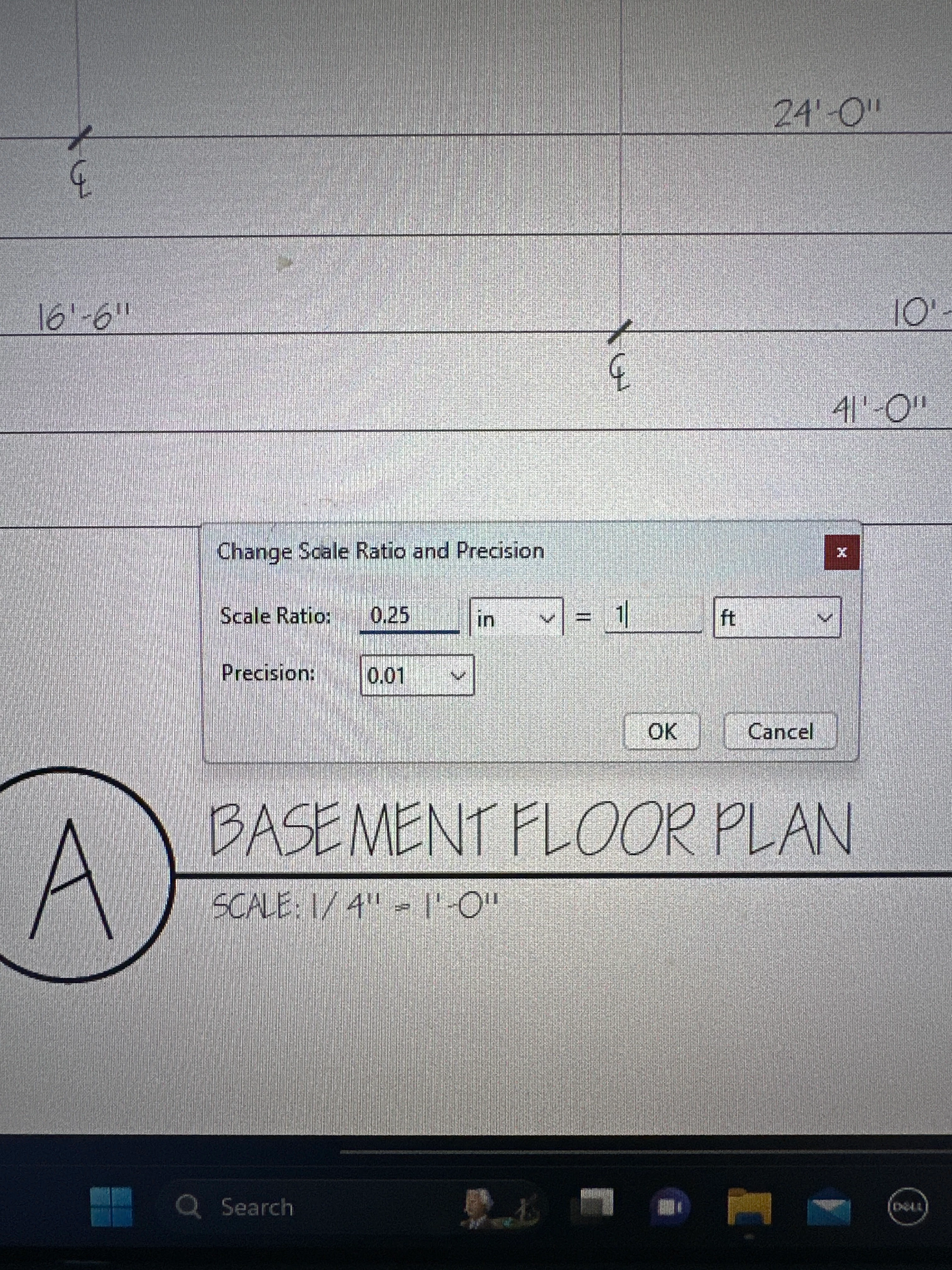
- Select : "Change Scale Ratio and Precision"
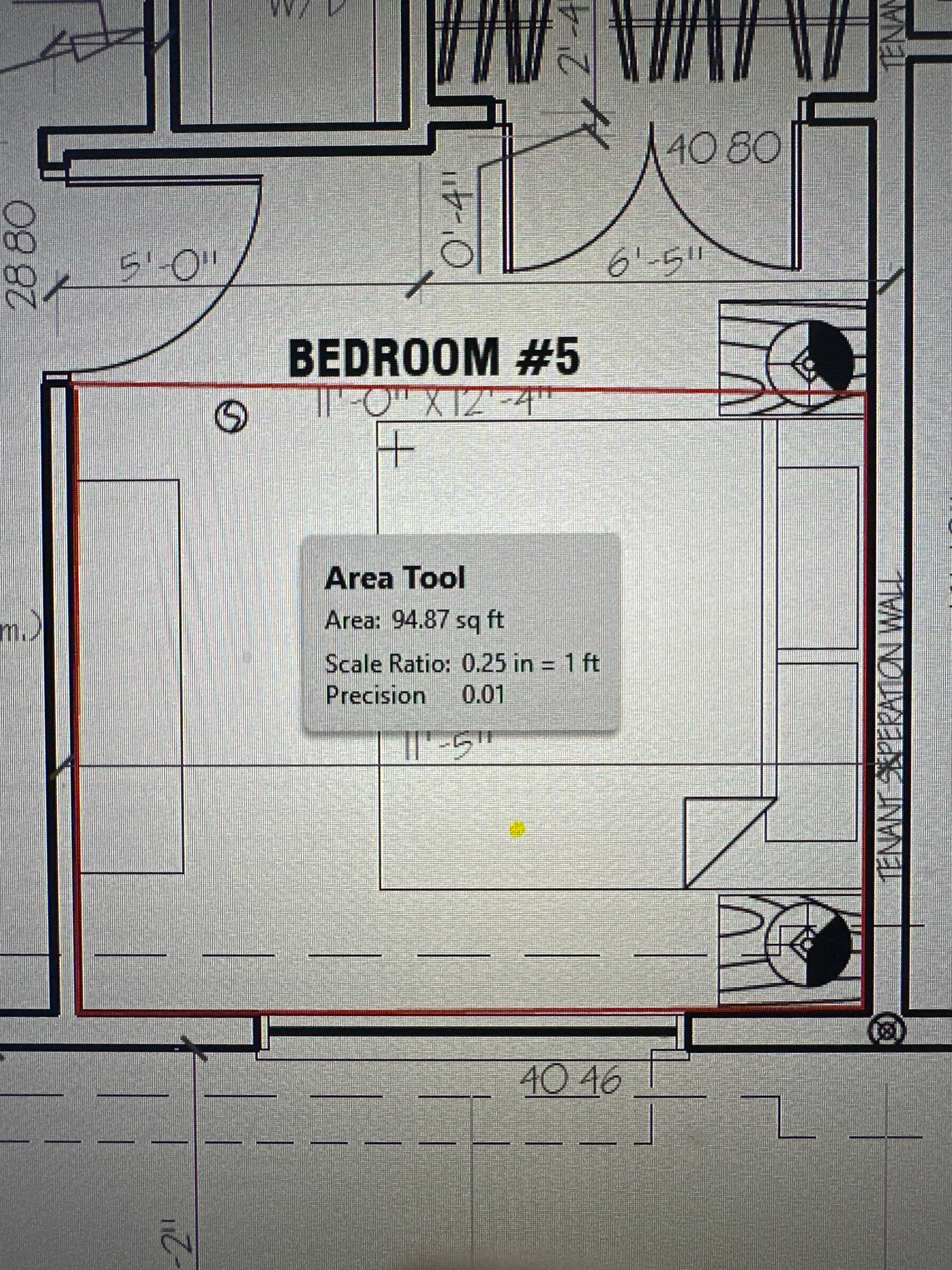
Change Ratio as per the drawings. In my case it is 1/4 = 1 Foot therefore I changed it to 0.25 = 1 Ft
Now here is the KEY STEP
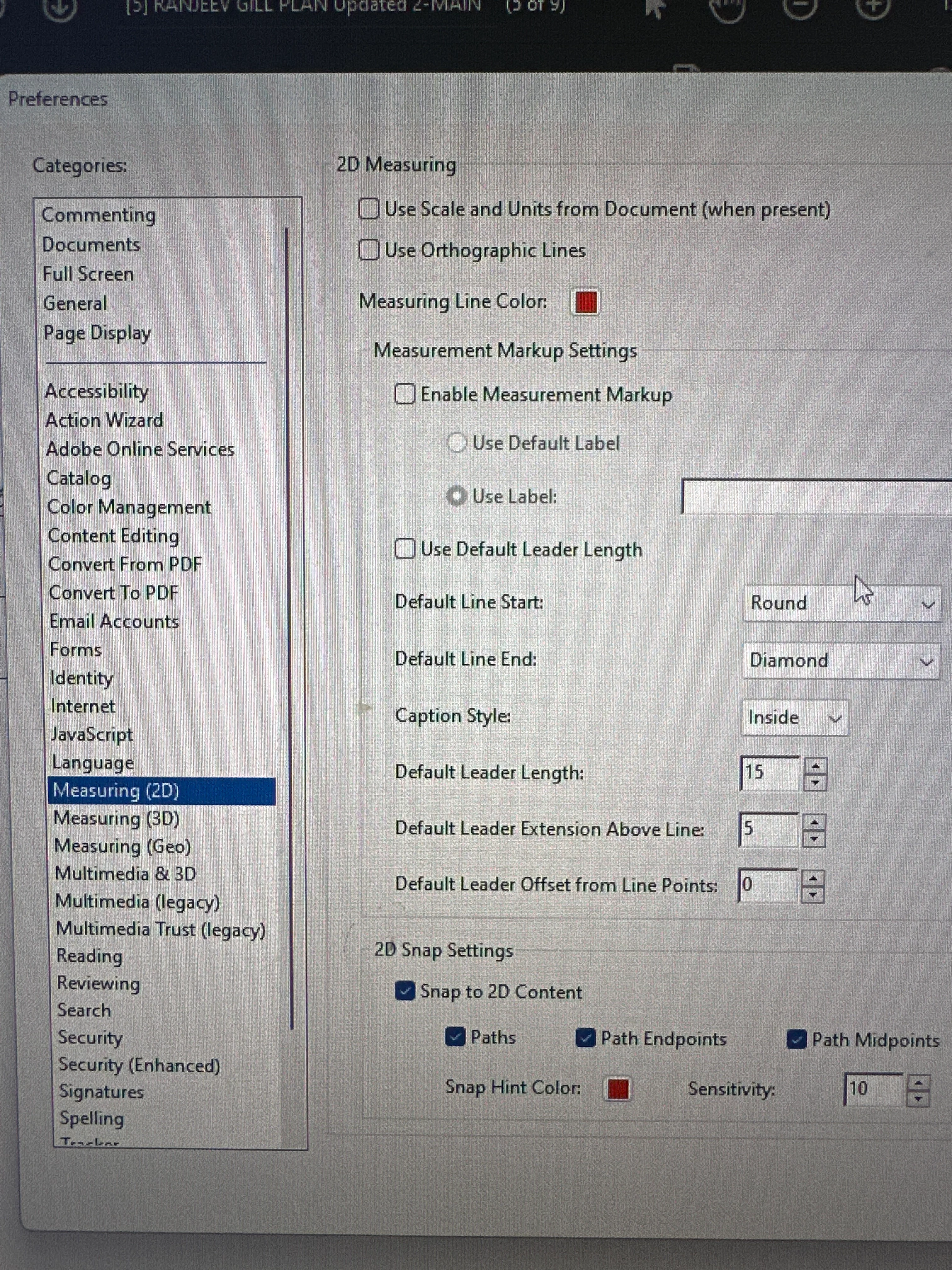
Right Click again on screen
Go to Preferences
Select: Measuring (2D)
Uncheck Box which says: "Use Scale and Units From Document (when present)
Done



 AdChoices