
davidl5609518
Participant
May 15, 2018
Answered

How Do I Save Documents with a New Name?

  • May 15, 2018
  • 1 reply
  • 1374 views

Hi,

When I open a document to read and then save as by changing the name, I receive the following message box:
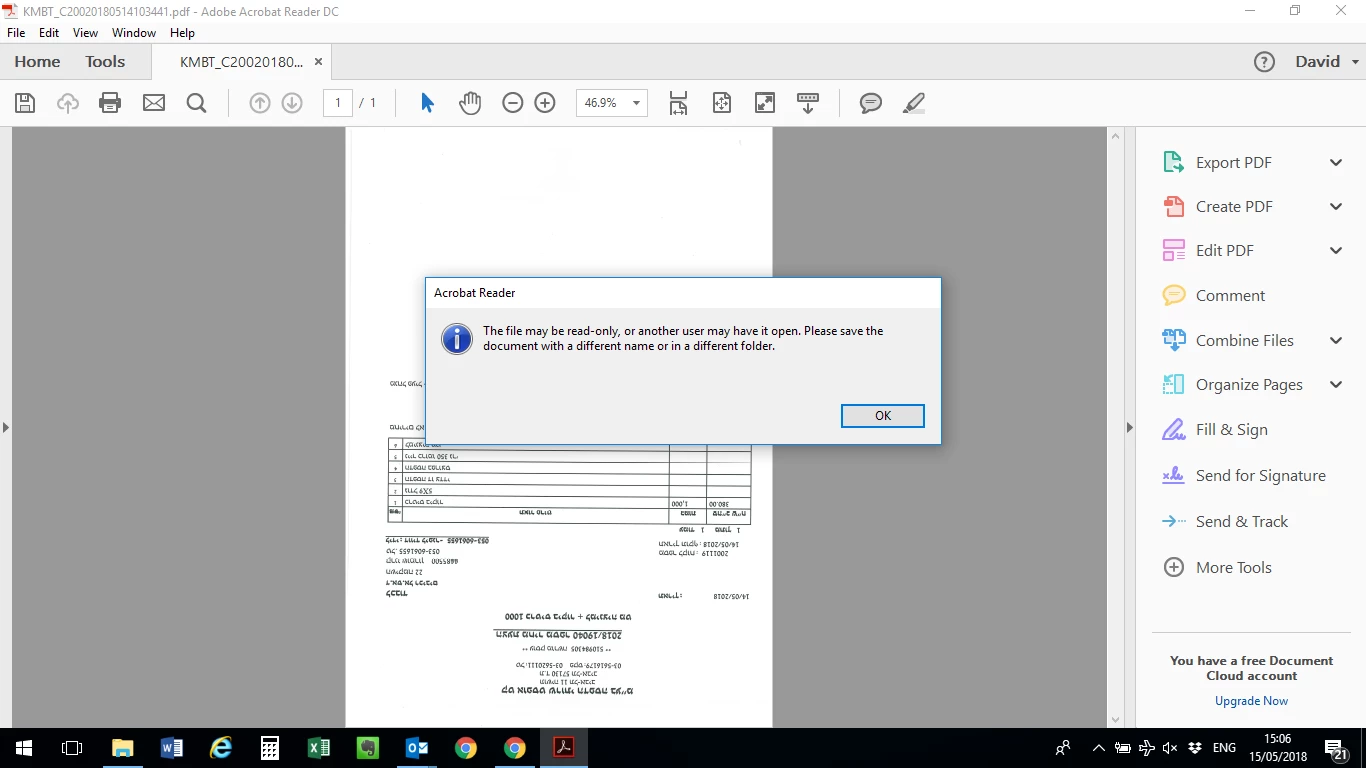
It used to work before - not sure what if any settings I changed to not allow me. I change the name after I save but that's extra steps.

Thanks!

Davidl5609518

    This topic has been closed for replies.
    Correct answer Adorobat

    Hi Davidl5609518,

    Check if Preview pane is turned off in the Windows dialog. You may refer to the following forum threads discussing the similar issue:

    Can't save after edits in Acrobat 10. "File may be read-only or another user may have it open" (Edit PDF)

    Can't save: "The file may be read-only, or another user may have it open. Please save the document with a different name…

    Also, let us know dot version of Reader installed on the machine? You may refer to the steps given in this link on how to check the version: Identify the product and its version for Acrobat and Reader DC

    Thank You,

    Shivam

    1 reply

    Adorobat
    AdorobatCorrect answer
    Participating Frequently
    May 22, 2018

    Hi Davidl5609518,

    Check if Preview pane is turned off in the Windows dialog. You may refer to the following forum threads discussing the similar issue:

    Can't save after edits in Acrobat 10. "File may be read-only or another user may have it open" (Edit PDF)

    Can't save: "The file may be read-only, or another user may have it open. Please save the document with a different name…

    Also, let us know dot version of Reader installed on the machine? You may refer to the steps given in this link on how to check the version: Identify the product and its version for Acrobat and Reader DC

    Thank You,

    Shivam