
Jeff Li13203482
Known Participant
December 11, 2018
Resuelto

How to add black mark in scanned pdf and scan it again quickly?

  • December 11, 2018
  • 1 respuesta
  • 2406 visualizaciones

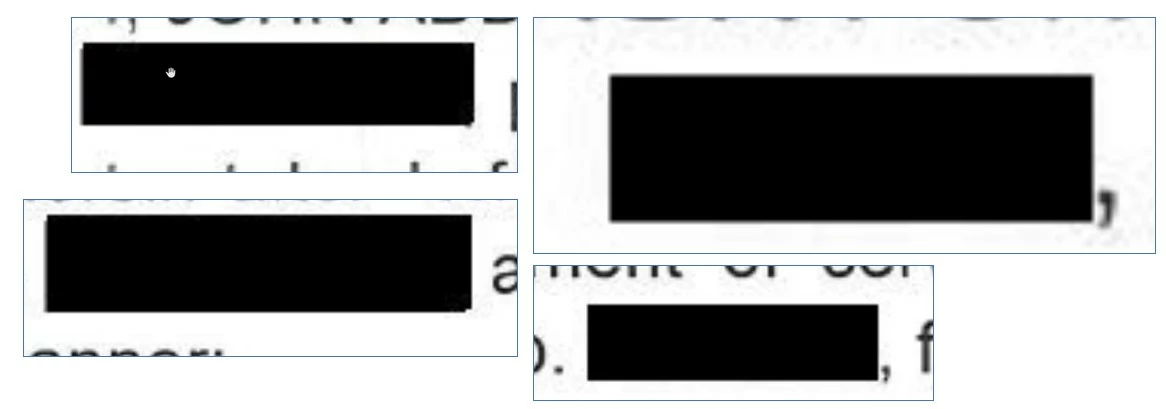
This is a scanned pdf file with black mark, and i think  the black mark is added by Adobe Acrobat because the black mark is too regular and without any noise dots.

The process may be: ( but i think this process is too complex )

  1. scan the original paper file to scanned pdf file;
  2. add black mark on scanned pdf file with Adobe Acrobat;
  3. print step2 file and scanned again;

My question:

If you have a paper file and want to cover some words on it, how do you do?
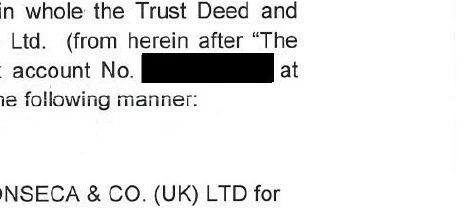
I think these black mark added in the file, are not by pen and hands, because it is very square without any flaw.
    Este tema ha sido cerrado para respuestas.
    Mejor respuesta de Bernd Alheit

    Use the Redaction Tool of Adobe Acrobat Pro.

    1 respuesta

    Bernd Alheit
    Community Expert
    Bernd AlheitCommunity ExpertRespuesta
    Community Expert
    December 11, 2018

    Use the Redaction Tool of Adobe Acrobat Pro.

    Jeff Li13203482
    Known Participant
    December 11, 2018

    Hi Bernd,

    Thank you.

    If you have a paper documents and want to cover some words with black rectangle on it, then scanned covered file to pdf file, how do you do?

    Legend
    December 11, 2018

    Permanent: black marker pen. Temporary: maybe something like black post it notes? Not sure, people tend to use the redaction tool today.