New Participant
July 25, 2023
Answered

How to arrange buttons on new UI?

  • July 25, 2023
  • 1 reply
  • 1075 views

Hi Adobe community,

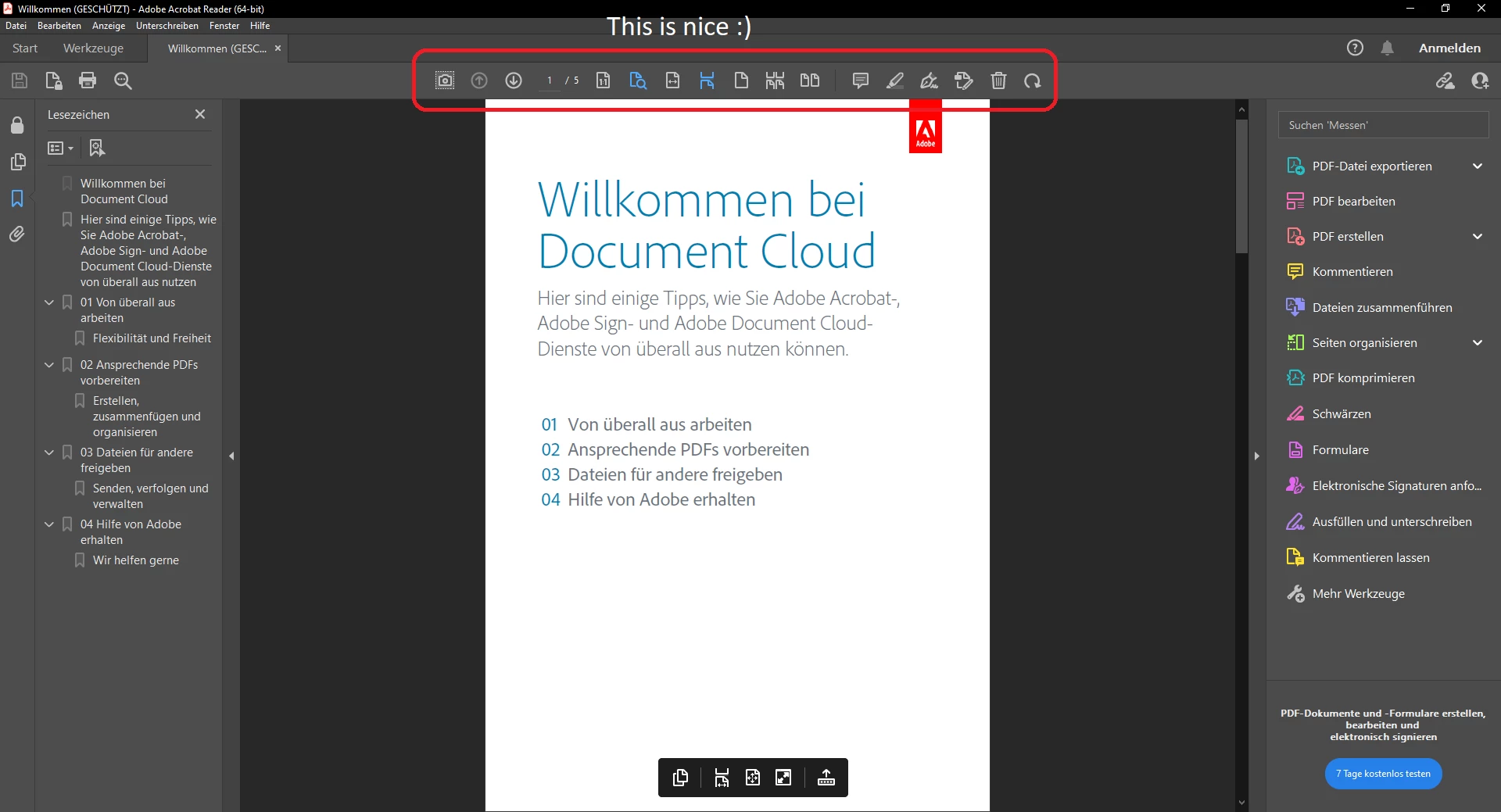
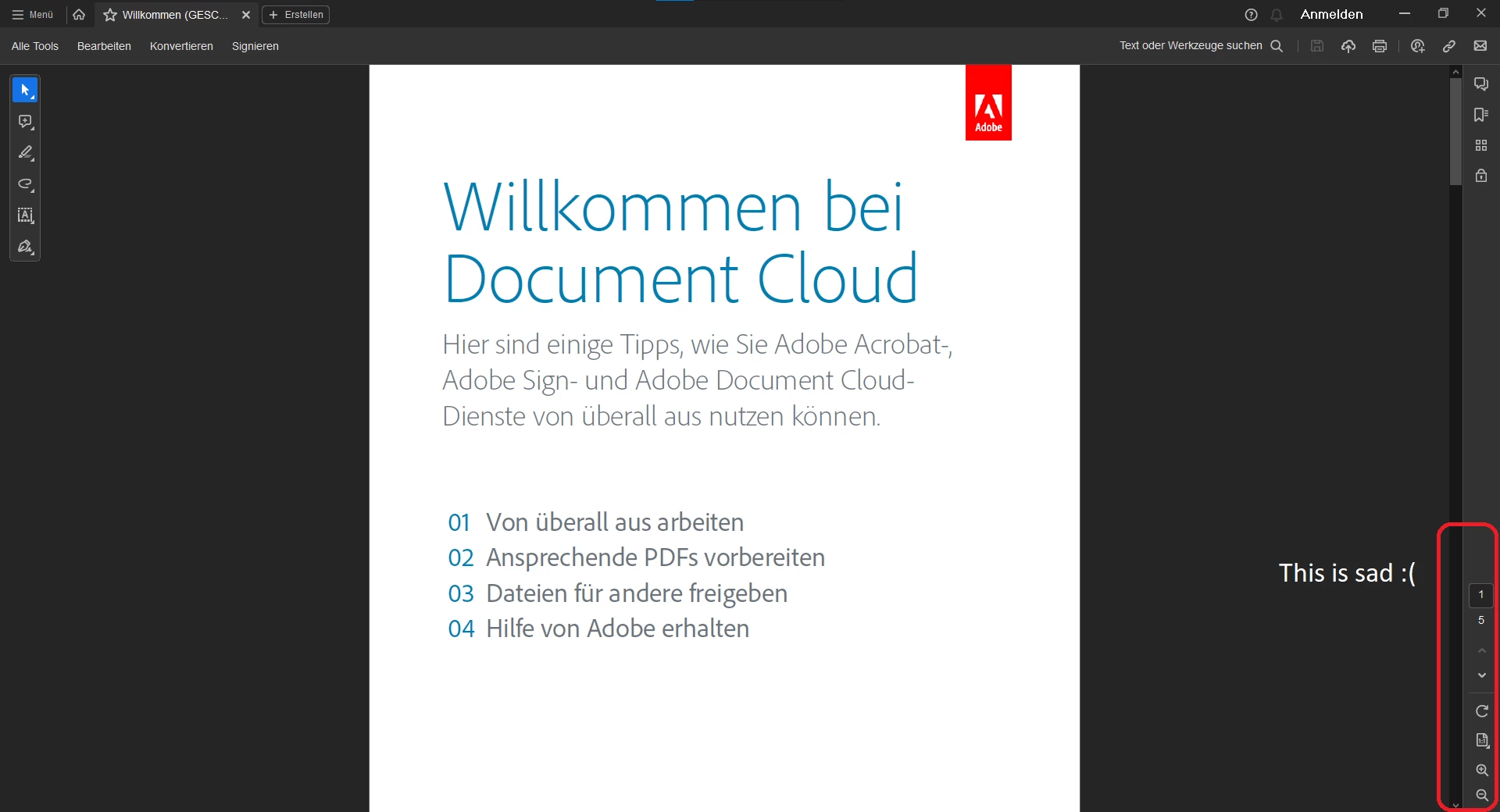
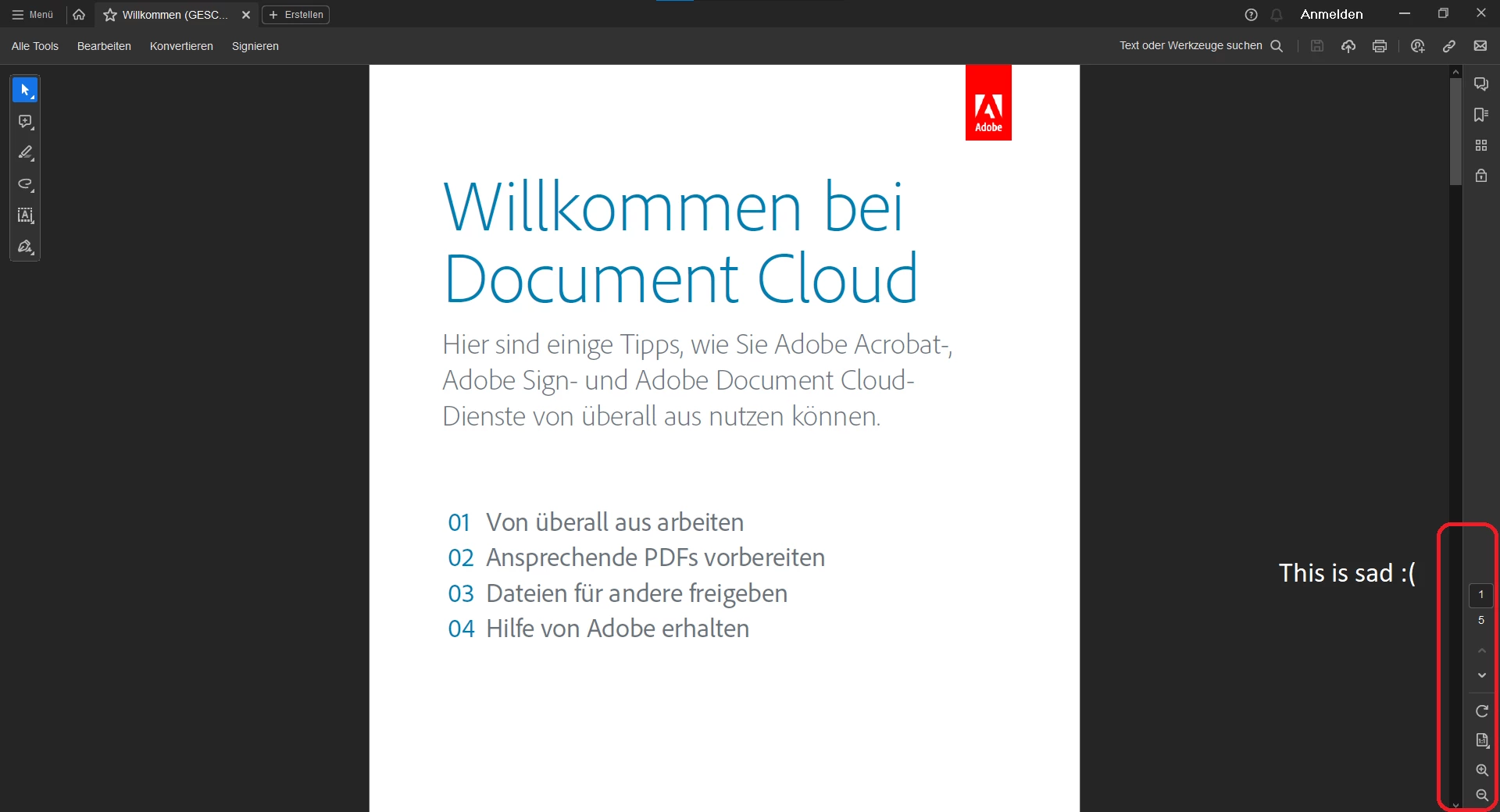
recently i installed Adobe Reader on a second machine. There it has the new UI. But the new UI cannot change the button arrangement.


Question

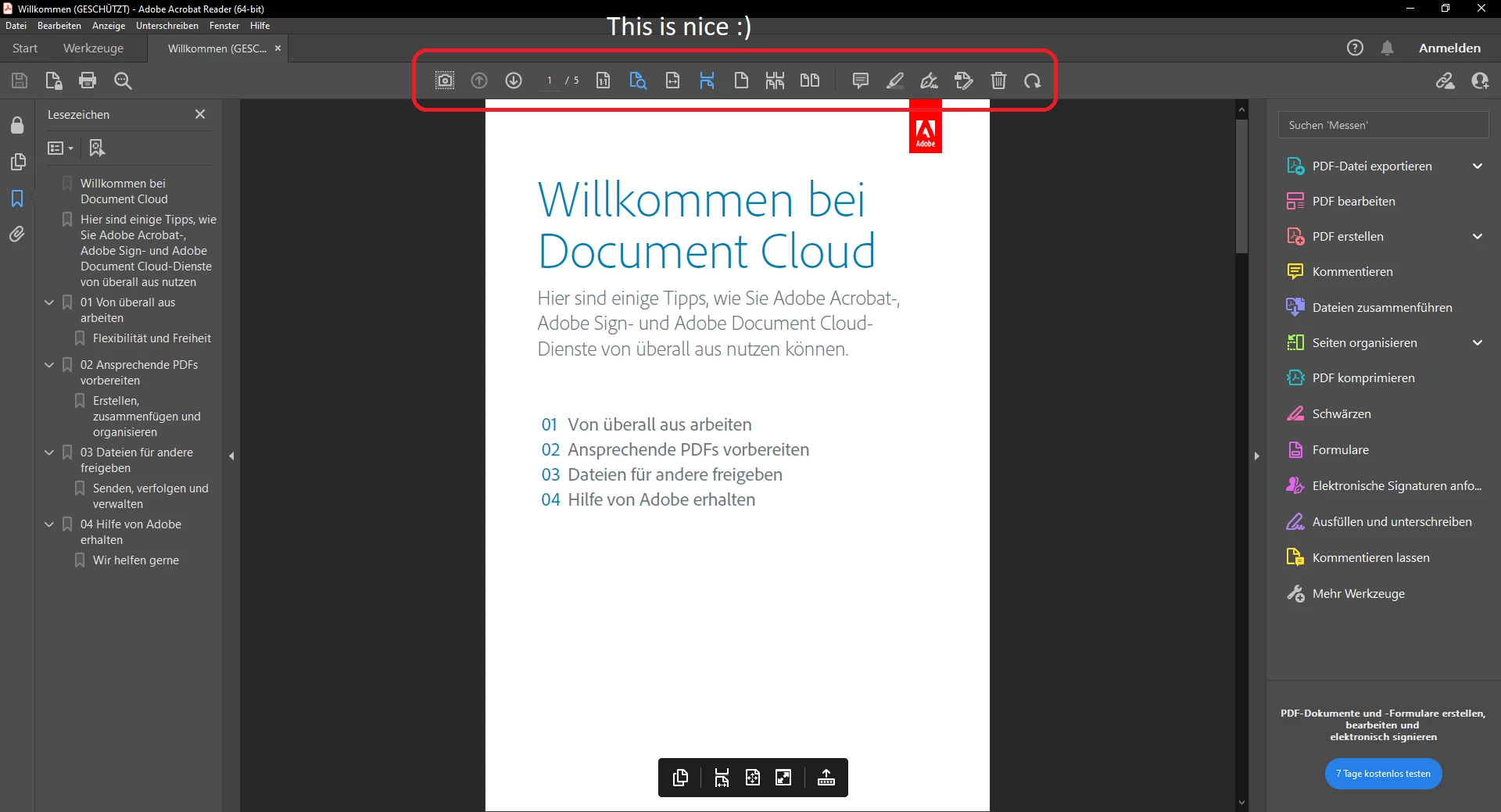
How can i arrange the buttons in the new UI, like i did in the old UI on my daily driver (screenshot 2)?


1. New UI


2. Old UI


Greetings

Vorname312926746v1g


Attachment (big images)

1. New UI


2. Old UI


This topic has been closed for replies.
Correct answer Vorname312926746v1g

Kind of solution

This request was published on July 25th, 2023. At that time the latest version 23.003.20244 (July 11, 2023) was used in screenshot "1. New UI" (see top of this thread).


My request was sort of solved as i discovered right know that since version 23.003.20269 (August 08, 2023) the missing page view functions were added to the view options menu on the bottom right side of the new UI.


Now the requested functions can be accessed by 2 clicks in a comprehensible menu, instead of searching them in a 3 level sub menu.


It still is not possible to custom arrange the functions as 1 click top level buttons. But they are more easily accessible now then before.
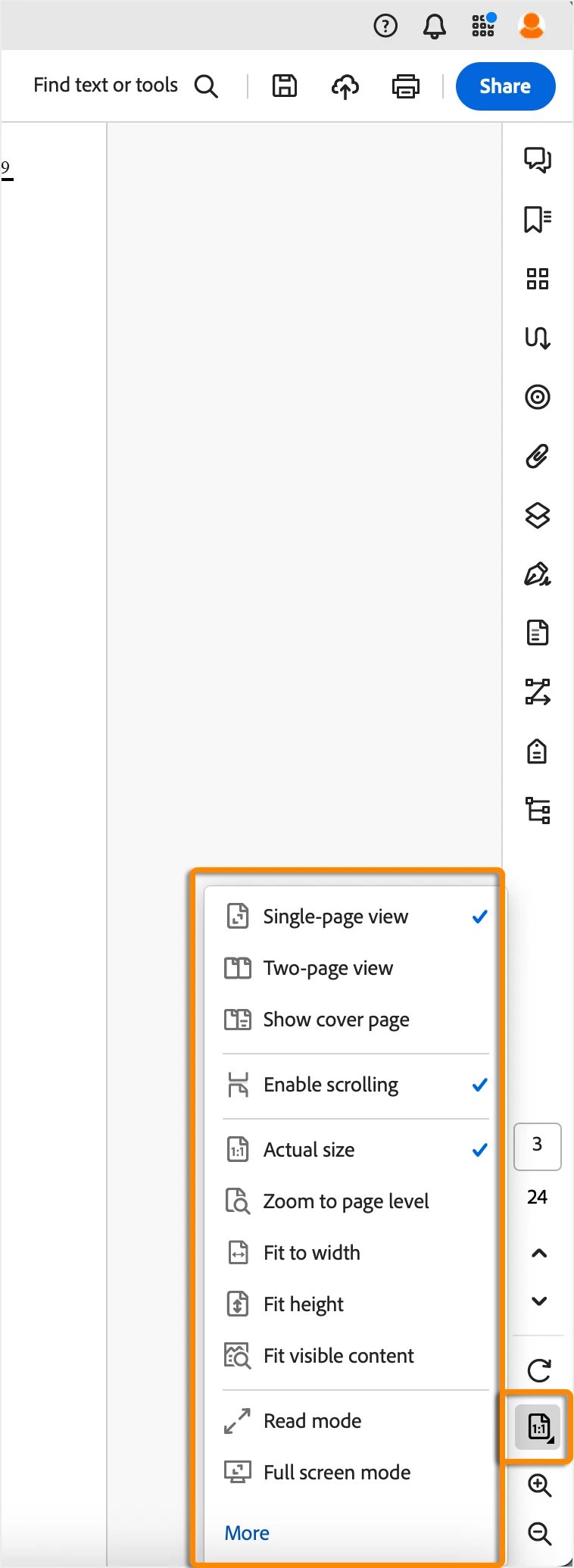
Image source: "New features summary | September 2023 release of Acrobat", chapter "Enhanced page navigation, zoom, and display", https://helpx.adobe.com/acrobat/using/whats-new/2023-september.html 


The described functions were tested on version 23.006.20380 (November 14, 2023). This will be marked as solution to put the udate on top of the conversation, although it is not exactly the requested solution.

1 reply

AkanchhaS8194121
Legend
July 25, 2023

Hi @Vorname312926746v1g 


Thanks for reaching out.

We understand your concern. Many tools have been repositioned with the modern viewer for a better user experience. For more details, please refer to this help article-  

https://helpx.adobe.com/acrobat/using/new-acrobat-experience.html 

This cannot be aligned as it used to be in the old UI. Please share your feedback about the modern viewer and its changes here- https://www.adobe.com/products/wishform.html 


Though we encourage you to continue using the modern viewer. However, you disable this and switch back to the old view by following these steps-

  • Click on the hamburger icon in the upper left corner.
  • Click on Disable New Acrobat


Thanks,

Akanchha

New Participant
July 25, 2023

Hi Akanchha,

thanks for your quick response.


Like this new UI Adobe doesn't want to improve user experience. Not only are basic functions hidden under 3 layers of menu, but also the feedback process needs a new account. The form only told me to register, after i finished typing my request. I am not going to doing this. This is the same UI weirdness which caused the new Reader UI. I already wasted productivity time just to get a functionality back, which could have easily be considered by the Adobe team as essential power functions.


Here my request:

With the new UI users have to do 2 clicks to reach basic functions which formerly were accessible by 1 click ("zoom to page width", "fit page on screen", etc.). But also the "single page view", "double page view" and the "continous page flow (single/double page)" now need a big amount of concentration to reach a third level context submenu with the mouse (or 4 finger taps on a touch device). This is extremely frustrating.


In the old UI the default layout was the same. But there it was possible to rearrange these functions as first level direct access buttons (1 click). This arrangement-function is removed in the new UI. But it should be reimplemented. It doesn't matter where these buttons are positioned. But it should be possible to make them 1 click (direct access) buttons.


Thanks Akanchha for hearing my request. Have a nice day.

Vorname312926746v1g

AkanchhaS8194121
Legend
July 31, 2023

Your feedback is valuable to us. Please write and share it with our product team here:

https://www.adobe.com/products/wishform.html 


~Akanchha