Participant
February 14, 2025
Question

How to create printable text line placeholders for a fillable PDF form?

  • February 14, 2025
  • 2 replies
  • 334 views

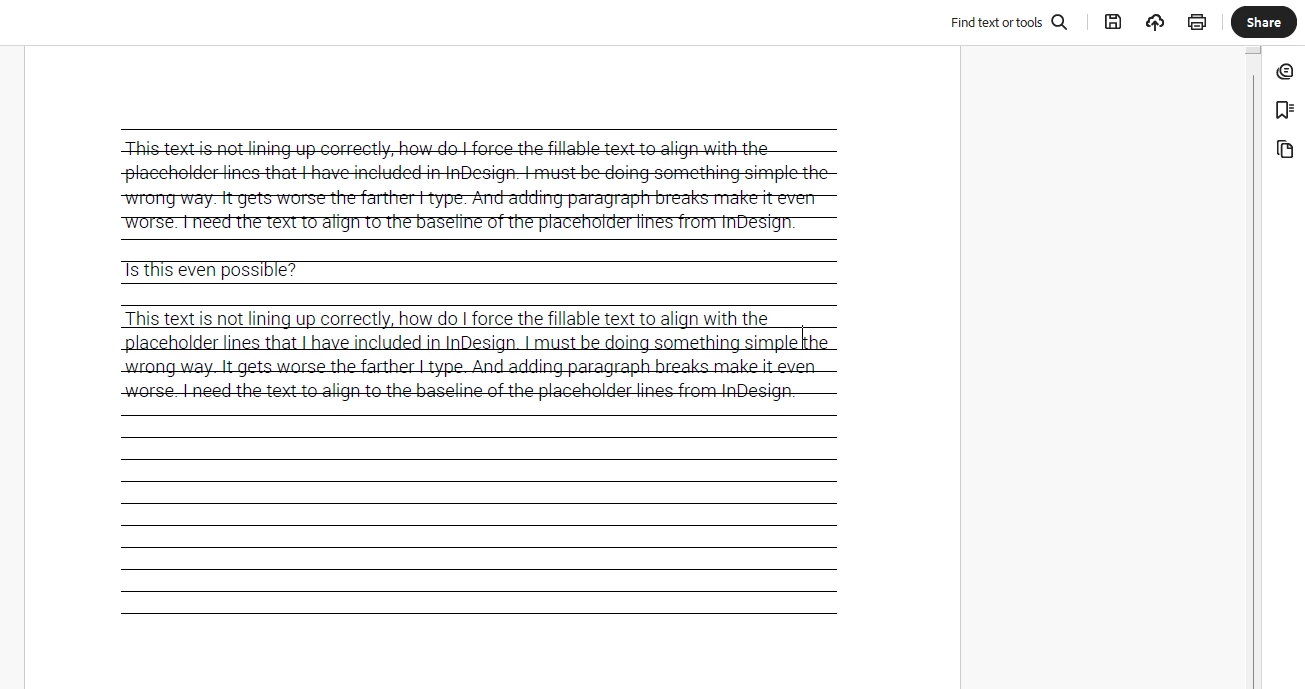
How do I force the fillable text to align with the placeholder lines that I have included in InDesign for a interacitve PDF I've exported? I must be doing something simple the wrong way. It gets worse the farther I type. And adding paragraph breaks makes it even worse. I need the text to align with the baseline of the placeholder lines from InDesign.


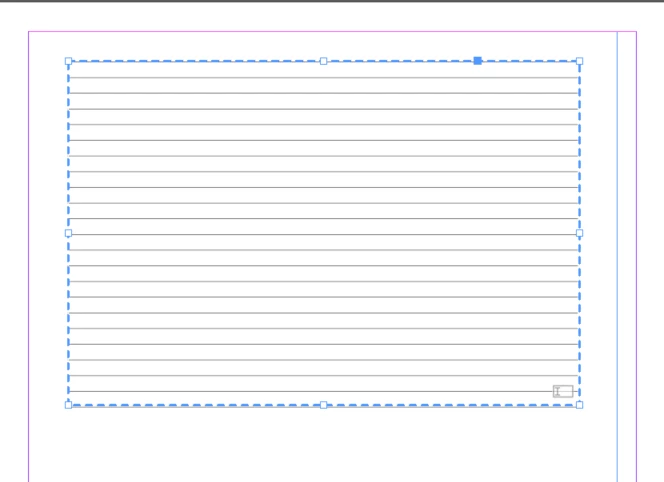
Is this even possible? Below is the comparison to how I'm setting the text field in Indesign vs. how it shows up in the form with I fill out the text field. 


2 replies

JR Boulay
Community Expert
Community Expert
February 17, 2025

Using lines to guide writing is a habit that comes from the old world of paper forms.
In a digital form, texts are necessarily straight, so there's no need for lines.

Acrobate du PDF, InDesigner et Photoshopographe
try67
Community Expert
Community Expert
February 17, 2025

Agreed. The only time they could be needed is if you want the form to also be used printed. In that case you could use a script to hide the field (and show the underlying lines) when the form is printed.

try67
Community Expert
Community Expert
February 16, 2025

You have to carefully select the font size and location of the text field for this to work properly.

The field usually needs to be raised a bit above the actual lines for the text in it to match with them.

This needs to be done manually, though.