
Participant
November 2, 2018
Question

How to Disable Comment Box When Highlighting

  • November 2, 2018
  • 2 replies
  • 5072 views

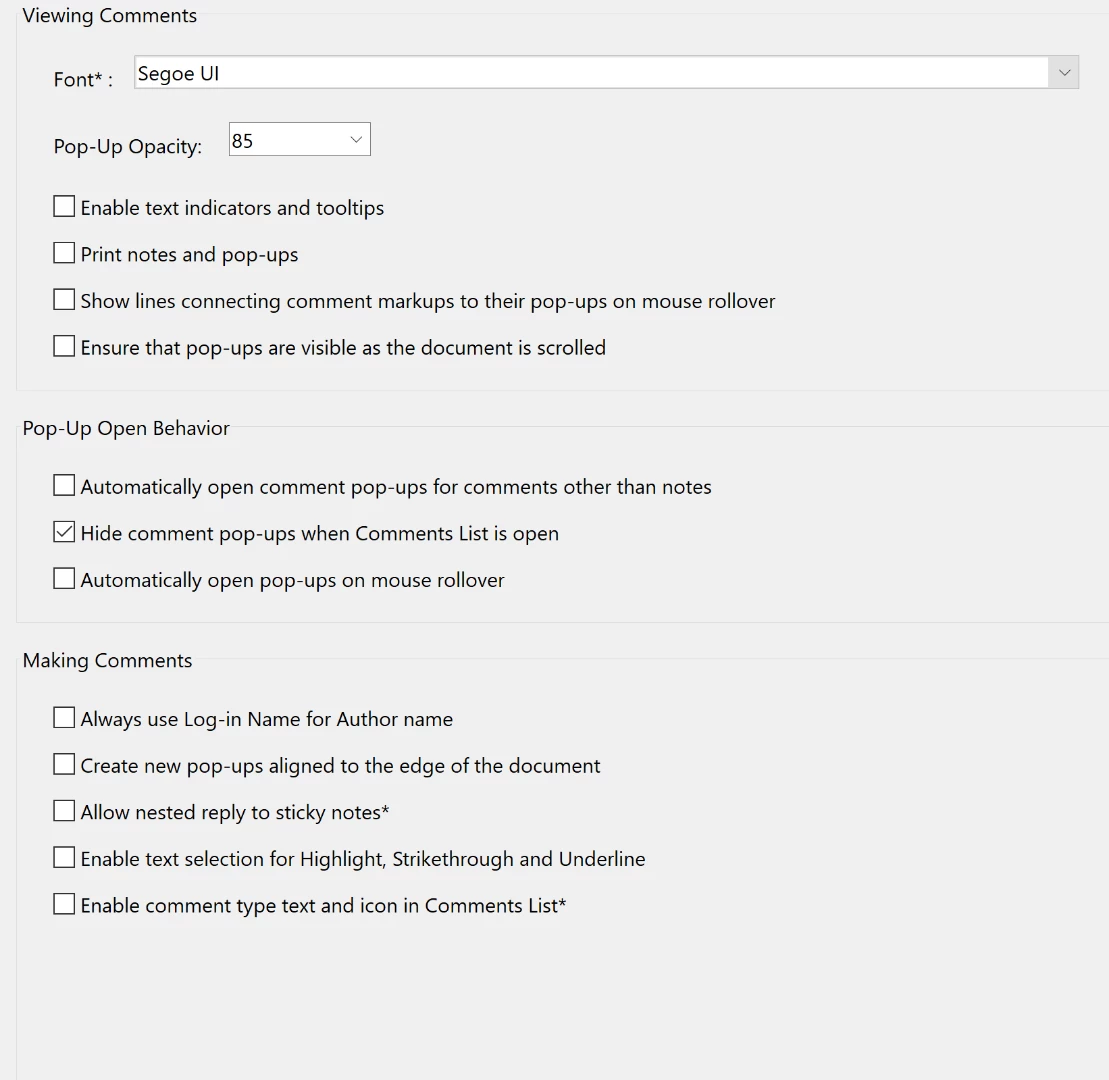
I have Adobe Acrobat Reader & since the last update, comment boxes pop up whenever I use highlight. This does not happen if I use the highlighter without the Commenting Tool being selected, but this is inconvenient because there are other features in the Commenting tool that I also use. I have already played around with the preference settings, & have been unable to find any setting that fixes the issue. Here is what my current settings are:
This topic has been closed for replies.

2 replies

Participant
September 3, 2024

I have been struggling with the same issue for a few days now. I've tried all the suggestions I could find on different forums. None worked. So I just started playing around and whammo I unchecked a completely different box than what everyone said and my highlighter is back to normal. I went to Edit>Preferences>Commenting and I unchecked the very last box at the bottom "copy selected text into highlight, Strikethrough, Underline" etc. I closed the program and reopened my file and it finally highlighted w/o the comment box.

AkanchhaS8194121
Legend
December 21, 2018

Hi Alyssam, 

What you are referring above, is a design behavior of the application. This feature is recently introduced with the latest version of Acrobat.

Changing the commenting preferences showed above, should help here.  Checking "Hide Comment Pop-Up when comment list is open" would hide the comment pop-up.

  • If isn't working for you, then you may reboot the application. Close everything and reopen it.
  • Or check whether latest patch is installed or not. Open Acrobat>Help>Check for update.

Let us know if it still doesn't work.

Regards,

Akanchha