

Participant
April 2, 2021
Question

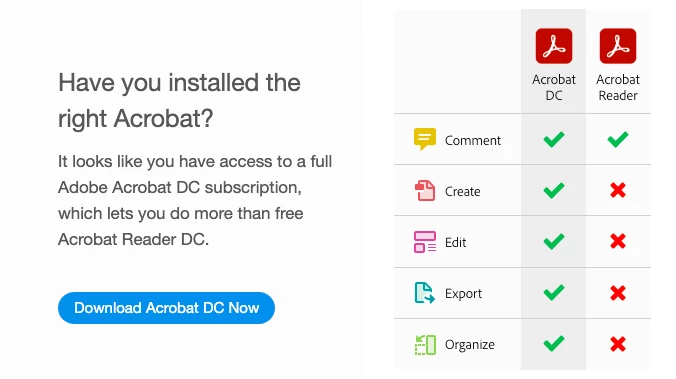
How to disable the "Have you installed the right Acrobat" window?

  • April 2, 2021
  • 2 replies
  • 1056 views

Every time I start Adobe Reader I get this window.

How do I disable this? I don't want to install the full Acrobat software on this PC.
 

This topic has been closed for replies.

2 replies

Inspiring
October 15, 2021

I'm sure I installed the right Acrobat. I just want a lightweight pdf viewer, I don't need > 1gb bloatware for that. The setting "Show me messages when I launch Adobe Acrobat Reader" is unchecked. I still keep getting this anoying message unfortunately.

Participant
July 15, 2021

same question.  EXTREMELY ANNOYING

Meenakshi Negi
Legend
July 16, 2021

Hi Gilbert!


Thank you for reaching out.


As you have mentioned above, you wish to disable the option from keep on popping.

Please try disabling the option "Show me message when I launch Adobe Acrobat Reader" under Preferences.

In the application, go to Edit > Preferences > General >  Message from Adobe.


Let us know how it goes.


Thanks,

Meenakshi
