AdobeGetsWorseEveryYear
Participant
November 23, 2018
Answered

How to disable "To Do"?

  • November 23, 2018
  • 1 reply
  • 598 views

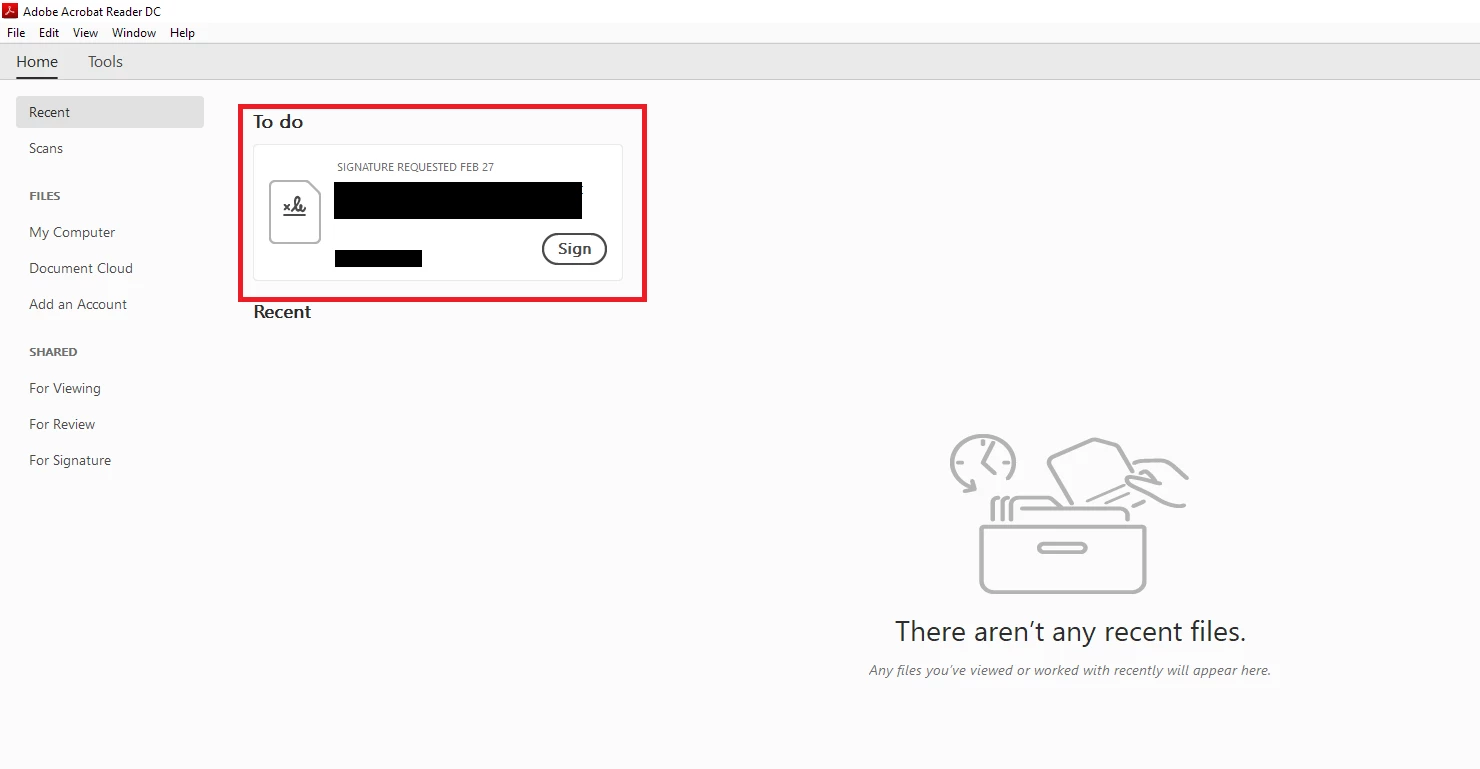
How do I disable this terrible "feature"?  This document that I signed three years ago (in Adobe Reader I might add) has popped up in this new and useless "To Do" section and won't go away.

Also, does anyone have a suggestion for a good PDF reader?  Adobe Reader used to be great, but now it seems to do everything except open PDFs.

    This topic has been closed for replies.
    Correct answer AnandSri

    Hello there!

    I am sorry for the trouble you had, the 'To Do Card' option is to check any pending workflows for PDF files like Review, views, and Sign.

    You can disable the To Do card option through the registry settings, for detailed information, you may refer to the help article, look under Home Screen and Startup Lockable Settings

    The registry path is HKLM\SOFTWARE\WOW6432Node\Policies\Adobe\(product name)\(version)\FeatureLockdown

    Specifies whether to show To Do Cards in the Recent Tab view

    When set to 1, To Do cards do not appear in the Recent tab. Possible values include:

        0 or null: Show cards for unaccepted workflows (reviews, views, and sign).

        1: Hide cards for unaccepted workflows (reviews, views, and sign).

    Feel free to update this discussion if you have any further query.

    Thanks,

    Anand Sri.

    1 reply

    AnandSri
    AnandSriCorrect answer
    Legend
    January 10, 2019

    Hello there!

    I am sorry for the trouble you had, the 'To Do Card' option is to check any pending workflows for PDF files like Review, views, and Sign.

    You can disable the To Do card option through the registry settings, for detailed information, you may refer to the help article, look under Home Screen and Startup Lockable Settings

    The registry path is HKLM\SOFTWARE\WOW6432Node\Policies\Adobe\(product name)\(version)\FeatureLockdown

    Specifies whether to show To Do Cards in the Recent Tab view

    When set to 1, To Do cards do not appear in the Recent tab. Possible values include:

        0 or null: Show cards for unaccepted workflows (reviews, views, and sign).

        1: Hide cards for unaccepted workflows (reviews, views, and sign).

    Feel free to update this discussion if you have any further query.

    Thanks,

    Anand Sri.