treedesign
Participant
July 18, 2017
Answered

How to edit the font, style, size or color in Acrobat Reader DC?

  • July 18, 2017
  • 2 replies
  • 2765 views

I created a fillable PDF form in Acrobat Pro. I would like my customers to be able to edit the font, style, size or color in Acrobat Reader DC.

When I test it in Acrobat Reader DC, [Command + E] on a Mac / [Command + E] on a pc is supposed to pull up the "Form Field Text Properties" box, but it's not happening. It's shows this box:
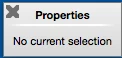
Am I doing something wrong? Is there another way to pull up this box below?

This topic has been closed for replies.
Correct answer try67

In Acrobat, go to Form Edit mode, right-click the field(s) and select Properties, go to the Options tab and tick the "Rich Text Formatting" box.

2 replies

try67
Community Expert
try67Community ExpertCorrect answer
Community Expert
July 19, 2017

In Acrobat, go to Form Edit mode, right-click the field(s) and select Properties, go to the Options tab and tick the "Rich Text Formatting" box.

Bernd Alheit
Community Expert
Community Expert
July 19, 2017

Do you allow rich text in the form text fields?

treedesign
Participant
July 19, 2017

Thank you! @Bernd Alheit and try67