
Participating Frequently
March 5, 2017
Answered

How to get bookmarks and other left pane matter NOT to show by default

  • March 5, 2017
  • 1 reply
  • 2211 views

I rarely have bookmarks in PDFs that I view, and if they are there, I rarely want to use them. Is there a way to get Acrobat Reader DC (I have the most recent version, 2015.023.20070) to not show the bookmarks, or any other left pane matter, by default?

    This topic has been closed for replies.
    Correct answer jane-e

    Here are the tabs in Reader Properties:

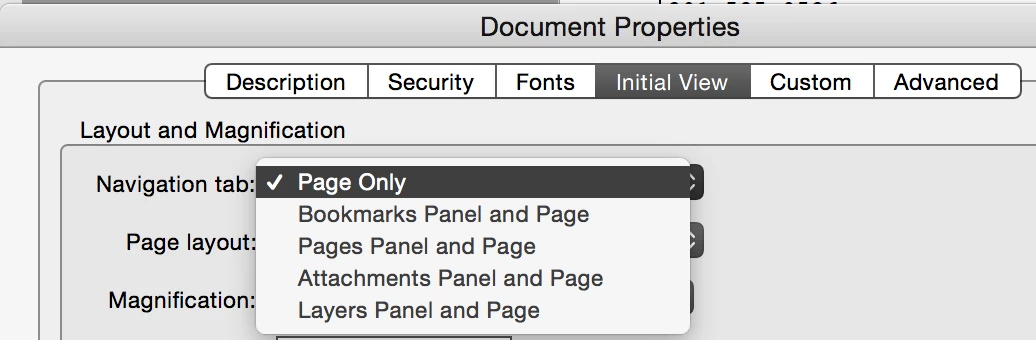
    The full version of Acrobat has one more tab. The Initial View tab in Acrobat (not Reader) lets you select a navigation tab to view (or not view) when you first open the document. The free Reader does not have this.

    1 reply

    jane-e
    Community Expert
    jane-eCommunity ExpertCorrect answer
    Community Expert
    March 5, 2017

    Here are the tabs in Reader Properties:

    The full version of Acrobat has one more tab. The Initial View tab in Acrobat (not Reader) lets you select a navigation tab to view (or not view) when you first open the document. The free Reader does not have this.

    btnymuAuthor
    Participating Frequently
    March 5, 2017

    OK thanks anyways.