
Participant
May 21, 2023
Question

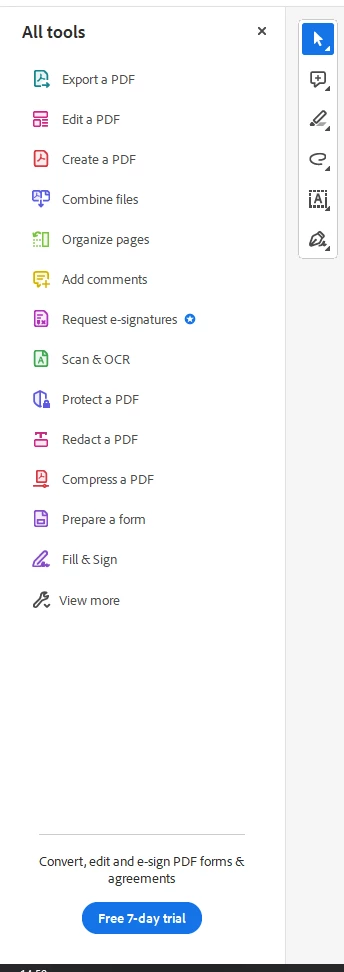
How to hide the All tools side menu?

  • May 21, 2023
  • 2 replies
  • 15815 views

Hi,

It drives me crazy that I can't hide this menu, Tried the F8 or F9 option didn't do anything and I tried 'Remember state of Tools Pane' option which also didn't work, Is there a way to hide this menu?
2 replies

Participant
December 15, 2023

Perfect - thank you.  This worked so well.  I will not be losing sleep at night about missing out on new Adobe Reader features!

jane-e
Community Expert
Community Expert
May 21, 2023

It drives me crazy that I can't hide this menu, Tried the F8 or F9 option didn't do anything

By @Mor Gold


F8 and F9 both do something:

  • F8 hides the tools on top.
  • F9 hide the menu bar


Shift + F4 will collapse/expand the right-hand tools.


See View menu > Show/Hide for other shortcuts.


Jane


Mor GoldAuthor
Participant
May 22, 2023

Hi, maybe it works on the older version, not on the version I have, F8 + F9 Don't do anything for me and the Shift + F4 doesn't exists (see screenshot below)
Is there anything else I can do?


jane-e
Community Expert
Community Expert
May 22, 2023
quote

Is there anything else I can do?

By @Mor Gold


Try this: Disable new Acrobat Reader

Jane