
Answered
How to make a menu item a privileged function
app.addMenuItem({ cName: "A4", cParent: "Help", cExec: ttt});
app.beginPriv();
var ttt = "app.newDoc(420,595)";
app.endPriv();
app.addMenuItem({ cName: "A4", cParent: "Help", cExec: ttt});
app.beginPriv();
var ttt = "app.newDoc(420,595)";
app.endPriv();I have "Developing Acrobat® Applications Using JavaScript™" and "JavaScript™ for Acrobat® API Reference", but it all works for Acrobat DC and only partially for Acrobat Reader DC!
Where can you see what 100% works for Acrobat Reader? of course I mean javascript
If you see an "X" in the right-most box of the "quick bar" under the method/property name, it means it's not accessible in Reader. For example:
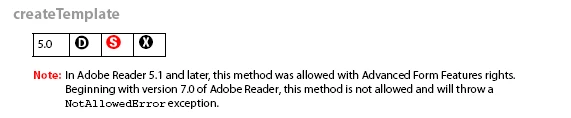
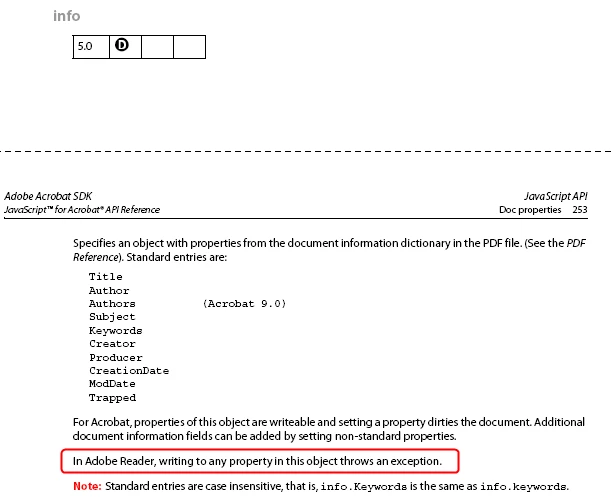
In addition, there are some properties that are Read/Write in Acrobat, but Read-Only in Reader. That will appear in the property's description. For example:
Already have an account? Login
Enter your E-mail address. We'll send you an e-mail with instructions to reset your password.
 AdChoices