
Participant
November 9, 2016
Answered

How to remove 'Acces files anywhere' welcome screen?

  • November 9, 2016
  • 2 replies
  • 1710 views

Hello,

I've created a silent installation of Adobe Reader DC using the Adobe Customization Wizard.

When I start up Adobe Reader it will give me the 'Access files anywhere' screen.
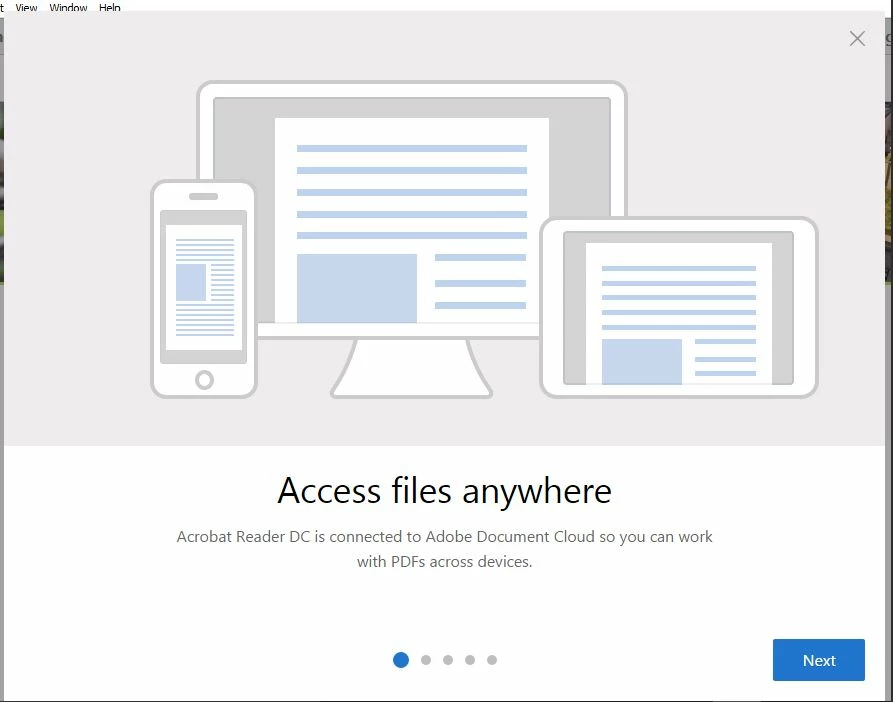
Can anyone inform me how to prevent this message from popping up?

Greetings,

Luuk
This topic has been closed for replies.
Correct answer AkanchhaS8194121

Hi Gerryb29980864,

You may please refer to Pre-Deployment Planning — Enterprise Administration Guide

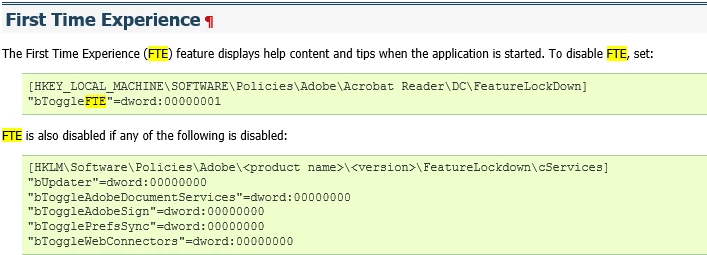
  • In the search type fte (First time experience) and follow the steps to disable the pop up during launch.

Let us know if that works.

Regards,

Akanchha

2 replies

SysBGMB3Author
Participant
November 10, 2016

Dear Akanchha,

Thank you very much, it works.

Instead of using the Customization wizard to add the keys, I used a .reg file at the end of my script.

For anyone interested, my full silent install:

Created a customized install of Adobe Reader DC using the Customization Wizard tool (Suppress EULA, no desktop shortcut, disable upsell, suppress reboot, run unattended).

msiexec /i "%~dp0AcroRead.msi" transforms="%~dp0AcroRead.mst" /quiet /norestart 

Update the installation with the latest Adobe Reader DC update.

msiexec /update "%~dp0AcroRdrDCUpd1502020042.msp" /qb

Add a regkey to suppress the welcome screen.

regedit /s "%~dp0NoWelcomeScrn.reg"

Thanks

Luuk G.

AkanchhaS8194121
Legend
November 10, 2016

Glad to hear it worked for you.

and thanks for sharing the additional information (full silent install), this would be really helpful for the other users.

Thanks,

Akanchha

AkanchhaS8194121
AkanchhaS8194121Correct answer
Legend
November 9, 2016

Hi Gerryb29980864,

You may please refer to Pre-Deployment Planning — Enterprise Administration Guide

  • In the search type fte (First time experience) and follow the steps to disable the pop up during launch.

Let us know if that works.

Regards,

Akanchha