There are not enough resources in my language. As much as I can, I did research information English language. But I could not reach the result.
How will it be? Do you have an article or video that I can examine about it?
After going to File - Properties - Security change the value of the "Security Method" drop-down from "No Security" to "Password Security", and this dialog will appear:
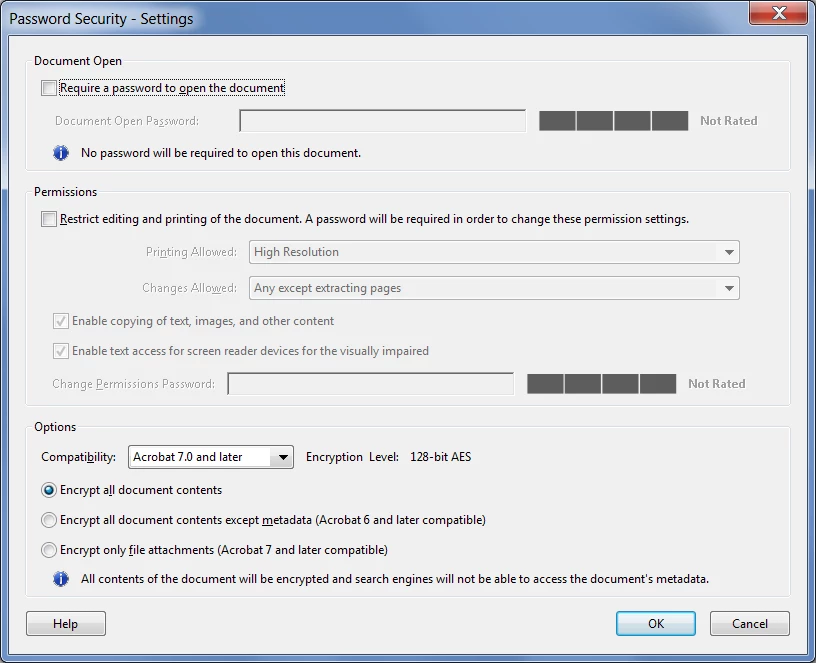
Here you can set two types of passwords: One that is required to open the file and one that is required to edit it.
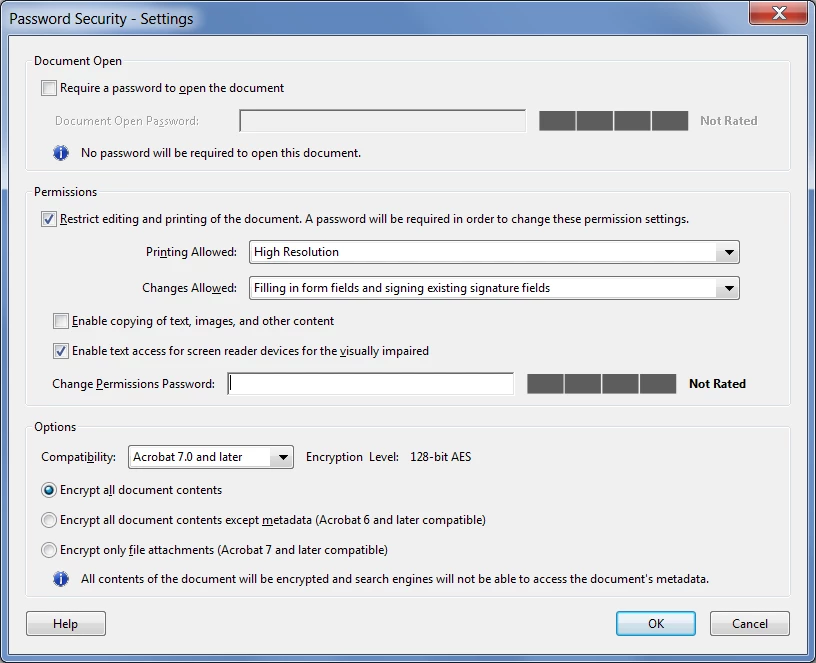
If you select the second one it will also allow you to select what you want kind of changes to allow, and what not to allow.
For example, in this dialog I've allowed printing the file and filling in form fields, but not extracting pages or copying any of the contents of the file:
The you enter your password(s), confirm them and press OK. Save the file (preferably under a new name), close it, and then next time you open it it will be secured.



 AdChoices