


Participant
Jun 27, 2018 9:31 PM UTC
Answered

How to Stop PDFs From Opening When Saved via MS Word/Excel

I just downloaded the latest version of Adobe Reader (18.011.20040) on my new computer. I create files all the time through Microsoft Word and Excel. When I save these files as PDFs, Adobe Reader automatically opens. I do not want that to happen. I simply want it to save as a PDF and go on with my life. How do I stop it from opening automatically?
RaypengCorrect answer
Participant
Dec 16, 2023 2:18 AM UTC

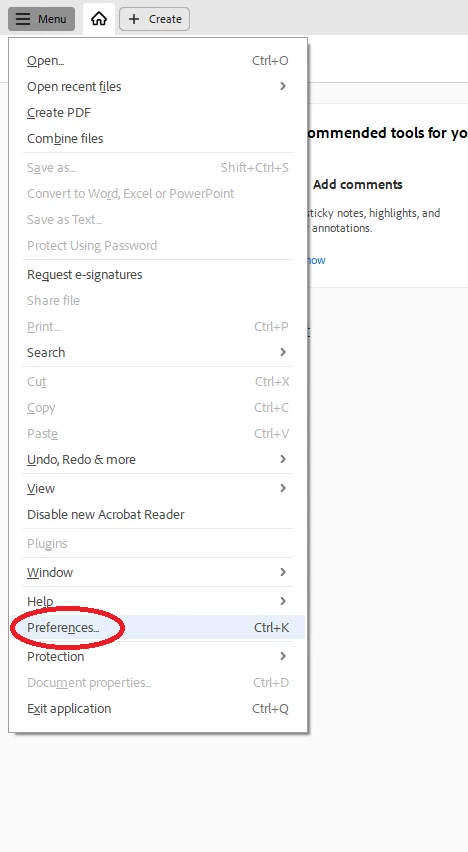
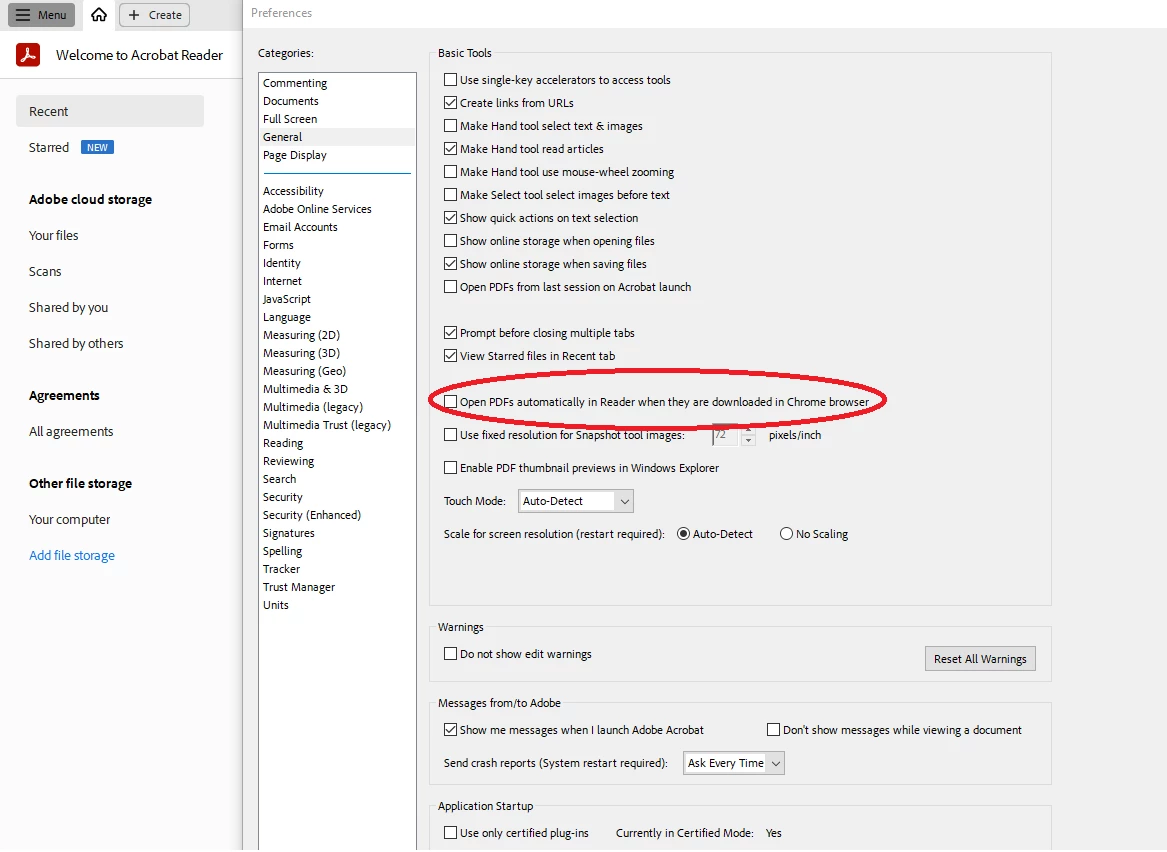
Open PDF, go to Menu > Preferences > General > Open PDFs automatically in reader when they are downloaded in chrome browser (uncheck the box)


Hope this help.

91 replies

~graffiti
Legend
Jun 27, 2018 9:39 PM UTC

That won't be a setting in Reader. It will be in Word.

If you are using Words pdf generator, after using Save as>pdf, deselect the box that says "Open file after publishing". If you are using "Save as Adobe PDF" choose the box that says "View result".

Translate
Participant
Sep 23, 2020 3:55 PM UTC

My issue was not with Word.  Sweet Pea & Rose's answer below fixed the problem.  It's a CHROME issue for me.

Translate
Participant
Nov 10, 2023 1:01 AM UTC

Sweet Pea & Rose's answer fixed the problem for me too.   

+ a bonus!  -stopped a newly saved image opening every time I right clicked an image in chrome browser and selected "save as"!

Translate