
Hyperlinks to audio files open in browser, not media player with Protected Mode at Startup disabled
I have a pdf with hyperlinks to play local audio files.
I want to be able to click the links in Adobe Reader and have the files play in the default Windows media player with no security notices popping up (users will be clicking 100s of links and the notices would get tedious!)
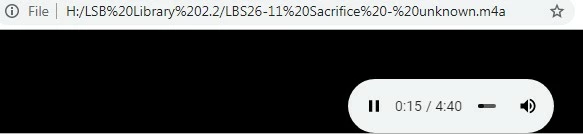
Without changing Security settings to eliminate the two security notices that popup before the file is played, the audio files do play perfectly in my default Windows media player. I have stopped the notices in Preferences > Security (Enhanced), but now the audio files will only play in the default browser instead (Chrome), which is unacceptable. Like this:
I can eliminate the first security notice with no problem by adding the location of the folder the music files are in as a Privileged Location path under Preferences > Security (Enhanced) and the music files still play ok in the default Windows media player. Here is the notice (ticking Remember... doesn't help):
Security Warning... this document is trying to connect to:
file:///H/LSB%20Library%202.2/LBS26-11%20Sacrifice%20-%20unknown.m4a
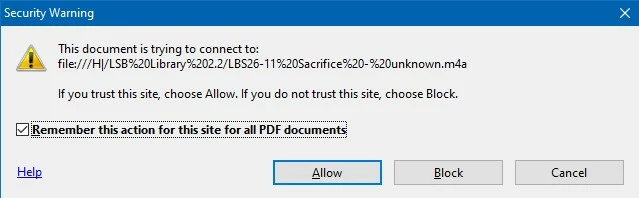
(note it thinks it's a site, not a file)
I can also eliminate the second security notice, which looks like this:
Adobe Reader. this document is attempting to launch:
file:///H/LSB%20Library%202.2/LBS26-11%20Sacrifice%20-%20unknown.m4a
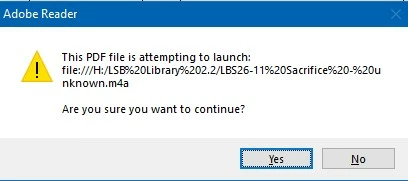
I have eliminated this second popup notice by disabling Enable Protected Mode at startup, again under Preferences > Security (Enhanced) (and restarting Adobe Reader).
But then the audio files suddenly start opening in my default browser (Chrome) instead of the default Windows media player when I click the audio file link.
The pdf was created in Word 2019, using the built-in Save As pdf feature.
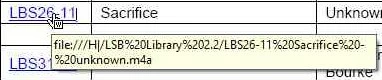
When I hover over the link in the pdf, the cursor changes to have a small W in a box on it (W for Word?) and the popup looks like this:
file:///H/LSB%20Library%202.2/LBS26-11%20Sacrifice%20-%20unknown.m4a
Is there any way this can be configured in Adobe Reader or Windows to open file links in the default media player instead of the browser with no security notices, please?
Perhaps there’s another way to eliminate the second Security Warning, or perhaps there’s a Windows or Adobe Reader configuration that will solve this. Or perhaps the pdf needs to be created a different way! (I have played with other options like Enable Enhanced Secirity, but it has not helped)
I have attached a tiny pdf with just one link in, which still displays this behaviour, in case it helps.
Many thanks for any thoughts or ideas
Adobe Reader version 11.0.20.17
Windows 10 Pro build 1909
default Windows media player: default Windows Media Player, but it makes no difference changing it!
 AdChoices