
January 5, 2018
Question

I can't install adobe reader dc on windows 10

  • January 5, 2018
  • 2 replies
  • 8280 views

I can't install this program on my computer

It will show this page
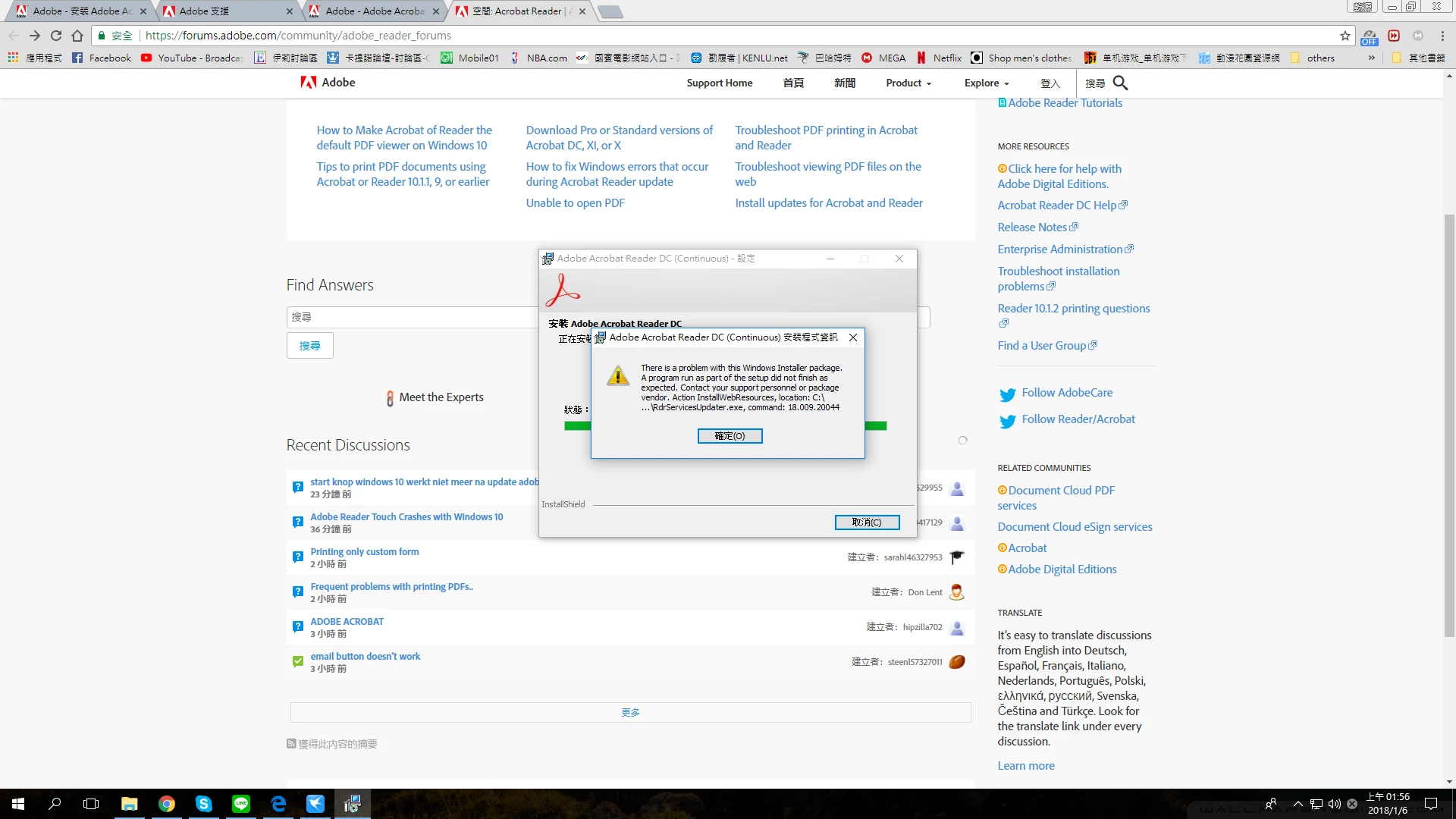
and when I download from the website and install
It will tell me that I have installed the new version

but I never install this program on my computer

could anyone can tell me how to solve this question

thank you

This topic has been closed for replies.

2 replies

AnandSri
Legend
January 5, 2018

Hello Brian_ho,

We apologize for the inconvenience caused, as per the description above, you are not able to install the Adobe Reader DC on your Windows computer, Is that correct?

Please use the Acrobat Cleaner tool to remove any leftover files of Adobe Reader from the machine Download Adobe Reader and Acrobat Cleaner Tool - Adobe Labs

Restart the machine and then install the Reader from Adobe - Adobe Acrobat Reader DC Distribution

Let us know how it goes.

Regards,

Anand Sri.

Just Shoot Me
Legend
January 5, 2018

It is more than likely a Permissions problem. Your Username does not have the permission to write to the Folder or File.

Change the permissions on the Top level folder and have it apply to enclosed items, Mac OS X, or go advanced and apply Full control to all subfolders and files below the top level folder, Windows.