
I cannot change the author, title, and other properties of a PDF file
Hi guys,
I cannot change the properties of a PDF file, like author, title, subject, and keywords as all these fields are grayed out. Some of the PDF files I have are filled with information, and some are not. For both cases I am unable to change them.
I have considered the possibility that these files are protected by their creators, but the files have no passwords, and I have even tried to create my own PDF using Microsoft Office Word Document and then saved it as a PDF, and even then, though I'm the creator of the file it shows the author with a name I have never seen before and I still cannot change that.
I am using Windows 7, and am using Adobe Reader 9.4.
I have attached a screenshot of the grayed out part where I get to it by:
01. Opening a PDF file.
02. On the tabs above, select File.
03. Select Properties.
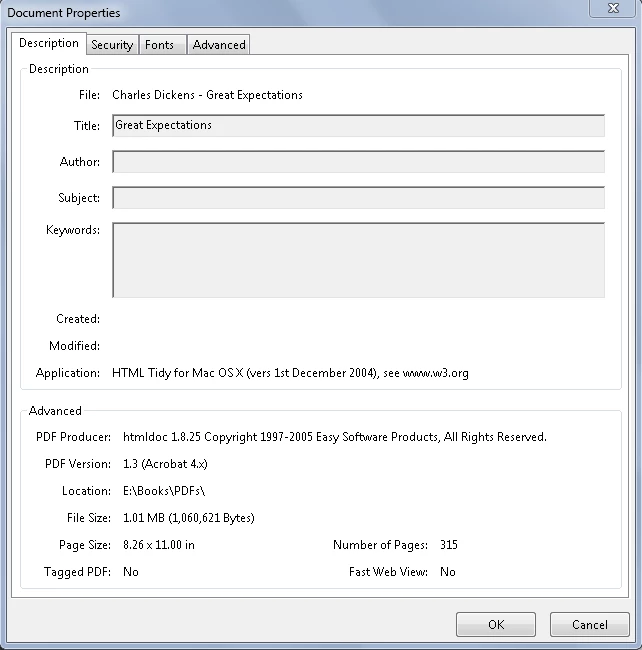
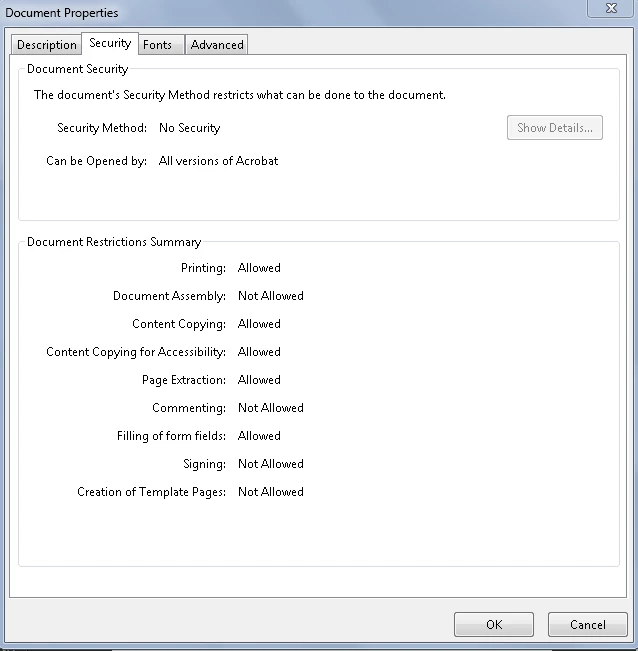
I even considered the security tab, but all of the files are showing with no security in the security method!
Here is how I got to the security tab:
01. Opening the PDF file.
02. On the tabs above, select File.
03. Select Properties.
04. On the tabs above, select security.
Thank you for help!


 AdChoices