
Answered
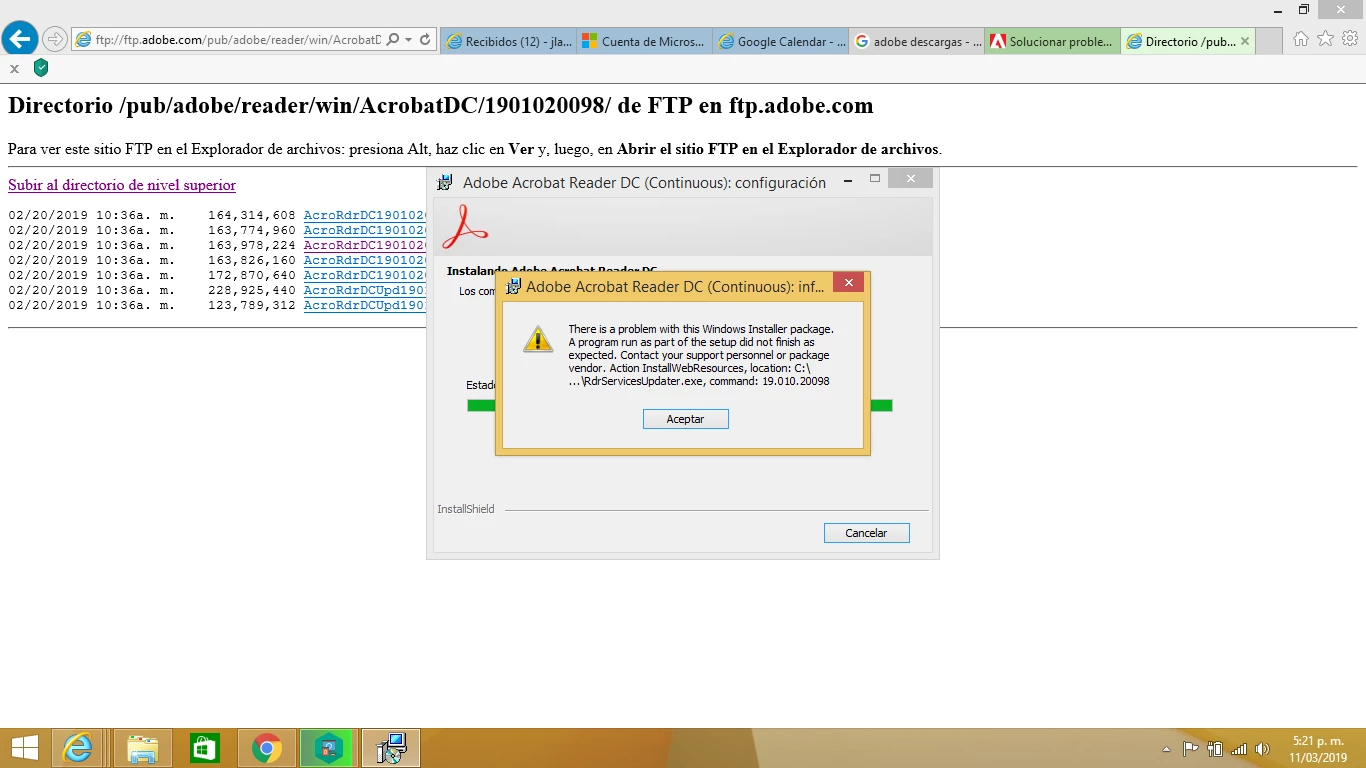
I get the following error message

Hello Jorgel,
We're sorry for the trouble you are having during the installation of Adobe Reader.
The error is shown due to a missing update for Universal C Runtime in Windows. Please reboot the machine once and check for any pending updates of the Operating System from Control Panel and install all the Mandatory or optional updates available.
Or Download the update manually from https://support.microsoft.com/en-us/help/2999226/update-for-universal-c-runtime-in-windows
You may also refer and try the solutions from the following help article Error 1722 while installing/updating Acrobat DC/Acrobat Reader DC on Windows
Reboot the machine and download Adobe Reader from Adobe - Adobe Acrobat Reader DC Distribution
let us know how it goes and share your observation.
Thanks,
Anand Sri.
Already have an account? Login
No account yet? Create an account
Enter your E-mail address. We'll send you an e-mail with instructions to reset your password.


 AdChoices