Hello @huitikho,
I hope you are doing well, and thanks for reaching out. We're sorry for the trouble you had.
Could you please share more details about the issue?
Which operating system and version are you using (Windows 10/11, macOS version)?
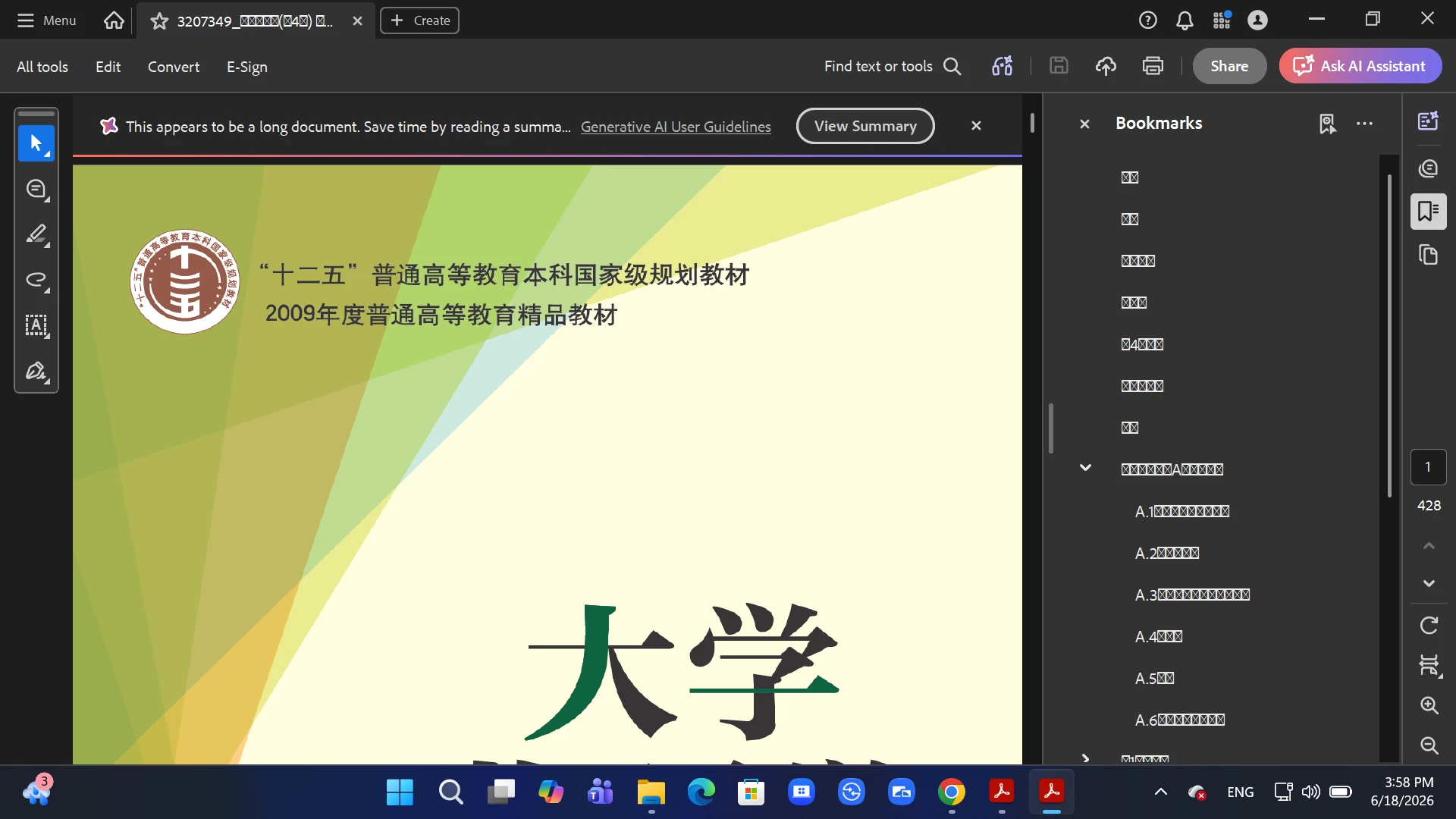
Are the boxes appearing only in the right‑hand navigation pane (bookmarks/TOC) or also in the top menus and dialogs?
Is the issue specific to this one e‑book, or does it happen with other PDFs that contain Chinese text?
The "tofu" boxes are a missing-glyph/font-substitution problem: the PDF does not have its Chinese (CJK) fonts embedded, and the viewing system lacks a matching font, so Acrobat has nothing to render. Adobe's official fix path is to install the Asian language Font and Spelling pack: https://adobe.ly/3QR9pNM
Please ensure you have the latest version of Acrobat installed on the machine: 26.001.21677, Planned update, Jun 17, 2026. Check for any pending updates by navigating to Menu > Help> Check for Updates. Install the updates, restart the app and the machine, and try again.
If the issue persists even after installing the font pack, it could be a problem with the PDF file itself (for example, the Chinese text might be missing proper font information). In that case, try contacting the PDF’s publisher/author to ensure fonts are embedded in the document.
I hope this helps, and let us know if you need any assistance.
Regards,
Anand Sri.




 AdChoices