
Question
Illustrator and pdf poor print quality
Hello,
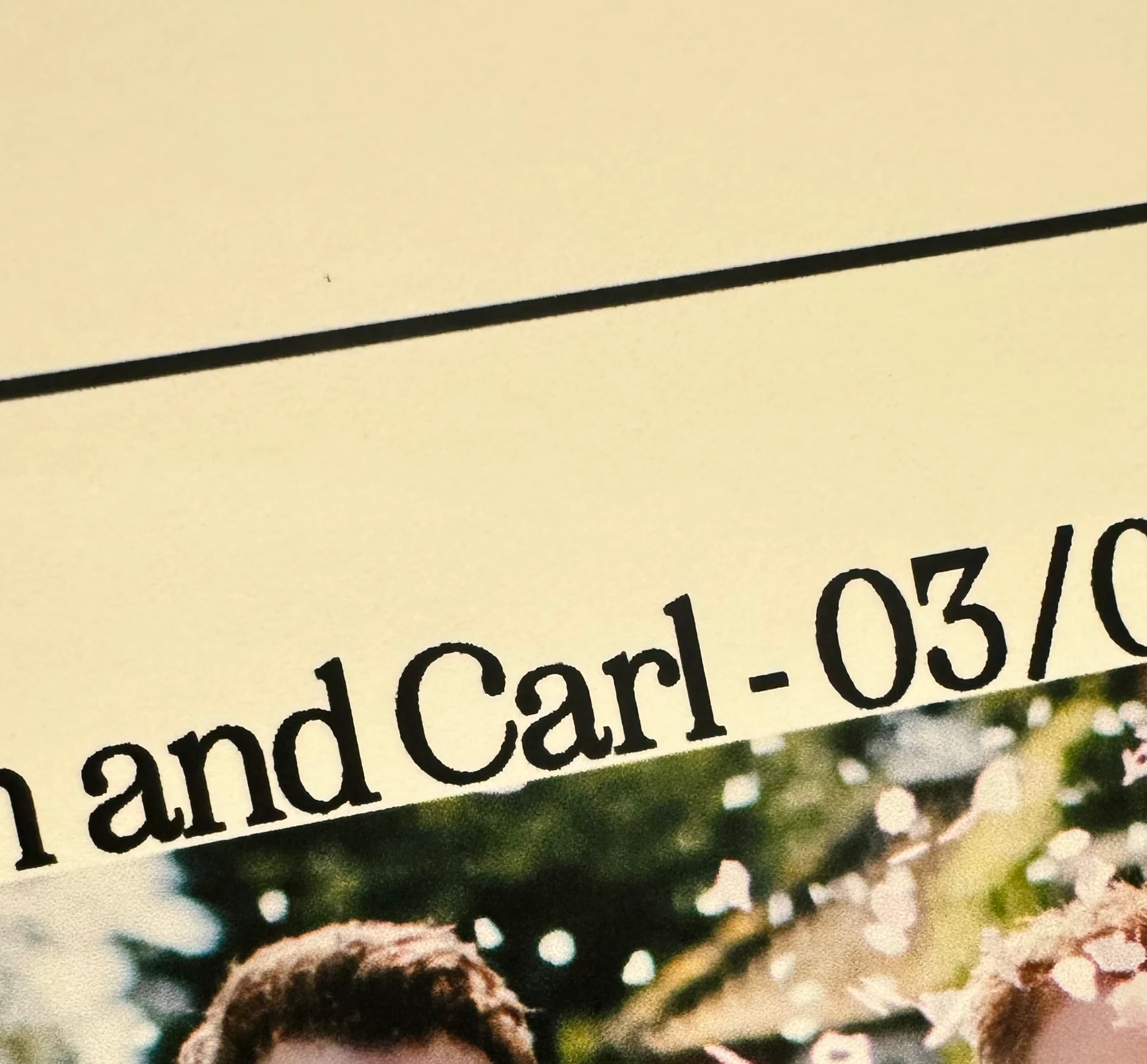
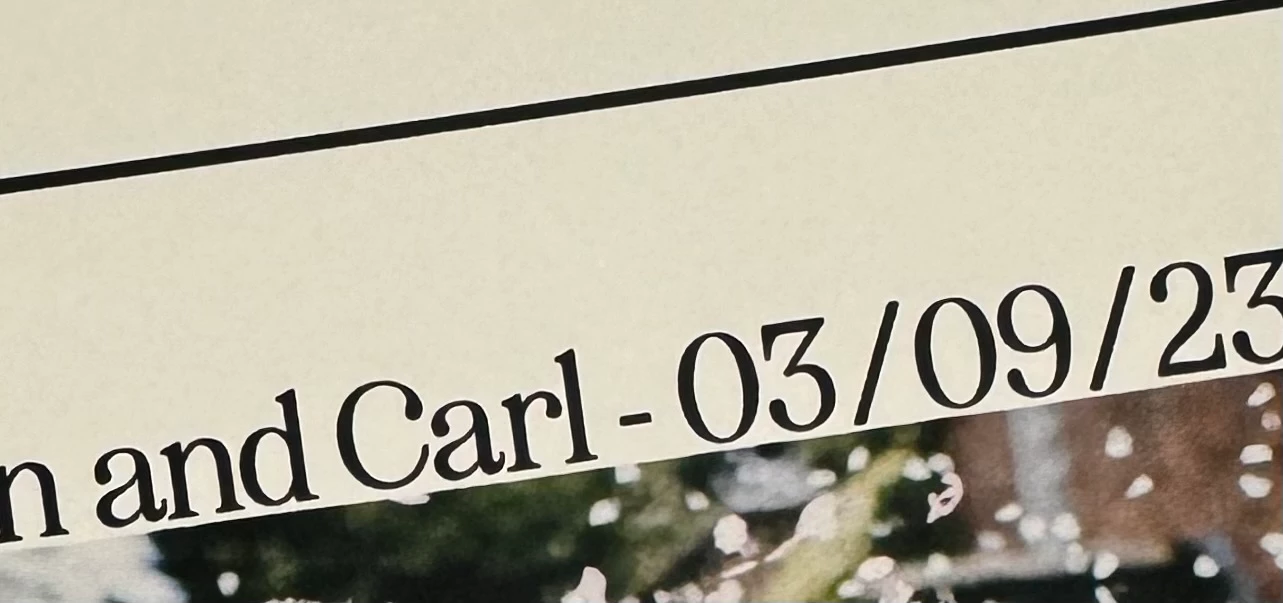
hoping someone can help I am working off a Mac book pro (Mac os14) I am creating a document in illustrator and making sure all text is outlines before I save it as a pdf. But when I go to print (Epson et7750) it either from illustrator or acrobat the font is blurring but if i I open the document and print it from photoshop it is much better. If I just make the document in photoshop altogether the quality great but this is not helpful as I need the illustrator program. Just wondered if anyone could tell me what am doing wrong for reference the picture shows the difference between prints.
Top picture from illustrator and same in acrobat and the one below from photoshop.
Thank you in advance


 AdChoices