Participant
January 13, 2026
Question

Install Adobe Reader DC MUI silently with En and FR as language

  • January 13, 2026
  • 1 reply
  • 315 views

As the title stats, i want to install MUI with English and french silently. Deploying it with PSADT. 


So i first downloaded the MUI from Adobe - Adobe Acrobat Reader Distribution
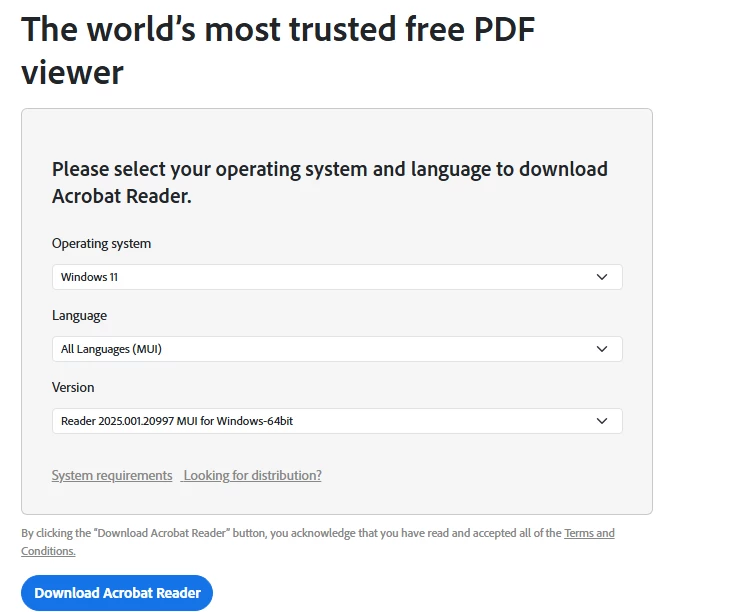
Josh183_0-1768322181642.png


Now if i install this by simply clicking on the exe, it will extra and launch installer. You get to the menu where you can customize the setup. At this stage, you can choose the language. So i chose the ones i want and it installs.
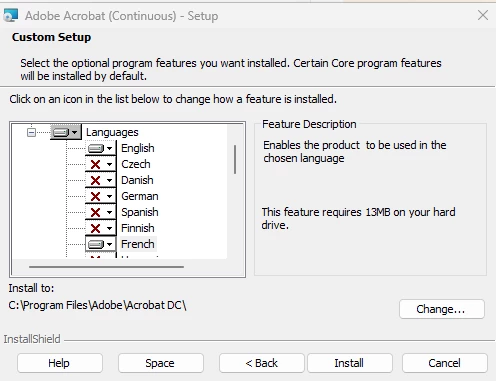
 

Josh183_2-1768322925796.png

When holding CTRL and clicking on the EXE, you can trigger the language section ONLY IF THERE IS ANOTHER LANGUAGE TO SELECT
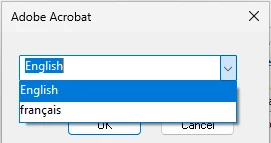
Josh183_3-1768323180130.png

So great. It works...

Now i download Welcome to the Wizard — Acrobat Customization Wizard for Windows

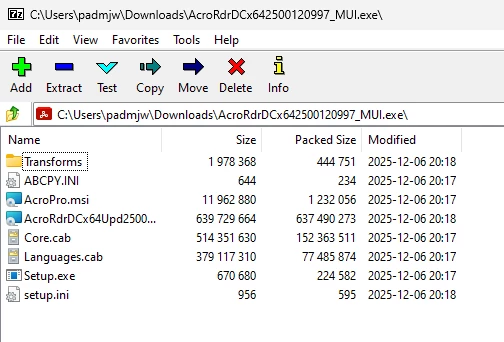
I extract the content of the exe using 7Zip and load it up in the Wizard.
Josh183_4-1768323597119.png

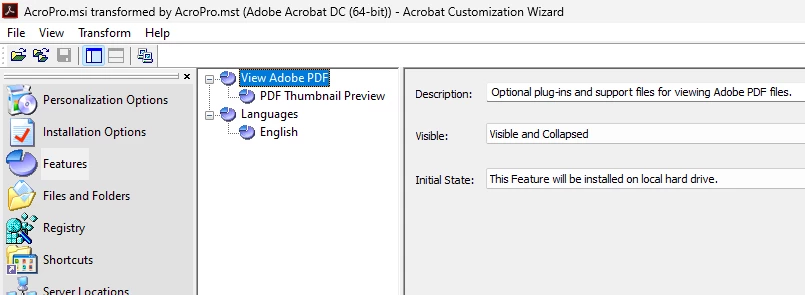
So first thing i see is that i only have access to English under the Features..Where are all the languages!?
Josh183_5-1768323764735.png

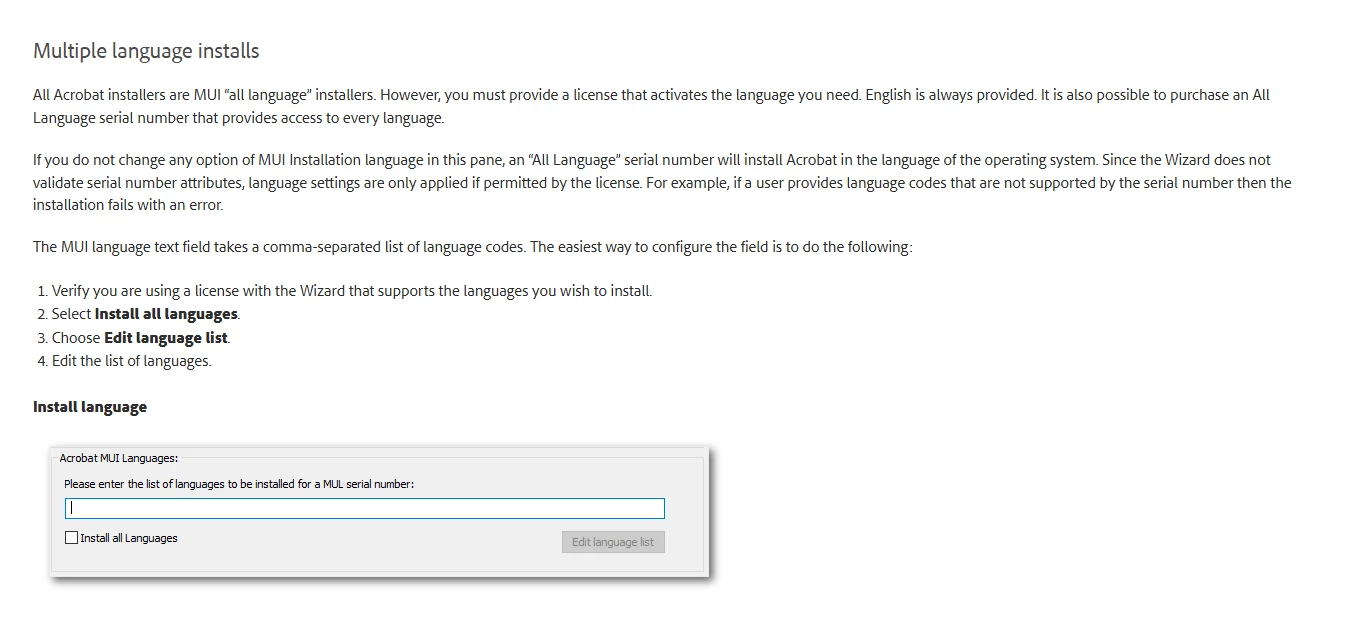
Then installation Option the Acrobat MUI is greyed out but from googling it, that seems to be for a Language licenses when using DC Pro and not Reader it seems...is that really the case? I left OS Language as this is default. 
Josh183_7-1768325622064.png


Josh183_6-1768324444543.png

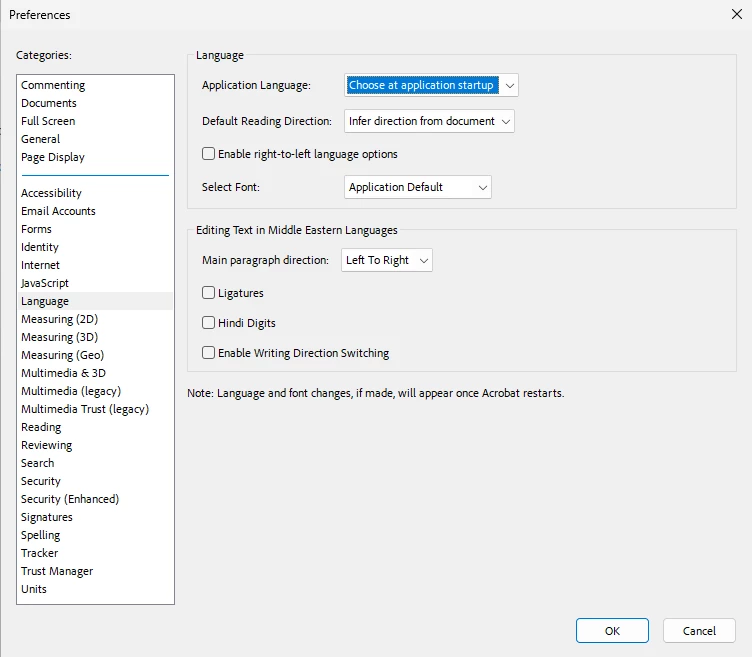
So i choose the other options i need and save which creates a AcroPro.mst. I run Setup.exe and it installs silently using the AcroPro.mst via the Setup.ini. After the install, i start up Adobe Reader and it starts in English. I close it and try the CRTL + EXE..still english. I go into Preferences and Language and choose "Choose at application startup" restart app..still english.
Josh183_8-1768326685659.png

Back in the wizard I found an option under Direct Editor under CheckBox and set the french from 0 to 1 and save. I reinstalled after uninstalling and same result.
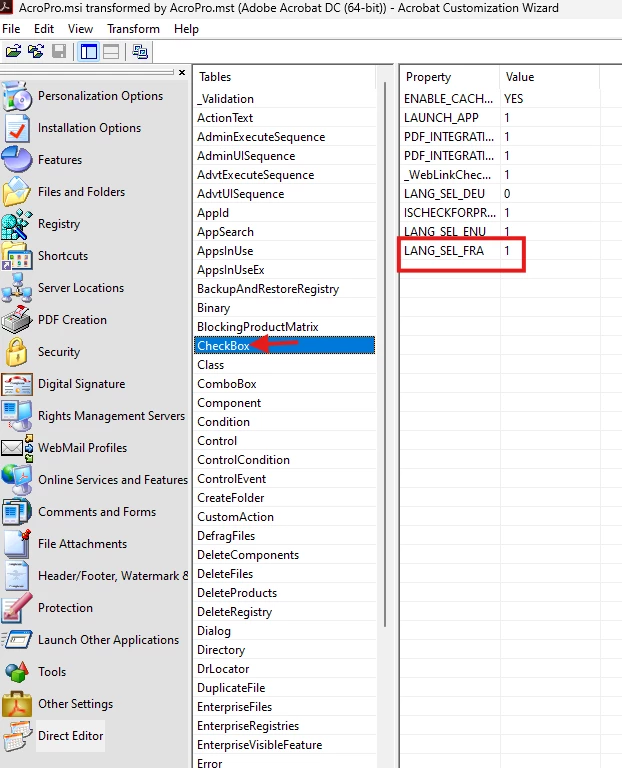
Josh183_9-1768326911162.png


I then tried to do it via the msi following Language Configuration — Deployment Planning and Configuration

but i get and error
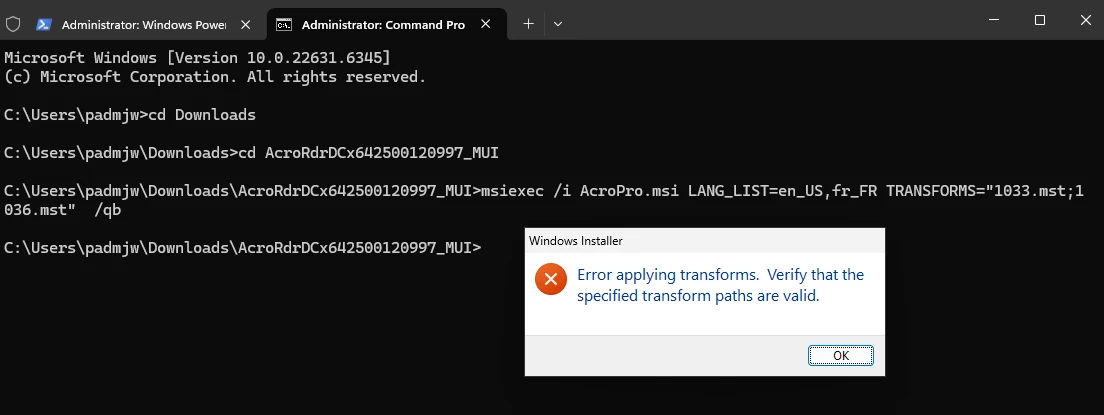
Josh183_10-1768327506773.png

i also tried to put the full path to the mst files and still get the error.


I also tried 

.\AcroRdrDCx642500120997_MUI.exe /sALL /rs /MSI /EULA_ACCEPT=YES /LANG_LIST=en_US,fr_FR /TRANSFORMS="1033.mst;1036.mst"


This just get me a the msiexec prompt for then you don't have the right switches...


Im pretty much out of ideas....

1 reply

AnandSri
Legend
January 14, 2026

Hello @Josh183


I hope you are doing well, and thank you for trying all the steps and sharing detailed information. We're also sorry for the trouble you had.


I will get this checked once internally and will get the steps verified if something is missing. Meanwhile, please check these details once: 


Confirm if you are opening a MUI build in the Wizard (Reader DC MUI 64‑bit, not a single‑language MSI). If it’s not MUI, the language options will be disabled. Please note that in the Wizard, Application Languages / Acrobat MUI Languages become selectable only when the loaded installer is MUI.


If you need silent deployment with EN+FR available, use the MUI installer and either:

Wizard + MST (preferred), then deploy via msiexec /i AcroRead.msi TRANSFORMS=AcroRead.mst /qn, or
EXE with SUPPRESSLANGSELECTION=YES so the UI follows the OS language.


Also, check this Enterprise Toolkit guide for more details: https://adobe.ly/4pK4iuh


Thanks,

Anand Sri.

Participant
January 14, 2026
quote
Confirm if you are opening a MUI build in the Wizard (Reader DC MUI 64‑bit, not a single‑language MSI). If it’s not MUI, the language options will be disabled. Please note that in the Wizard, Application Languages / Acrobat MUI Languages become selectable only when the loaded installer is MUI.


Well if i can install the languages i want as i showed above and i provides the screenshots and link of what i am using, Im sure it is not a single-language MSI. Also it is 64bit installer so the msi is not AcroRead.msi, it is AcroPro.msi. Are you saying there is a AcroRead.msi that is 64bit that is MUI?

quote
If you need silent deployment with EN+FR available, use the MUI installer and either:

Wizard + MST (preferred), then deploy via msiexec /i AcroRead.msi TRANSFORMS=AcroRead.mst /qn, or
EXE with SUPPRESSLANGSELECTION=YES so the UI follows the OS language.


Also, check this Enterprise Toolkit guide for more details: https://adobe.ly/4pK4iuh


I dont see how any of those suggestions are help given everthing i explained in my opening post.