
Participant
February 13, 2018
Answered

Interactive PDF icon with "Please wait..." on the Mac

  • February 13, 2018
  • 2 replies
  • 1244 views

Hi All,

I have one problem. I have created a new interactive PDF file (form) and I have saved its on my hard disc in the Windows system. When I open the Windows Explorer I see the standard PDF icon like as:
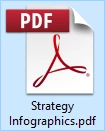
And this is ok but If I send the same file to my Client who has a MacBook he sees a following icon:
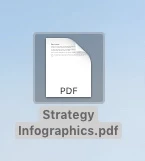
On this icon my Client sees the information:

"Please wait...

If this message is not eventually replaced by the proper contents of the document, your PDF viewer may not be able to display this type of document.

You can upgrade to the latest version of Adobe Reader for Windows(r), Mac, or Linux(r) by visiting ....."

I add that my Client has a newest ADobe Reader version.

What can we do to make the icon on the Mac look like a PDF standard icon? What are the possibilities to change this icon, for example programmatically in LiveCycle or in Adobe X,etc.?

Thanks for any help,

Janusz

This topic has been closed for replies.
Correct answer ~graffiti

Looks like it is a file association thing.

A. They should download it to their computer and open it using File>Open from within Reader. If they are opening in a browser, they more than likely aren't even using the Reader plug-in.

B. If they get that icon on a downloaded file, they need to change the file associations of their OS to set it so it uses Reader and not Mac Preview to open pdf files.

2 replies

Participant
August 31, 2023

Please wait...
If this message is not eventually replaced by the proper contents of the document, your PDF
viewer may not be able to display this type of document.
You can upgrade to the latest version of Adobe Reader for Windows®, Mac, or Linux® by
visiting http://www.adobe.com/products/acrobat/readstep2.html.
For more assistance with Adobe Reader visit http://www.adobe.com/support/products/
acrreader.html.
Windows is either a registered trademark or a trademark of Microsoft Corporation in the United States and/or other countries. Mac is a trademark
of Apple Inc., registered in the United States and other countries. Linux is the registered trademark of Linus Torvalds in the U.S. and other
countries.

~graffiti
~graffitiCorrect answer
Legend
February 13, 2018

Looks like it is a file association thing.

A. They should download it to their computer and open it using File>Open from within Reader. If they are opening in a browser, they more than likely aren't even using the Reader plug-in.

B. If they get that icon on a downloaded file, they need to change the file associations of their OS to set it so it uses Reader and not Mac Preview to open pdf files.