
Answered
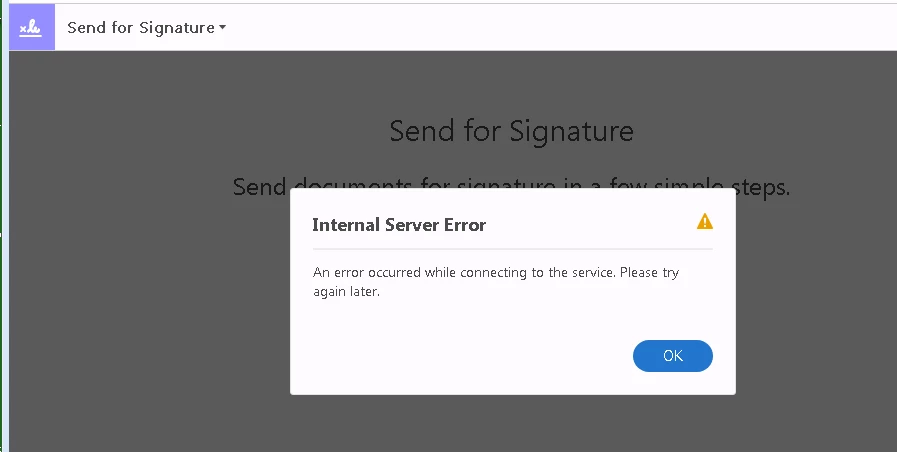
Internal Error Server when trying Send to Signature
Hello Bank,
We're sorry for the trouble you had while using the Adobe Send for Signature service, try accessing the service through a different browser like Chrome or Firefox or Safari https://cloud.acrobat.com/sendforsignature and see if this brings any difference.
If you are using the freeware Adobe Reader desktop application and getting the error message, please sign out from Adobe Reader, reboot the machine once, sign back in and check for any pending updates of Adobe Reader from help>check for updates, reboot the machine again after updating Adobe Reader and try sending the file for signature again.
You can also refer and try the solution from the following Adobe article An error occurred while trying to access the service | unable to connect to PDF services
If possible, connect the machine to a different network environment like a guest wireless network, or a mobile hotspot or try accessing the URL on your mobile device on the mobile data network and check https://cloud.acrobat.com/sendforsignature
Are you getting the error message while sending one PDF file for Signature or with all the PDF files?
Is it a Mac or Windows machine and what is the version?
If Adobe Reader is installed, what is the dot version of it? To identify refer to Identify the product and its version for Acrobat and Reader DC
Let us know how it goes and share your observation.
Thanks,
Anand Sri.
Already have an account? Login
Enter your E-mail address. We'll send you an e-mail with instructions to reset your password.
 AdChoices