
Participant
January 16, 2023
Question

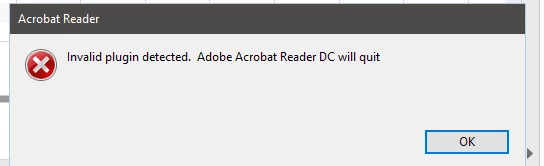
Invalid Plugin detected. Adobe Acrobat Reader DC will quit

  • January 16, 2023
  • 2 replies
  • 7400 views

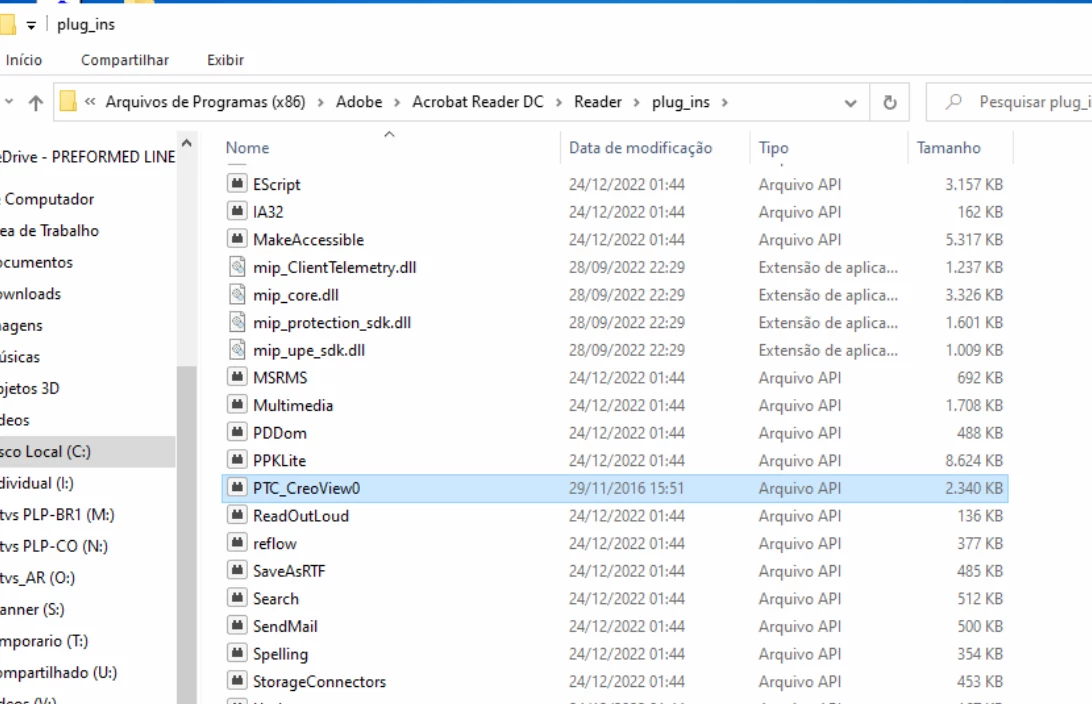
Good afternoon, we use the adobe reader on some computers, the same in the last few days it started to show an error involving a plugin related to the PTC CREO software, the adobe reader, it only works again with the deletion of this plugin, I would like to know if it is possible make it unnecessary to perform this exclusion, since in older versions, it works normally.
This topic has been closed for replies.

2 replies

Meenakshi Negi
Community Manager
Community Manager
January 24, 2023

Hi Luciano Zago and Kent28062762ptvt,


Thank you for your patience so far.


We have released an optional update (22.003.20314) that addresses this issue.

Please try updating the application. Go to Help > Check for updates. 

For more information, refer to the following help document: https://www.adobe.com/devnet-docs/acrobatetk/tools/ReleaseNotesDC/continuous/dccontinuousjan2023qfe.html#dccontinuousjantwentytwentythreeqfe.  


Let us know how it goes.


Thanks,

Meenakshi

Participant
November 15, 2023

I'm now experiencing this on both my desktop and laptop.  I ran the update, but still unsuccessful, and I have nothing in all of my computer that says CREO view or PTC-Creo or other plug ins people have mentioned.  Why am I getting this issue now and on both computers at the same time

Meenakshi Negi
Community Manager
Community Manager
January 16, 2023

Hi Luciano Zago


Thank you for reaching out.


Please share the information asked below to help us understand the issue further:


1. MSI install logs from folder C:\Users\<username>\AppData\Local\Temp. Steps to enable logging: https://learn.microsoft.com/en-us/troubleshoot/windows-client/application-management/enable-windows-...

2. Share the dump / filelist from plugins folder - ""C:\Program Files (x86)\Adobe\Acrobat Reader DC\Reader\plug_ins"

3. Are you using any third party plugin in Reader before applying the patch.


We need more information to investigate this further. We have shared a private message with you. Please check your inbox.

Let us know about the information asked.


Thanks,

Meenakshi

Participant
January 23, 2023

I'm experiencing the same problem since about Christmas time on both my desktop running Windows 10 and my laptop running Windows 11. The only thing I have recently installed is the latest version of Trados 2022 and Multiterm 2022. I do not have the PTC CREO plug-in mentioned above. I have tried uninstalling and reinstalling Adobe Acrobat Reader, but with no success. I cannot rule out Windows 10 and 11 installing some software at that time or since then...