
Known Participant
Nov 23, 2020 6:27 AM UTC
Answered

"invalid plugin detected, adobe will quit"

Dear All,


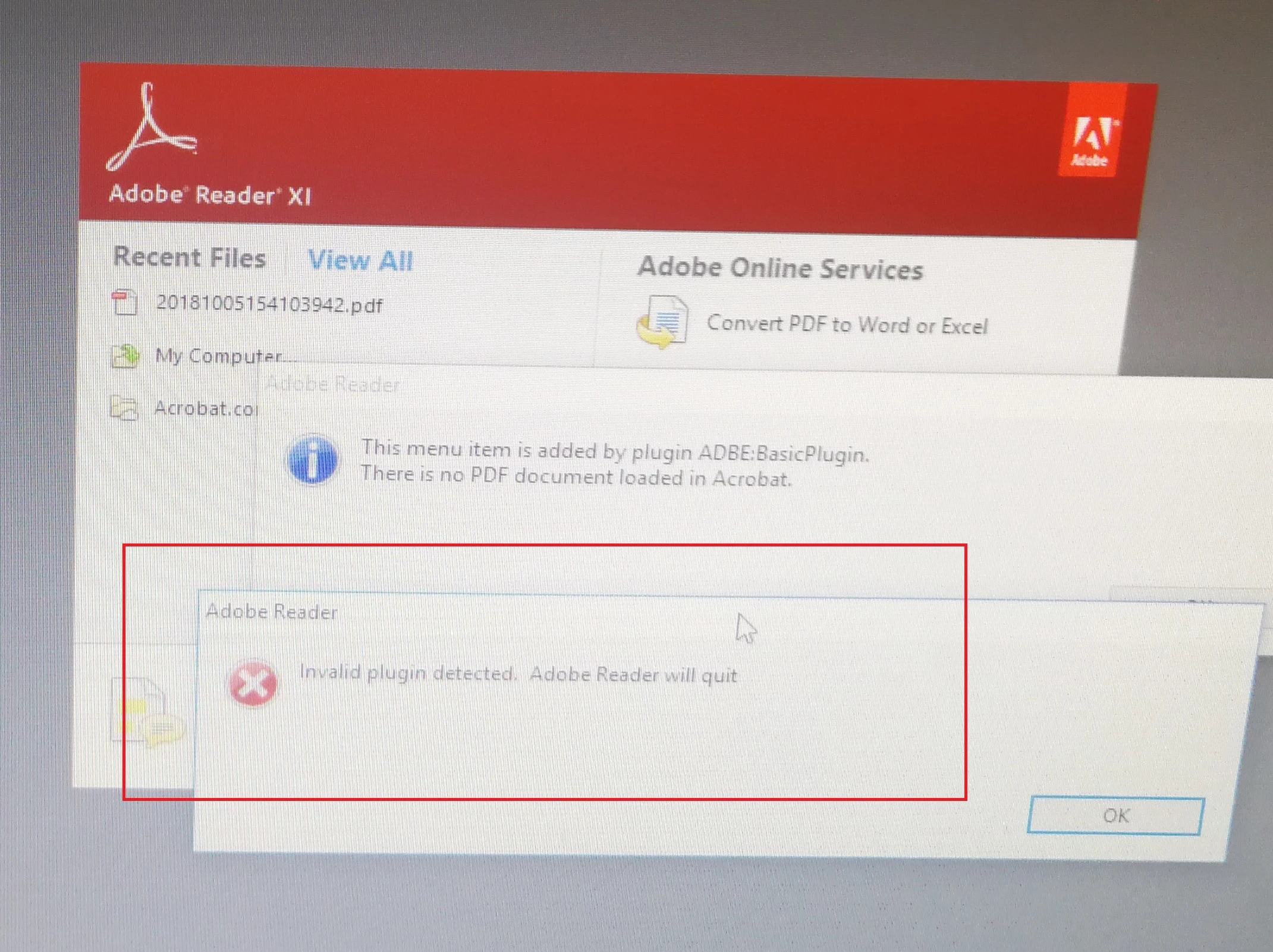
I am using Adobe SDK to develop .api. Using sample code - basicplugin project. It can be built successfully. I put .api into adobe plugins directory. Reopen Acrobat and it can show menu. But it will show “invalid plugin detected. Adobe Reader will quit". I don't know if it needs to be enable by using tools Makekeys and singpluing to enable .api.


Thanks,

Tony

This topic is closed to new replies. Start a new post to keep the conversation going.
Test Screen NameCorrect answer
Legend
Nov 23, 2020 8:45 AM UTC

Enable with MakeKeys, as described in the documentation. But first, you must apply for a license from Adobe, they will review your application, and might (or might not) allow it, then  quote you a fee - up to $25,000 pa for some types of plug-in. You will also need Acrobat (paid for) to develop and test the plug-in, even if writing a Reader plug-in/.

11 replies

Legend
Nov 23, 2020 8:46 AM UTC

Also: Adobe will NOT allow you to make a plug-in for an obsolete version of Reader. You must use Reader DC (as well as makekeys, licensing etc etc.)

Translate
li0D4CAuthor
Known Participant
Dec 15, 2020 3:00 AM UTC

I have applied the public key, it is fine now.

Translate
Test Screen NameCorrect answer
Legend
Nov 23, 2020 8:45 AM UTC

Enable with MakeKeys, as described in the documentation. But first, you must apply for a license from Adobe, they will review your application, and might (or might not) allow it, then  quote you a fee - up to $25,000 pa for some types of plug-in. You will also need Acrobat (paid for) to develop and test the plug-in, even if writing a Reader plug-in/.

Translate
Bernd Alheit
Community Expert
Community Expert
Nov 23, 2020 6:28 AM UTC

For the use in Acrobat Reader you must enable the plugin.

Translate
li0D4CAuthor
Known Participant
Nov 23, 2020 6:33 AM UTC

How to enable plugin?

thanks,

tony

Translate