
Participant
March 3, 2019
Question

Issues underlining texts in sticky notes

  • March 3, 2019
  • 1 reply
  • 416 views

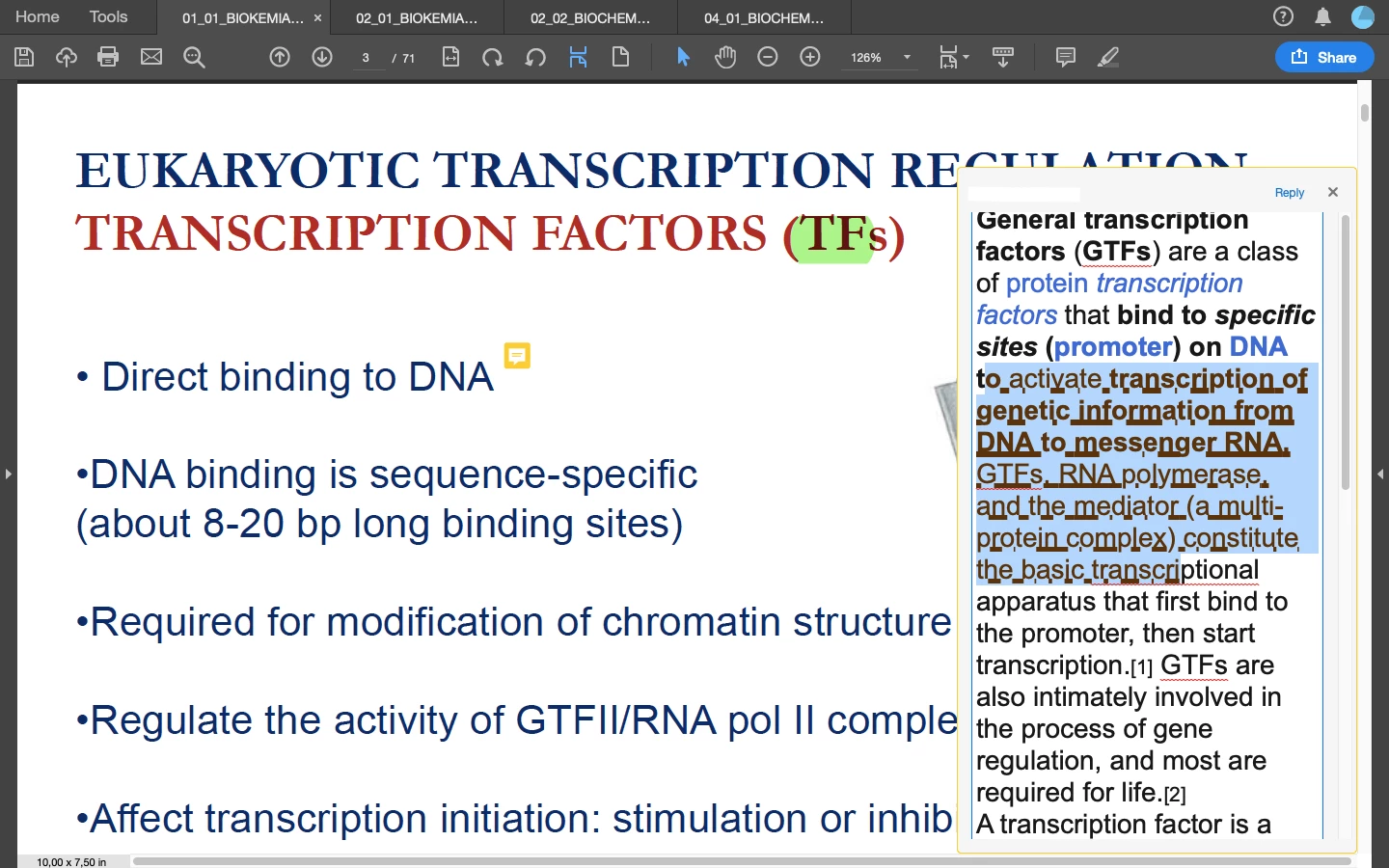
It's been a while since i've been facing problems having the adobe acrobat reader DC app (on macOS Mojave) underline a text in a sticky note properly (as shown in the picture attached). Few updates have come since the problem came up, but none have fixed this issue. Anyway to resolve this problem ?
    This topic has been closed for replies.

    1 reply

    AnandSri
    Legend
    March 4, 2019

    Hi there,

    Would you mind sharing more details about the issue you are facing?

    Are you referring to the Underline feature under the Text Style in the comment pop up? What is the issue you are facing?

    What is the version of Adobe Reader installed? To identify, refer to Identify the product and its version for Acrobat and Reader DC

    What is the version of the operating system installed?

    We're here to help, just need more info.

    Thanks,

    Anand Sri.

    n19704210Author
    Participant
    March 4, 2019

    Hello,

    As you can see in the screenshot attached, I cannot underline texts on my sticky note without them looking as such. I basically just paste or type up any text into the sticky note and the highlight the text I'm meant to underline using the cmd+U keys on my macbook's keyboard to apply the underlining. They almost never get underlined properly without looking like only a few letters in every word have been highlighted. I have attached below a screenshot of the specifications of the Adobe acrobat reader installed on my MacBook.