
Participant
June 1, 2025
Answered

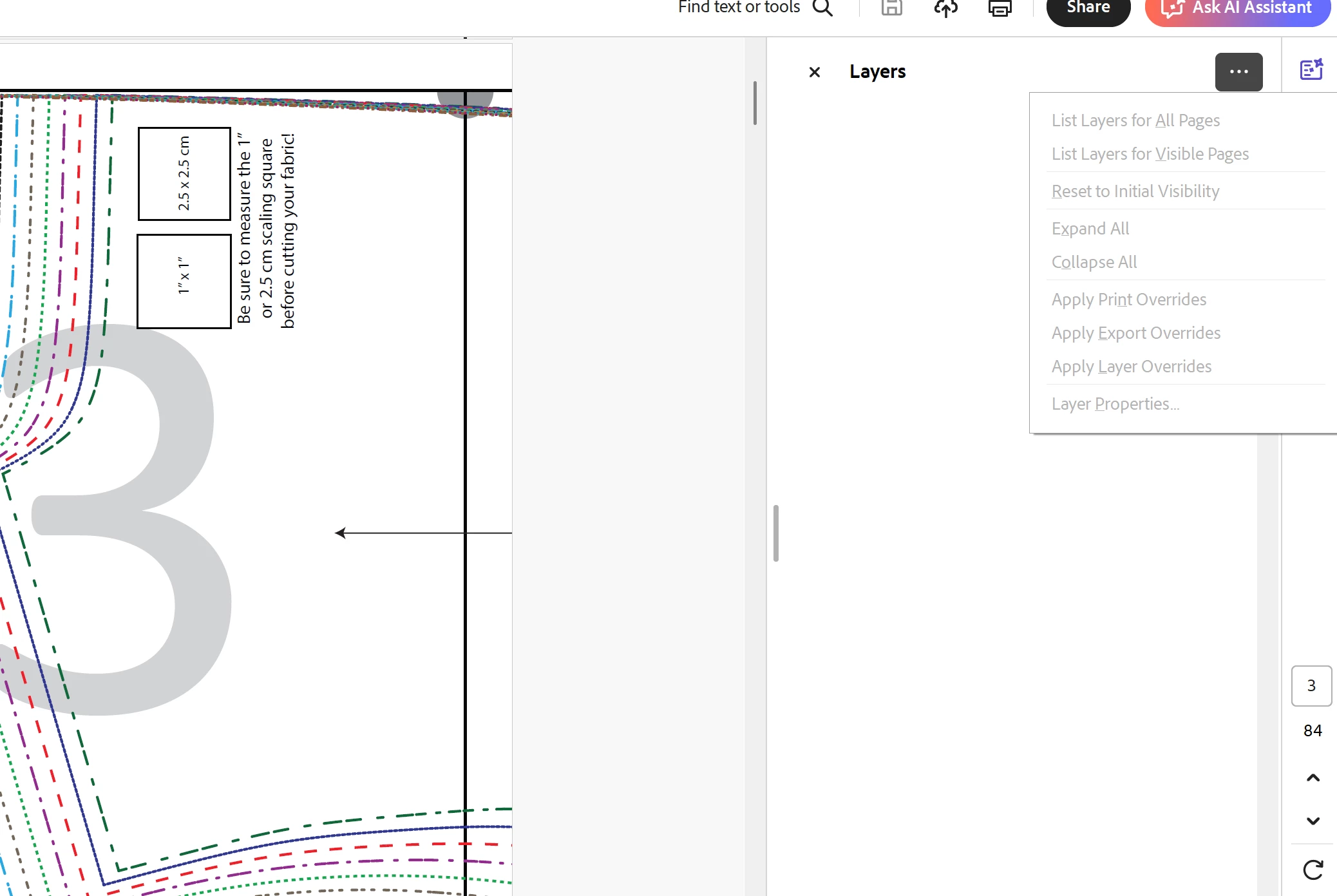
Layers Inaccessible, all grayed out in Reader on PC

  • June 1, 2025
  • 2 replies
  • 696 views

Help!  I've downloaded a pattern I purchased online.  The pattern comes with 20 different sizes and is supposed to have "LAYERS" so I can just print the lines for the size I want rather than the pattern printing all sizes on the pages.  I reached out to the owner/creator of the PDF pattern to ask if there is an issue on their end as I have followed all recommended trouble shooting.  Other people are having no issue with the layers, so It's me.  And I'm at a loss.  Can you tell me why I cannot see the layers?  I checked for updates to Acrobat Reader and I'm supposed to be up to date.  See attachment to see how the layers pane is all grayed out and no layers appear.
Correct answer Dave Creamer of IDEAS

Printing does not retain layers.

You should have been able to save the PDF directly. If you can't see how to download the PDF when it is on screen, back up to the PDF link and right-click on it. You should see the option save the link.


2 replies

JR Boulay
Community Expert
Community Expert
June 2, 2025

[MOVED TO THE ACROBAT READER DISCUSSIONS]

Acrobate du PDF, InDesigner et Photoshopographe
try67
Community Expert
Community Expert
June 2, 2025

If you can't see them it's because there aren't any. Maybe the file was flattened at some point. Did you save it directly from the link that you received for it, or did you open it and then used a "Save As PDF" or "Print to PDD"-type command, by any chance?

Participant
June 2, 2025

It's totally possible that I flattened it unknowingly.  I clicked download on their website, which opened the PDF on my screen.  Then I had to click "print>save as PDF" to download to my computer.  How do I correct this error?  I do still have access to the online file from the seller.

Dave Creamer of IDEAS
Community Expert
Dave Creamer of IDEASCommunity ExpertCorrect answer
Community Expert
June 2, 2025

Printing does not retain layers.

You should have been able to save the PDF directly. If you can't see how to download the PDF when it is on screen, back up to the PDF link and right-click on it. You should see the option save the link.


David Creamer: Community Expert (ACI and ACE 1995-2023)