Participant
June 1, 2023
Question

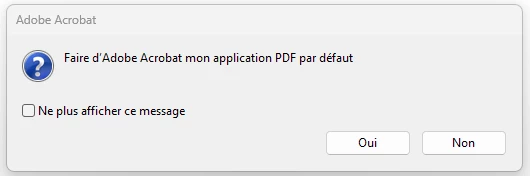
Le message "Faire d'Adobe Acrobat mon application PDF par défaut" apparait constamment

  • June 1, 2023
  • 2 replies
  • 683 views

Bonjour,

Adobe Acrobat (version gratuite) est mon application par défaut pour lire les fichiers PDF.

Mais je reçois toutes les 10/15 mn à l'écran un message "Faire d'Adobe Acrobat mon application par défaut" ; et que je réponde "oui" ou "non", ce message revient constamment !

Comment régler ce problème ?

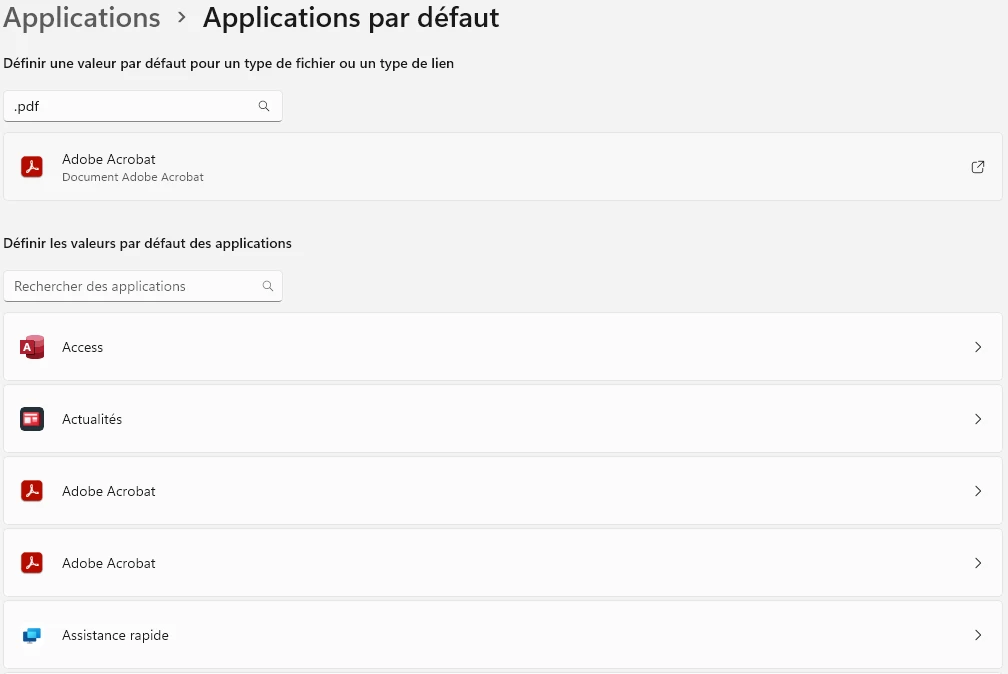
Nota : je suis sur Windows 11 et dans Paramètres / Applications / Applications par défaut, "Adobe Acrobat" apparait deux fois ! J’ai essayé de désinstaller Adobe Acrobat et de le réinstaller, mais cela ne change rien.

Stéphane
 

This topic has been closed for replies.

2 replies

Community Expert
June 8, 2023

The 'Do not show this message again' may help as was mentioned before.

You could try reset the association as in the page below (should  be similar for Windows 11):
https://helpx.adobe.com/fr/acrobat/kb/not-default-pdf-owner-windows10.html (French)
https://helpx.adobe.com/acrobat/kb/not-default-pdf-owner-windows10.html (English)


Participant
June 9, 2023

Thank you for this reminder, unfortunately I have already tried this procedure and it does not solve the problem.

Have a good day.

Souvik Sadhu
Community Manager
Community Manager
June 8, 2023

Hi @Stéphane30220439t9ff,


Hope you are doing well. Sorry for your experience with Acrobat Reader.


Have you tried checking the check box that says "Do not show this message again" below the question mark sign?


This should stop the dialog box from appearing again.


Hope this helps.


-Souvik

Participant
June 9, 2023

Hi Souvik

Preventing the display of the message is indeed a solution to stop seeing it appear!
But as I'm curious, I would have liked to know why it suddenly started to appear for 15 days when it was not the case before ;-).
That being the case, I have plenty of other issues popping up right now with Windows 11, and I think I'm going to have to reinstall it.

Have a good day.