neigel26687307
Participant
April 16, 2018
Answered

Link Adobe with SharePoint
  • April 16, 2018
  • 1 reply
  • 697 views

Hi,

I am trying to create the link between Adobe and our SharePoint Site.

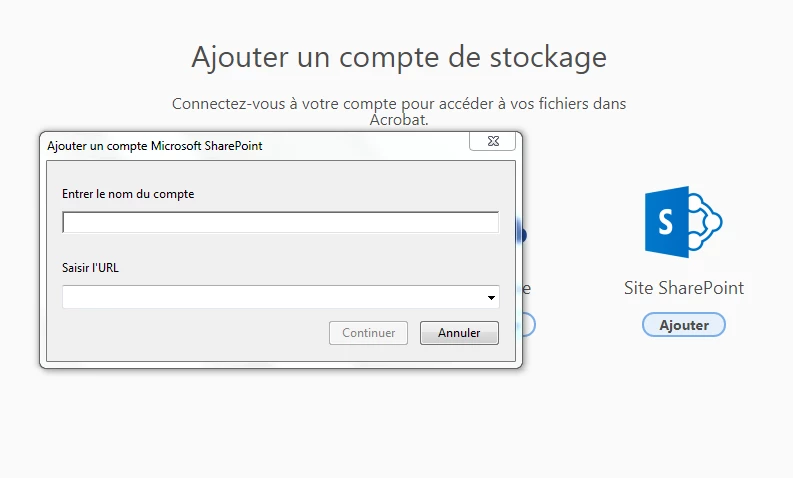
It is asking for the account name and the URL. The account name seem to be the problem, I tried everything I could think off for but nothing worked!

Can you please help me? Do you support the newest version of sharePoint in Office 365?

Thank you for your help

    This topic has been closed for replies.
    Correct answer pwmolina

    I encountered this issue as well, but I figured out how it works. The account name can be anything, it's only what you want to name the storage resource. The URL must be formatted as https://tenantname.sharepoint.com/ in order to connect. If you go to your Sharepoint site you will see it, just make sure there is nothing after the .com/ and you should be good to go.

    1 reply

    pwmolinaCorrect answer
    Participant
    July 25, 2018

    I encountered this issue as well, but I figured out how it works. The account name can be anything, it's only what you want to name the storage resource. The URL must be formatted as https://tenantname.sharepoint.com/ in order to connect. If you go to your Sharepoint site you will see it, just make sure there is nothing after the .com/ and you should be good to go.