

Links to local PDFs—how to disable the warning
Unlike the user who raised this issue:
Disabling security for locally linked PDF’s
I find this warning a nuisance for my clients, who are accessing over 100 different PDFs and constantly have to respond to this dialog box
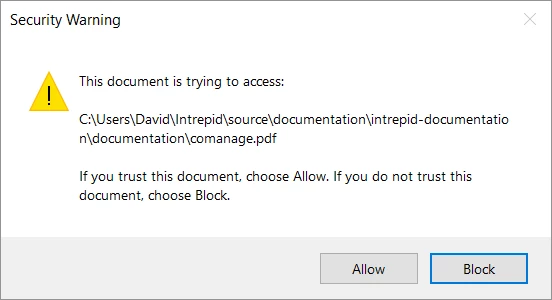
I have studied the forums and only found discussion about accessing PDFs on the internet. Apart from the post mentioned above.
How can I disable this feature in Acrobat Reader?
I tried going to Edit > Preferences > Trust Manager as mentioned but it was all about the Internet, not local files
I then discovered Edit > Preferences > Security (Enhanced) and added the path of the folder containing the PDFs. I restarted Acrobat Reader . The messages stopped appearing
BUT then I closed Acrobat Reader and started it again. I opened a document from a copy of the PDFs that is in a different location, away from the path that I entered. The security warnings continued not to appear!
Can someone please explain the rules to me? How it works? I have to put a concise explanation for clients to be able to get rid of these messages. Acrobat Reader is still behaving in mysterious ways.
 AdChoices