Participant
May 2, 2018
Answered

Locations

  • May 2, 2018
  • 1 reply
  • 489 views

Hello,

I'm french so, excuse my bad english !

My question is :

Is it possible to pin or store storage locations (for the pc) in acrobat reader dc ?

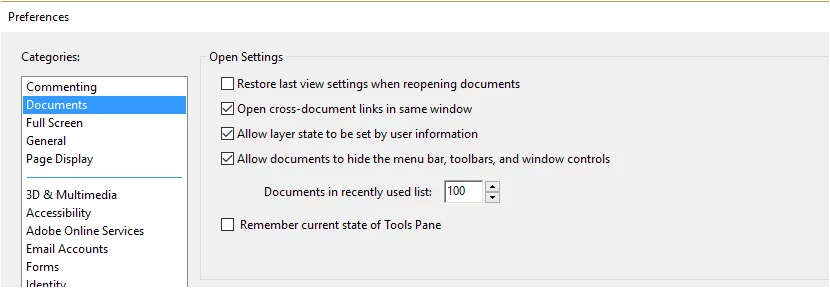
I only see recent places (I can see 100 if I want, I saw this in the preferences) and storage places are often different on my pc.
I wish if I can, see more storage places, without having to browse ; there I see only 5.

Thanks form answer.

Best regards

Patricia

---------------------------------

Bonjour,

Ma question est :

Je sais qu'il est possible dans les préférences de voir 100 fichiers récents

Est il possible de voir plus de 5 lieux de stockage (sans pour autant parcourir) soit en les épinglant soit par affichage mémorisé ou autre ?

Merci de votre réponse

Cordialement

Patricia

Ce message a été modifié par : PATRICIA DEVISSCHERE
    This topic has been closed for replies.
    Correct answer Meenakshi_Negi

    Hi Patricia,

    It seems that you are enquiring that if we can add more folder location in the "Save as" window.

    Sorry to say it is not possible as it shows 5 recent location that you used to save the PDF.

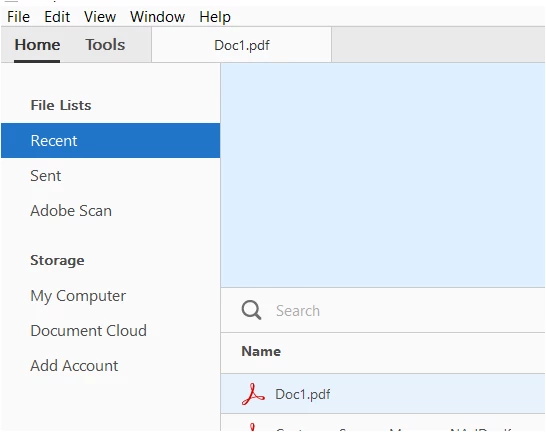
    The option that you are referring to in the Preference window, it is for the Recent list of PDF that appears under the Home tab when you open the Reader DC.

    The number you select in the drop-down, you will be able to view that particular number of files listed in the Recent column in Adobe Acrobat Reader DC.

    Hope the information helps.

    Let us know if you have any question.

    Regards,

    Meenakshi

    1 reply

    Meenakshi_Negi
    Meenakshi_NegiCorrect answer
    Legend
    May 2, 2018

    Hi Patricia,

    It seems that you are enquiring that if we can add more folder location in the "Save as" window.

    Sorry to say it is not possible as it shows 5 recent location that you used to save the PDF.

    The option that you are referring to in the Preference window, it is for the Recent list of PDF that appears under the Home tab when you open the Reader DC.

    The number you select in the drop-down, you will be able to view that particular number of files listed in the Recent column in Adobe Acrobat Reader DC.

    Hope the information helps.

    Let us know if you have any question.

    Regards,

    Meenakshi

    Participant
    May 2, 2018

    Thanks for the answer !  ;-)

    Best regards