
Question
Measure tool not working due to line snap
Adobe acobat reader measuring tool not able to performed proper measurement due to line "snap" function not working. The line "snap" function use to be working fine until I make some change on 2D measuring option. I click on " Use Orthographic Lines" option and the "snap" function just go haywire. De-select the option the problem still exist, try "Repaired Installation" from the "Help" also not working.
It seem like there is a "bug" in the software.
Below example 2 same point but the reading is different. If the line snap function is working, it will snap on the first line and follow by the next line.
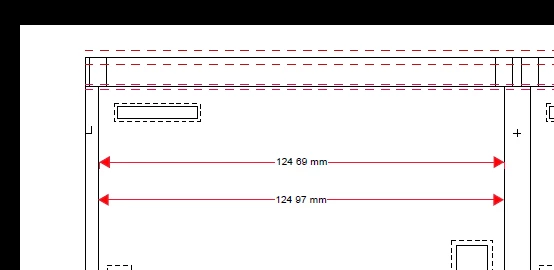
[Title edited by Adobe employee and moderator]


 AdChoices