
Participating Frequently
December 21, 2021
Question

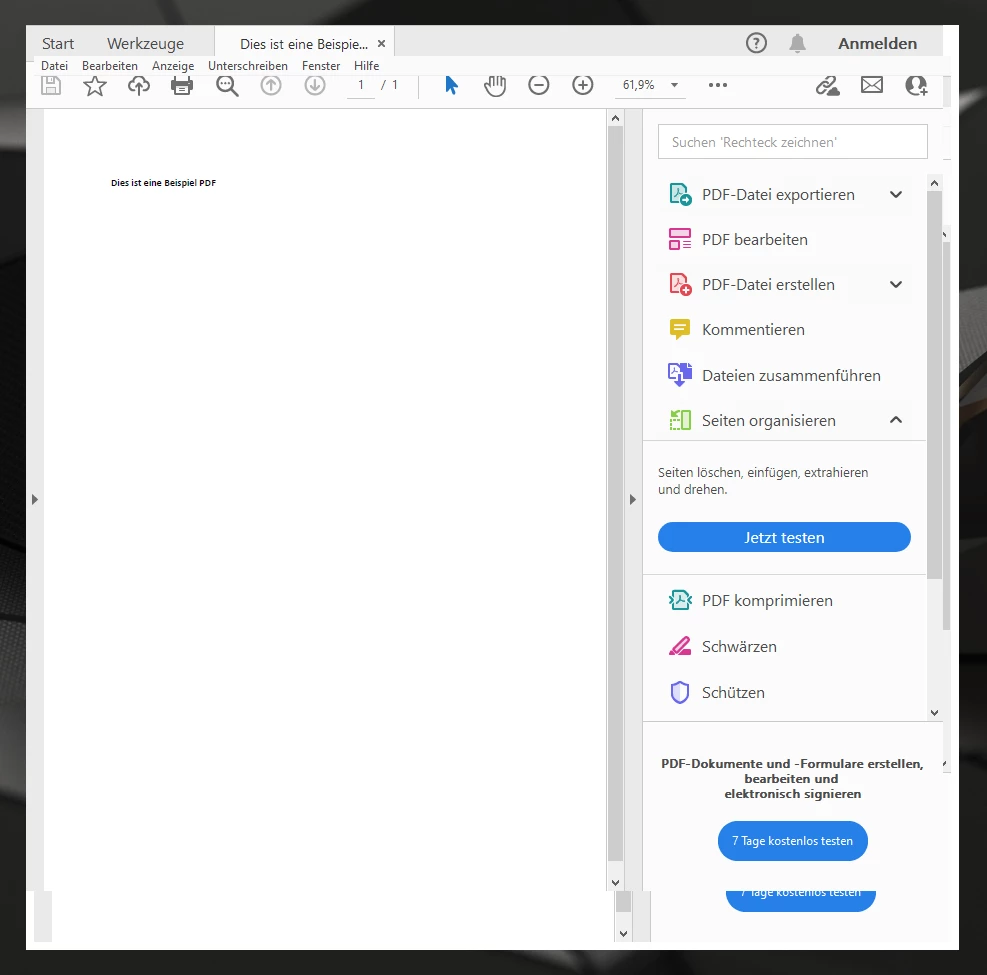
Menu bar disappears approx. 2 seconds after opening a PDF

  • December 21, 2021
  • 1 reply
  • 7745 views

Hello,

unfortunately the menu bar always disappears about 2 seconds after opening a PDF. So I can no longer access the options in it or move the window. In addition, it seems as if the window slides up (the bottom edge is visible twice).

A (complete incl. reg entries) reinstallation has unfortunately brought nothing.

Has anyone already had this problem and knows a solution?
 

This topic has been closed for replies.

1 reply

Amal.
Community Manager
Community Manager
December 21, 2021

Hi Thomas


Hope you are doing well and sorry for the trouble.


Would you mind sharing the version of the Adobe Acrobat reader DC and the OS you are using? To check the version of the application go to Help > About Acrobat and make sure you have the recent version 21.07.20099 installed.


Also try to reboot the computer once and check.


You may also try to repair the installation from the help menu (Win Only) and see if that works


Please try to create a new test user profile with full admin rights in Windows or enable the root account in MAC and try using the application there and check.


Regards

Amal

Participating Frequently
December 22, 2021

Hello Amal, 


thanks for your answer. I just installed the newest version downloaded from the Adobe website. I can not check the version because when I try to go on help the menu bar disappears. 

I am using Windows 10 Pro (10.0.19044 Build 19044)


A computer restart has no effect on the problem.


An installation repair unfortunately does not help either.


With a test user with admin rights the described problem also occurs.


Amal.
Community Manager
Community Manager
December 22, 2021

Hi there


We are sorry to hear that, would you mind collecting the Adobe CC logs https://helpx.adobe.com/creative-cloud/kb/cc-log-collector.html and procmon logs https://www.adobe.com/devnet-docs/acrobatetk/tools/Labs/acromonitor.html and share them with us via document cloud link as decribed here https://helpx.adobe.com/document-cloud/help/sharing-pdfs.html so that we can isolate the issue for the fix.


Regards

Amal