


Participant
January 26, 2021
Question

misrepresentation of the document

  • January 26, 2021
  • 1 reply
  • 669 views

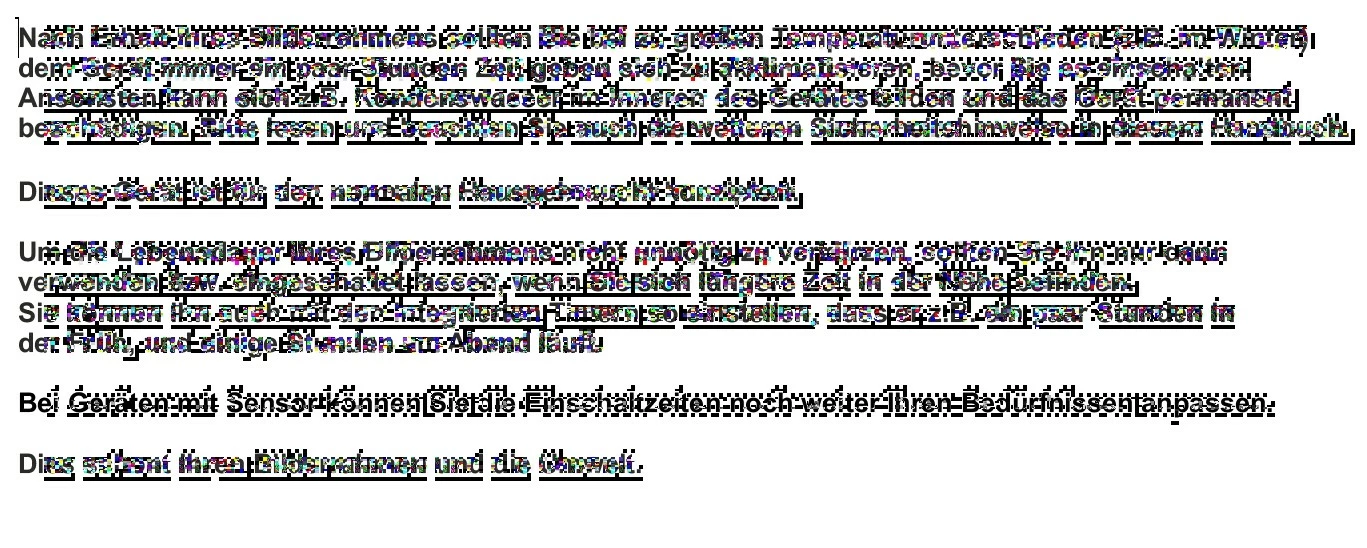
When I want to highlight a text passage in Acrobat Reader and click on the document with my mouse, I always get a heavily pixelated text (see picture below). If I then move the mouse over the text, I get a legible display again.
Data: mouse: Cherry b.unlimited 3.0; monitor: Benq EW2480

Does anyone have any ideas.
Thanks a lot

Picture:
This topic has been closed for replies.

1 reply

try67
Community Expert
Community Expert
January 26, 2021

What's the exact version number of the application (You can find it out by going to Help - About Adobe Acrobat Reader)? What's your OS version?

Participant
January 27, 2021

The exact version number of the application is: 2020.013.20074. My OS-Version is Microsoft Windows 10 Version 20H2, Build: 19042.746.

Participant
January 29, 2021

Under the topic: "corrupted documents" I found a solution to the problem:
Mark5EF8 wrote:
"Here is what worked for me: navigate to the file AcroRd32.exe in this folder C:-Program Files (x86)
Choose "Fix Compatibility": instruct the troubleshooter to run this program in Windows 7 compatibility mode."

This also works for me.