

Participating Frequently
Oct 8, 2026 2:04 PM UTC
Question

Mtoke - no attach module showing up

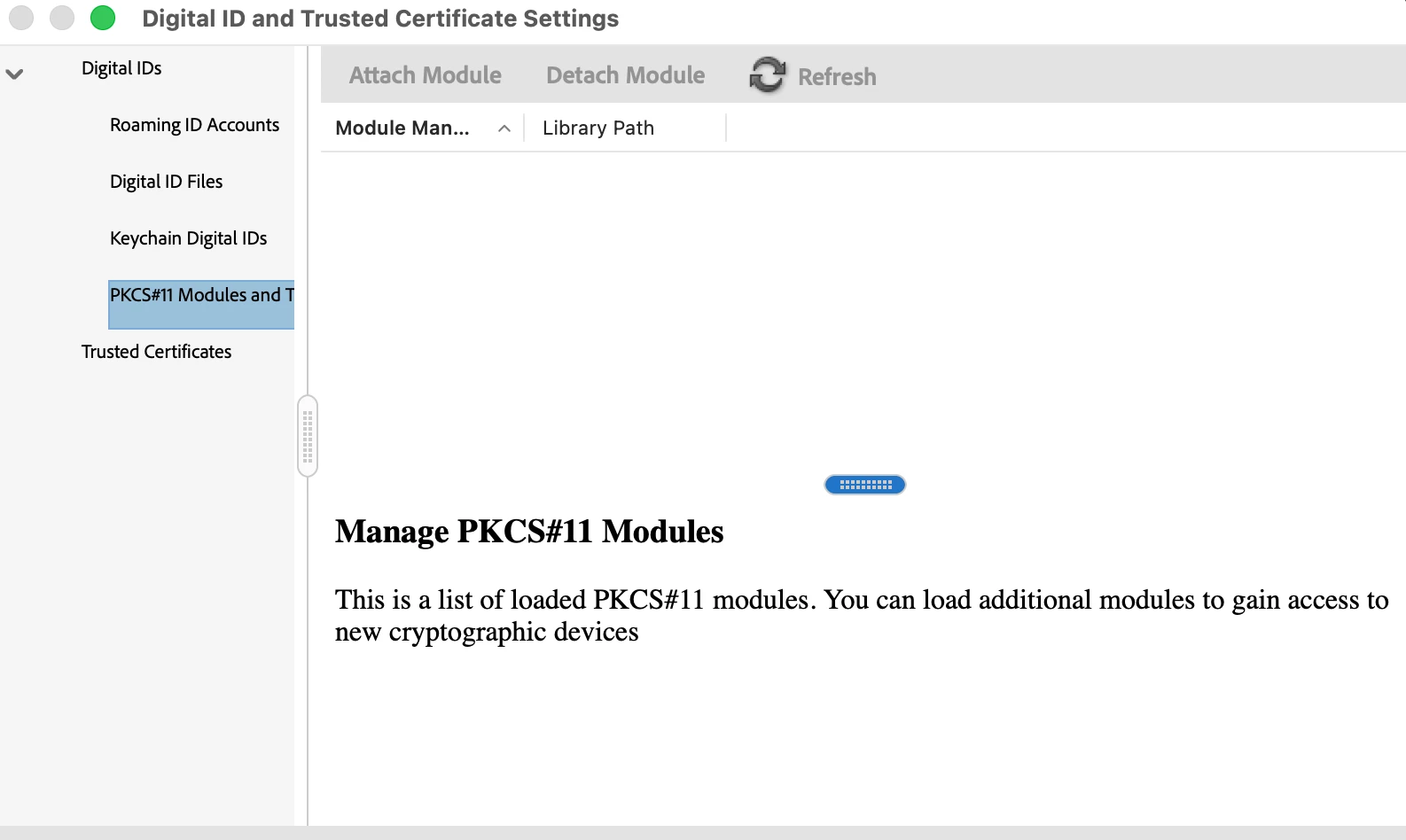
Attach <Module in preferences - not showing up for attachment . 
 

    12 replies

    Participating Frequently
    Oct 13, 2026 6:08 AM UTC

    Hi Meenakshi ,, were you able to find out what needs to be done to get the signature working . Ive shared the screen shot of my MAC version and the Adobe version . 


    Keenly awaiting your reply. 

    Translate
    Meenakshi Negi
    Community Manager
    Community Manager
    Oct 13, 2026 10:39 AM UTC

    Hi Merry_Lionheart3b4b,


    Thank you for sharing the information.

    Please allow us some time to check with the team. We will inform you once we have more information on this

    We appreciate your patience.


    Thanks,

    Meenakshi

    Translate
    Participating Frequently
    Oct 14, 2026 9:46 AM UTC

    have you figured out what the problem here with . 

     in other new there was an update of Acrobat on my system and now I an attach the file ,. but I dont knwo how to do it 


    Translate
    Participating Frequently
    Oct 12, 2026 7:03 AM UTC

    Mac OS - tahoe 26.5.1

    and Adobe is as in the pic 


    Translate
    Participating Frequently
    Oct 9, 2026 11:38 AM UTC

    attaching an image wherein the options unchecked and restarted - but same result - No attachment option


    Translate
    Meenakshi Negi
    Community Manager
    Community Manager
    Oct 9, 2026 3:08 PM UTC

    Hi Merry_Lionheart3b4b,


    Thank you for sharing the screenshot. Sorry to hear that the suggestion did not work.

    Could you please share the Acrobat and macOS versions currently installed on the machine?


    Thanks,

    Meenakshi

    Translate
    Participating Frequently
    Oct 12, 2026 6:55 AM UTC

    Mac is Tahoe 26.5.1

    Adobe - version 2026.002.20901


    This is the detail pertaining to the OS on Mac and the Version for Adobe currently being used 


    Translate
    Meenakshi Negi
    Community Manager
    Community Manager
    Oct 8, 2026 3:29 PM UTC

    Hi Merry_Lionheart3b4b,


    Thank you for reaching out, and sorry for the trouble caused.

    Please note that currently, attaching PKCS#11 modules is disabled when Acrobat/Reader is running in Protected Mode.

    Please try the following steps:

    • Go to Preferences > Security (Enhanced).

    • Uncheck Enable Protected Mode at startup.

    • Restart Acrobat/Reader.

    • Go to PKCS#11 Modules and Tokens and attach the required module.

    Please note that disabling Enhanced Security itself does not disable Protected Mode. The Enable Protected Mode at startup option must specifically be unchecked.


    Let us know how it goes.


    Thanks,

    Meenakshi

    Translate
    Participating Frequently
    Oct 9, 2026 11:36 AM UTC

    Thanks Meenakshi .. 

    This - Enhanced Protected Mode option is not showing. What I have is the Enable Enhanced Security . 

    Ive tried to Unclicked that and restarted Adobe . The token is not visible and the Attach option is not visible either . 

     This is what im seeing on the screen . 


    Kindly advise

    Translate
