@Cecilia26667173omgy please don't hate me.... as soon as I read that you use three devices.... Adobe's standard policy for individual Creative Cloud (and including institutional single-user) licenses is that you can install the software on two computers, but you are only permitted to be signed in and actively use it on one computer at any given time. When you sign into a third device (like your iPad for reading), it will often force a sign-out from one of the previously active computer sessions. This constant signing in and out across three different devices is a very likely reason for why you're routinely being prompted to re-enter your credentials and go through the multi-factor authentication process.
I actually work at an 'educational institution,' and I sometimes get kicked from the system because I also have a 'work' account too. However, the fact that you're being prompted even when working on the same computer during the day suggests there might be additional factors at play beyond just the device limit. For me, I need to log-in with my school domain name and not my email address:
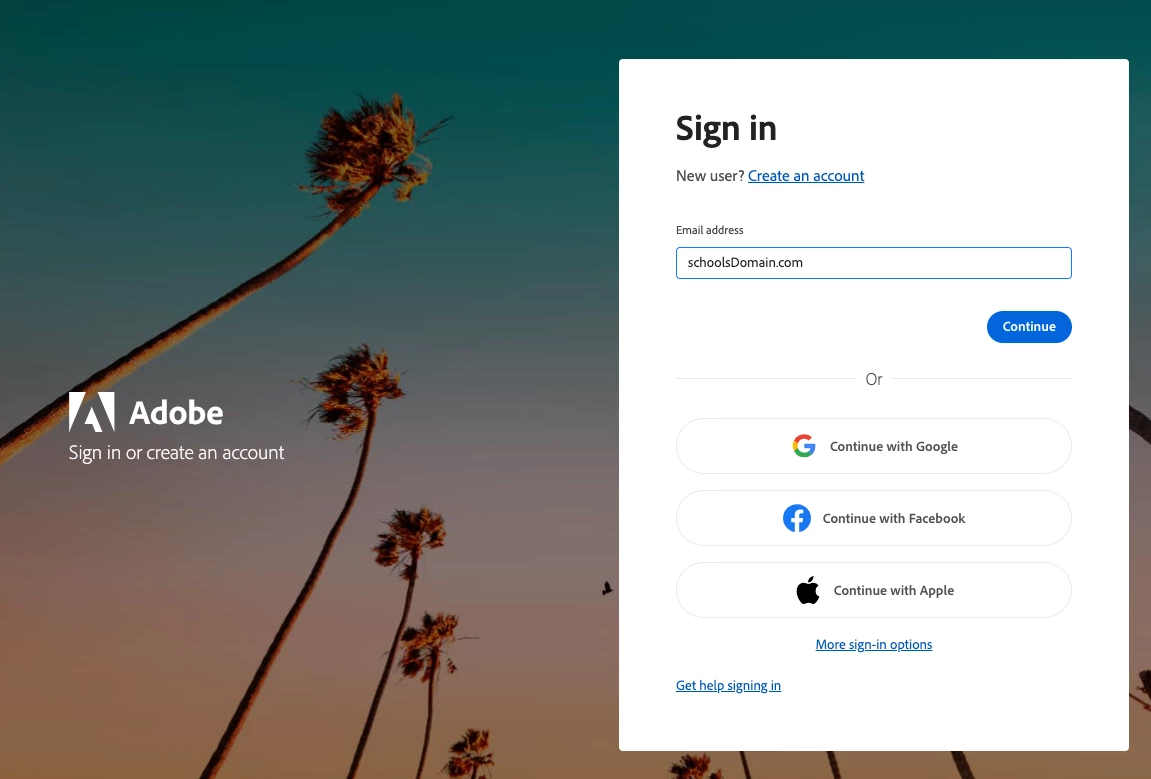
With institutional accounts, the authentication process often involves your organization's Single Sign-On (SSO) system and Multi-Factor Authentication (MFA). These systems can have their own, stricter session timeout policies, or they might be configured to invalidate sessions more frequently for security reasons, regardless of Adobe's "remember me" setting or the two-device limit. Your institution's IT department might have specific configurations that override Adobe's default session persistence for enhanced security. While managing your usage across two computers and an iPad will inherently lead to more sign-in prompts than using just one or two, the "every time I reopen" on the same device points more strongly to the stricter policies of your institutional login system. You might try ensuring your browser (which often handles the SSO part) isn't clearing cookies, or chat with your institutional IT about their specific SSO session length and MFA policies for Adobe services.



 AdChoices