
Participant
January 29, 2023
Answered

Nach Neuinstallation - Kann "keine Verbindung mit Internet herstellen" zwecks Anmeldung mit ID

  • January 29, 2023
  • 1 reply
  • 595 views

Hallo Community,

ich habe Adobe Acrobat auf einem neuen Rechner installiert, sodann Seriennummer eingegeben, so weit, so gut. Beim Öffnen des Programmes werde ich nun aufgefordert, mich mit meiner Adobe ID anzumelden. Das kann ich jedoch nicht, da angeblich Adobe keine Verbindung mit dem Internet herstellen kann. 
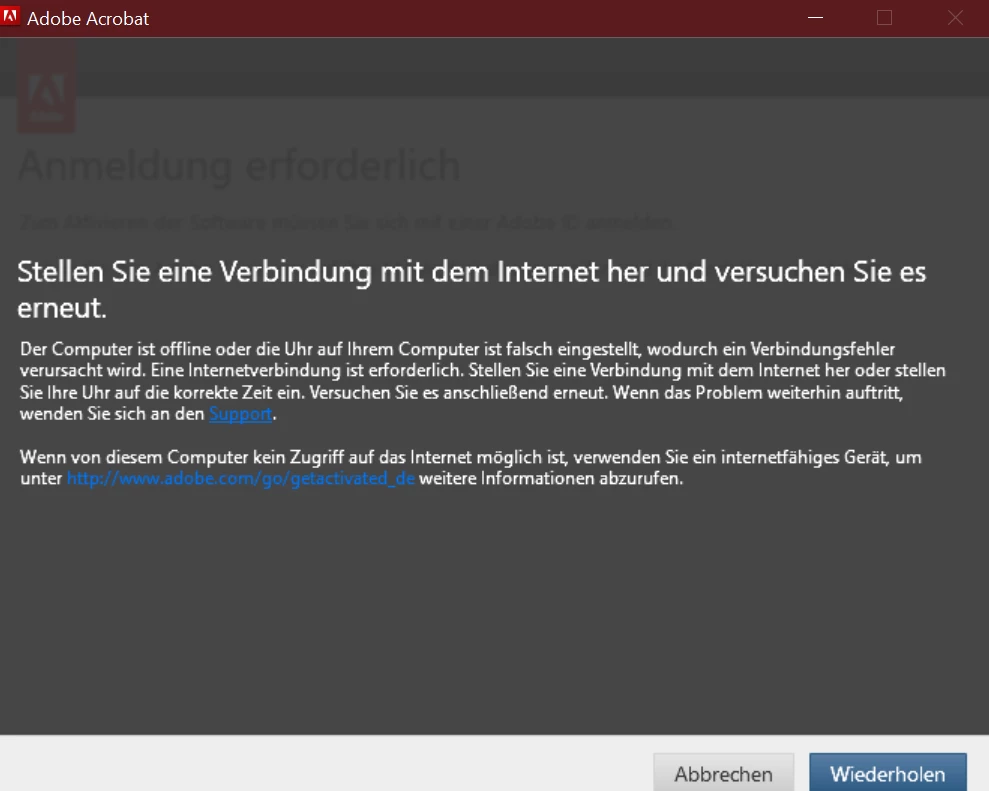
 

Internet ist aber vorhanden, ich kann ja u.a. auf diese Seite zugreifen. Auch die "Tipps" auf https://helpx.adobe.com/de/x-productkb/multi/troubleshoot-cant-connect-online-service.html habe ich bereits ausprobiert, hat nicht geholfen. Google hilft leider auch nicht weiter. 


Hoffe, dass hier jemand helfen kann.

Wie erreiche ich denn den offiziellen Support? Angeblich soll es einen Chat geben, ist aber nirgends zu finden :v


Danke im Voraus!


This topic has been closed for replies.
Correct answer DeanUtian

The link to Adobe support Help Centre, where you can access the chat is:
https://helpx.adobe.com/support.html


Make sure that your browser does not block scripts, or pop-ups, and also make sure your browser allows cookies for the link to work, If you don't see the chat icon in the bottom right, or it won't open the chat, try another browser (or change the browser settings).

Type  'Agent' in the chat box to bypass the chatbot and be connected to a real person.
https://helpx.adobe.com/contact.html?rghtup=autoOpen
- or by telephone https://helpx.adobe.com/contact/phone.html
- or Twitter tweet @AdobeCare

Adobe does not provide support by email, so beware of any message in this format.

More information about scammers can be seen in the link below:
https://community.adobe.com/t5/using-the-community-discussions/staying-safe-in-the-adobe-support-community/td-p/12919684/redirect_from_archived_page/true 


Good luck with your situation.

1 reply

DeanUtianCommunity ExpertCorrect answer
Community Expert
January 29, 2023

The link to Adobe support Help Centre, where you can access the chat is:
https://helpx.adobe.com/support.html


Make sure that your browser does not block scripts, or pop-ups, and also make sure your browser allows cookies for the link to work, If you don't see the chat icon in the bottom right, or it won't open the chat, try another browser (or change the browser settings).

Type  'Agent' in the chat box to bypass the chatbot and be connected to a real person.
https://helpx.adobe.com/contact.html?rghtup=autoOpen
- or by telephone https://helpx.adobe.com/contact/phone.html
- or Twitter tweet @AdobeCare

Adobe does not provide support by email, so beware of any message in this format.

More information about scammers can be seen in the link below:
https://community.adobe.com/t5/using-the-community-discussions/staying-safe-in-the-adobe-support-community/td-p/12919684/redirect_from_archived_page/true 


Good luck with your situation.