
July 17, 2017
Answered

Need help - Disable functions

  • July 17, 2017
  • 3 replies
  • 1119 views

Hi, I would need help for below issues:

1) How to disable online storage of documents?

2) There is a content preparation progress bar pops up every time when I open the reader, Could it be disable as well?
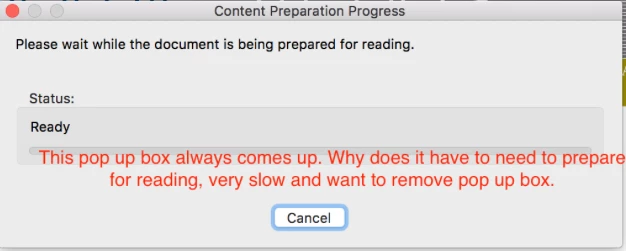
Thank you.

This topic has been closed for replies.
Correct answer Meenakshi_Negi

Hi tty1113,

By Online storage, do you mean Document Cloud?

Please provide more information what exactly you mean by disabling online storage of the documents.

Please refer the steps provided here Hide the message Content Preparation Progress when opening a PDF file.

Check if this helps.

Let us know if you have any questions.

We will be waiting for your response.

Regards,

Meenakshi

3 replies

Meenakshi_Negi
Meenakshi_NegiCorrect answer
Legend
July 17, 2017

Hi tty1113,

By Online storage, do you mean Document Cloud?

Please provide more information what exactly you mean by disabling online storage of the documents.

Please refer the steps provided here Hide the message Content Preparation Progress when opening a PDF file.

Check if this helps.

Let us know if you have any questions.

We will be waiting for your response.

Regards,

Meenakshi

July 18, 2017

Hi Meenakshi,

Yes it's called the document cloud. How could I disable it?

Thanks for providing the link for solving content preparation. Mine is work and I will have to check for other computers as well.

Best,

Celestine

Meenakshi_Negi
Legend
July 18, 2017

Hi Celestine,

There is no direct option in Adobe Acrobat Reader DC to disable the Document Cloud storage from the application.

If you referring to remove the Document Cloud storage option under Home tab, it can be done through customization or with the help of registery.

However, it will also remove the other storage option added in the application.

Let us know if you have any questions or need any help.

Regards,

Meenakshi