Pokus o odinstalaci starší verze Adobe Acrobat Reader DC- Czech, i instalaci poslední verze, i podle AcroRdrDC2500120997_cs_CZ.exe, končí hláškou o nesprávném pořadí instalace. Mám nainstalován i pdfArchitect, před časem byl možný souběžný provoz, ale nyní nelze Reader (z roku 2021) vůbec spustit. Díky
Correct answer justlearnskills
@jizák first of all, you wouldn’t need to uninstall Acrobat for an update. Just let the update do it’s thing and run the update behind the scenes… no, a different can of worms is opened.
You might need to run the Adobe Cleaner Tool, it removes deep registry keys and hidden folders. https://helpx.adobe.com/creative-cloud/apps/troubleshoot/diagnostics-repair-tools/run-creative-cloud-cleaner-tool.html
The file you downloaded is a 2025/2026 version
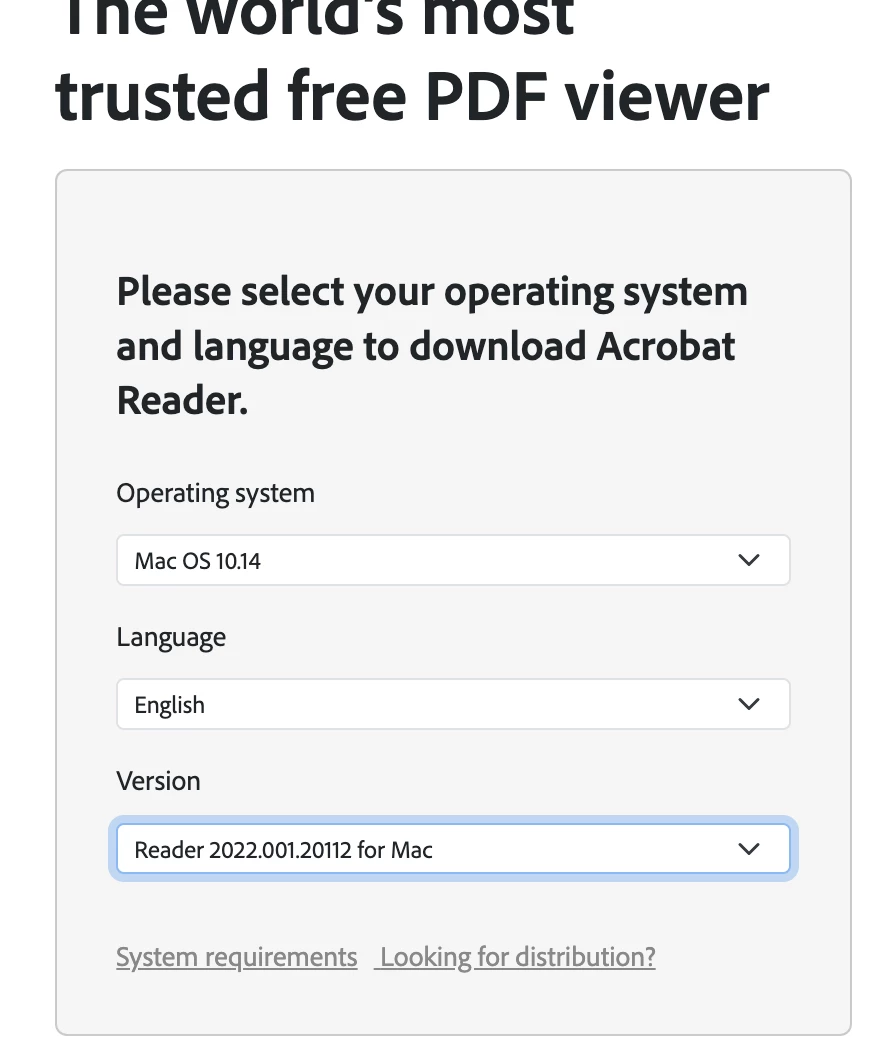
Try this link to download reader. Delete the one you downloaded, you need a version for your current PC:
For example, if I am using an old MAC, it’s telling me I need 2022 version
If you have the original email (with direct download link) or registered the 2021 version on Adobe.com, I would download it again the specific .exe or .msp file from 2021, ensure you are running the base installer first, then applying the 2021 update patch.
Díky za odpověď, ale šlo o to, že pokus o “normální” aktualizaci skončil stejnou hláškou.. Nakonec se to vyřešilo tím, že namísto odistalace Windows jsem použil ten, co je součástí Nortonu. Pak jsem instaloval výše uvedeným exe (656 mega). Restart počítače a první spuštění Readeru tedy ale trvalo….
@jizák first of all, you wouldn’t need to uninstall Acrobat for an update. Just let the update do it’s thing and run the update behind the scenes… no, a different can of worms is opened.
You might need to run the Adobe Cleaner Tool, it removes deep registry keys and hidden folders. https://helpx.adobe.com/creative-cloud/apps/troubleshoot/diagnostics-repair-tools/run-creative-cloud-cleaner-tool.html
The file you downloaded is a 2025/2026 version
Try this link to download reader. Delete the one you downloaded, you need a version for your current PC:
For example, if I am using an old MAC, it’s telling me I need 2022 version
If you have the original email (with direct download link) or registered the 2021 version on Adobe.com, I would download it again the specific .exe or .msp file from 2021, ensure you are running the base installer first, then applying the 2021 update patch.




 AdChoices