joe41596554
Participant
August 9, 2019
Question

New Reader install on new computer - display goes black when clicking in a doc

  • August 9, 2019
  • 2 replies
  • 1782 views

I've just replaced my computer with a new build and installed a fresh install of Acrobat Reader.  Install went fine.  I've reinstalled a couple times just in case.

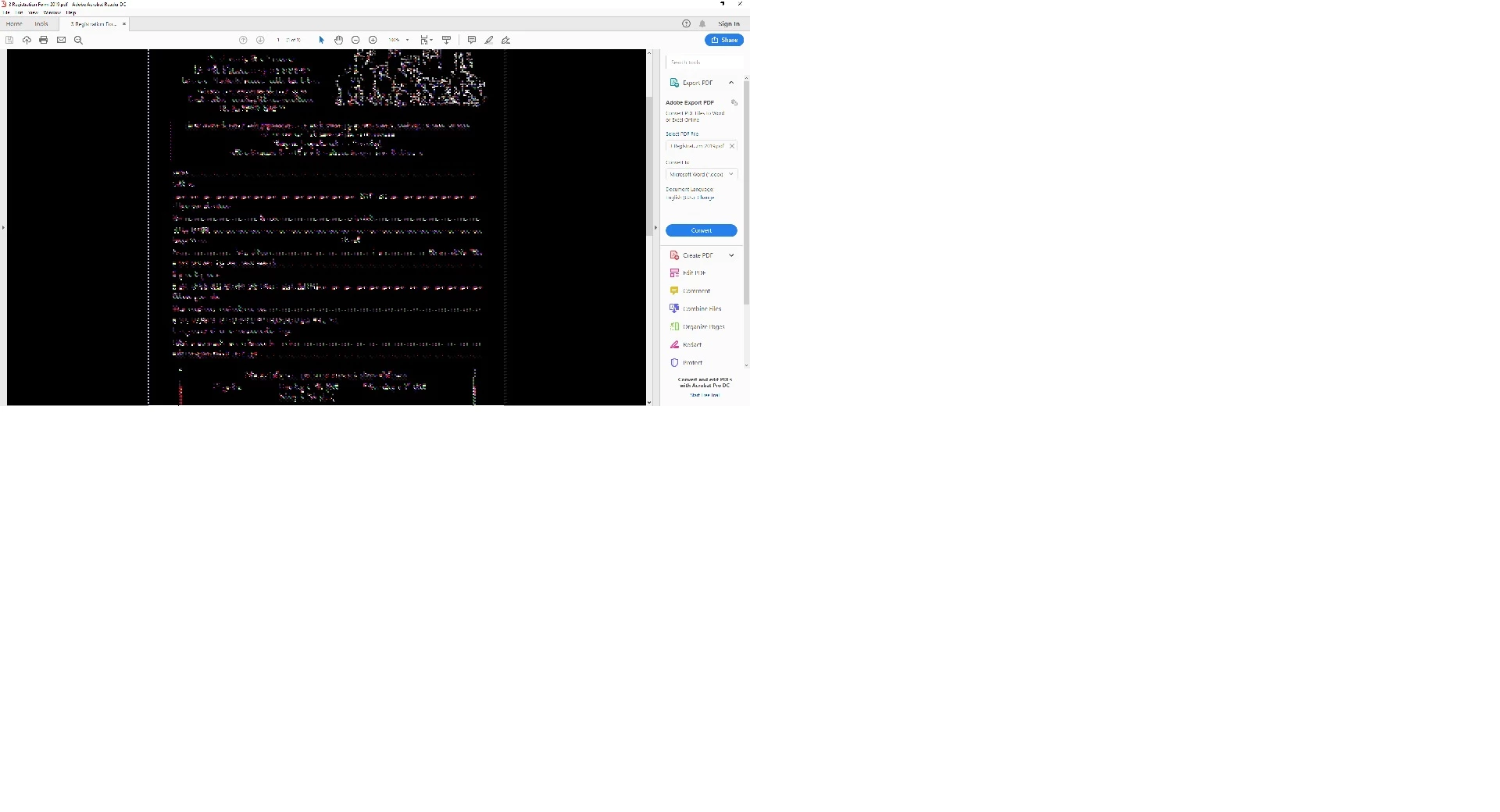
Problem is that docs open fine and are viewable/scrollable as long as I don't click in the body of the document anywhere.  As soon as I do, the display goes black + squiggly interference where text should be (screenshot).  It happens on every PDF I open, from different sources.  Settings in Reader are left on defaults.

I've checked my display adapter and it's fine.  Nothing else on the computer gives me a problem.  Any ideas?
    This topic has been closed for replies.

    2 replies

    AkanchhaS8194121
    Legend
    August 14, 2019

    Hi Joe,

    Try the suggestion provided above. Also, it seems you are currently running the Adobe Reader with the version 19.012.20035. Acrobat and Reader official update (19.012.20036)  is available. This update will be automatically pushed to all existing installations of Acrobat and Reader. If you want, you may also manually trigger the update early by opening the application and going to Help > Check for Updates. Or refer to DC Release Notes — Release Notes for Acrobat DC Products

    You may install the latest and let us know if that still doesn't help.

    Thanks,

    Akanchha

    joe41596554
    Participant
    August 14, 2019

    Thanks for the responses.

    I have tried:

    Moving PREFERENCES to reset preferences to default -> same result

    Updating to current version -> same result

    Uninstalling and reinstalling Acrobat -> same result

    Checked for update to display driver (AMD Radeon Vega 8 Graphics) -> same result

    It is definitely a display problem, only triggered when I click within the open document to initiate comment/edit mode, and then I get the squiggles and black display background.

    See below - first image is when I initially open the document, and I haven't touched it; display is fine.  Second image is after click on text in the document; display goes wonky.

    I'm a bit stumped.

    Participant
    March 20, 2020

    Same problem. Did you find a solution?

    Amal.
    Community Manager
    Community Manager
    August 13, 2019

    Hi Joe,

    Apologies for the trouble caused, as described above, the display goes black when clicking on a document, correct?

    You may try the troubleshooting steps provided in the similar discussions below:

    I hope it will work you, keep us updated with the results

    Regards,

    Amal