


Participating Frequently
May 9, 2024 12:37 PM UTC
Answered

No longer able to change scale ratio on Acrobat Reader

In the past, when I have wanted to change the scale ratio in Acrobat Reader, I would select the measuring tool and then right-click on my document to get a menu from which I would select "change scale ratio."

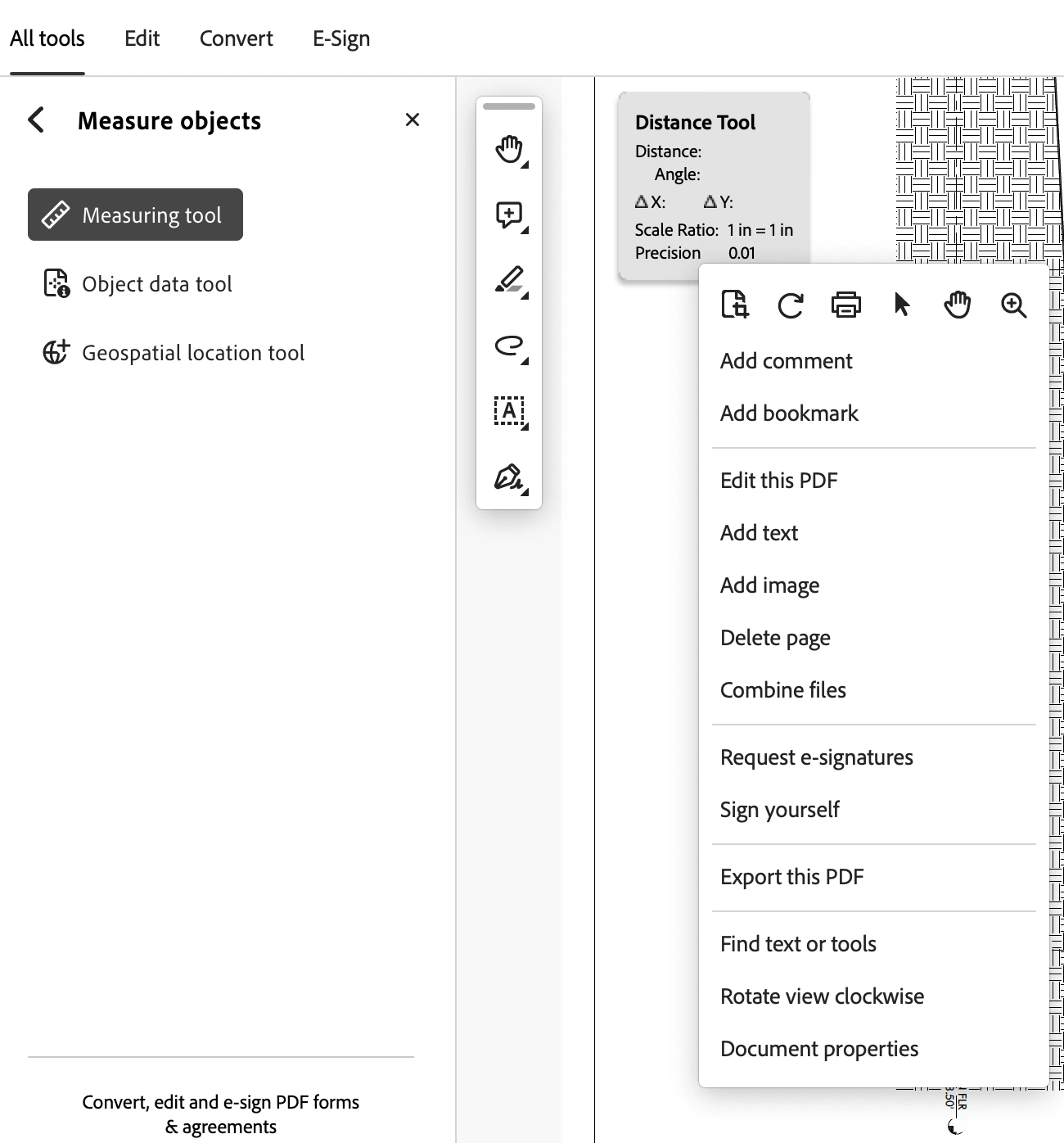
Starting this week, the "change scale ratio" option disappeared from the right-click menu. Screenshot below of the menu I get when I right-click.

Is anyone else running into this problem? MacOS Sonoma 14.4.1, Acrobat Reader v2024.002.20736.
dylan_6790Correct answer
Participant
Apr 24, 2025 4:09 AM UTC

turn off "Use Scale and Units from Document (when present) under Preferences - Measuring (2D)


Worked for me 

49 replies

Participant
May 14, 2024 9:40 PM UTC

Under file you have a end new adobe acrobat experience which takes you back to the old version, which works

Translate
Participant
May 15, 2024 1:48 PM UTC

Yes, under file it says disable new acrobat reader and it works fine after that.

Translate
Participant
May 11, 2024 12:58 PM UTC

I've had the same problem. It's related to the latest version. Go to File and choose Change to Previous Version (or words to that effect). Do not agree to any future updates.

Translate
Participating Frequently
May 11, 2024 4:57 PM UTC

@David373280485i38 can you share a screenshot? Not seeing anything like changing to a previous version in the file menu. See below.

Translate
Participant
May 13, 2024 7:28 PM UTC

I'm having the same problem, and running the same OS and same verions of Adobe Acrobat as the OP (Andrew37285438ffmi).  I also do not see "Change to Previous Version" under the File menu.  @David373280485i38 or @Brian37295717y4zh, if you're using MacOS, can you please show us where to find this option?

Translate
Participant
May 10, 2024 3:44 PM UTC

I am having the same issue.  I have tried everything.

Please help!

Translate
try67
Community Expert
Community Expert
May 9, 2024 9:52 PM UTC

Try disabling the new (and very buggy) Acrobat UI, via the Options button on the top left corner.

Translate
try67
Community Expert
Community Expert
May 10, 2024 10:06 AM UTC

Another option: Create a measurement, then right-click it and see if this option appears in the pop-up menu.

Translate
Participating Frequently
May 11, 2024 4:53 PM UTC

Did you create a measurement and right-click? Did that work for you?

Translate