Participant
October 2, 2017
Answered

No Tabs? - Adobe Acrobat Pro DC

  • October 2, 2017
  • 1 reply
  • 44439 views

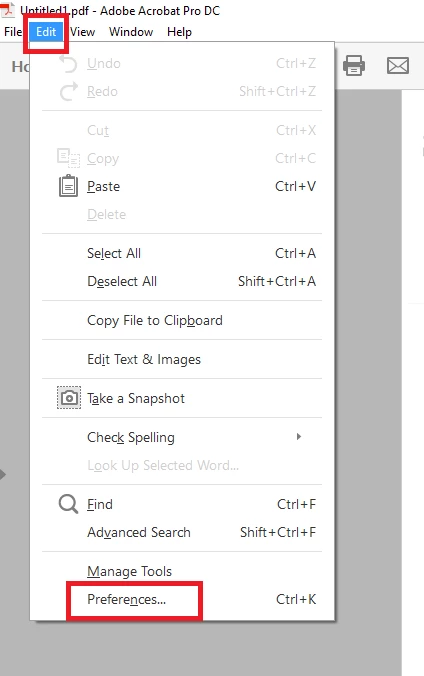
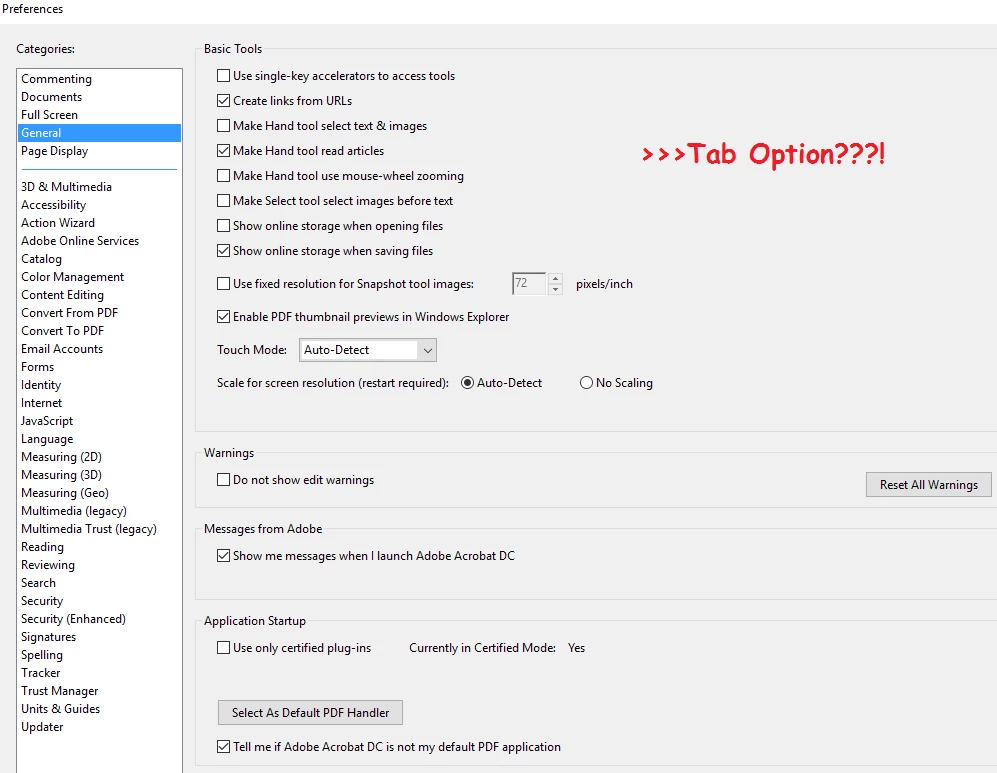
So i know there has been some post here on how to find tab option. (General>Preference>Open New doc as Tab) But my adobe does not have that option. So is there any hope that I can open multiple  Documents on tabs at the same time? I am really desperate!!!!!!!!!!!
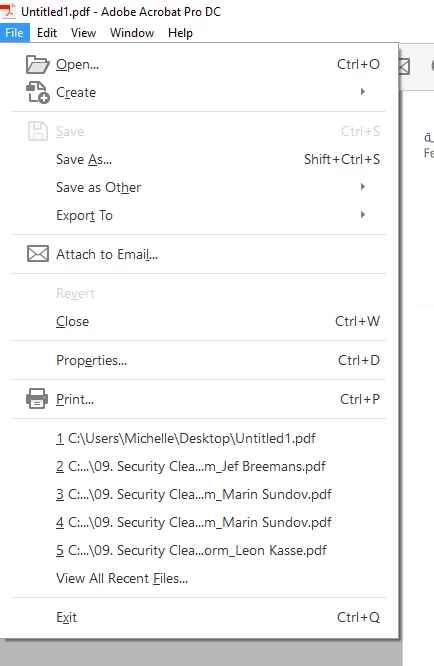
Thanks in Advance for help!

This topic has been closed for replies.
Correct answer try67


Thanks


This option is available in the 2017 version of Acrobat Pro (even the Classic version), so if you upgrade to that version you should have it.

1 reply

Meenakshi Negi
Community Manager
Community Manager
October 2, 2017

Hi Tdqueen,

As you do not have the option "Open documents as new tabs in the same window", please make sure that you have updated the application to the latest patch released.

Could you please confirm the dot version of the Adobe Acrobat application you are using.

To check the dot version, you may refer the steps provided here Identify the product and its version for Acrobat and Reader DC

Let us know if you have any question.

Regards,

Meenakshi

TDqueenAuthor
Participant
October 2, 2017

Hi Meenakshi!

Thanks for your reply. Please refer on below screen shots regarding your questions.

seems like there is no update available for me

Meenakshi Negi
Community Manager
Community Manager
October 2, 2017

You have the classic version of Adobe Acrobat DC.This version does not have this option.

The option is only available in Adobe Acrobat DC continuous version.

This is the reason you do not find the option in Preferences.

Regards,

Meenakshi