Participating Frequently
Nov 7, 2019 2:05 AM UTC
Answered

Not able to open PDF using Adobe Reader DC 19.21.20049

upgraded to Catalina on MacBook Pro. seemed okay at first   now sometimes document opens and sometimes get error message: "There was a RAISE without a handler. The application will now exit."  Then Reader closes on OK.  


 version adobe acrobat reader DC  Continuous Release 2019.021.20049


is this compatible with Catalina?  how can i get it to work consistently? is there another better version?  is there no longer a free PDF reader from Adobe for Mac Catalina forward?


[Title Edited by Moderator]

This topic is closed to new replies. Start a new post to keep the conversation going.
Amal.
Amal.Correct answer
Legend
Nov 14, 2019 3:33 AM UTC

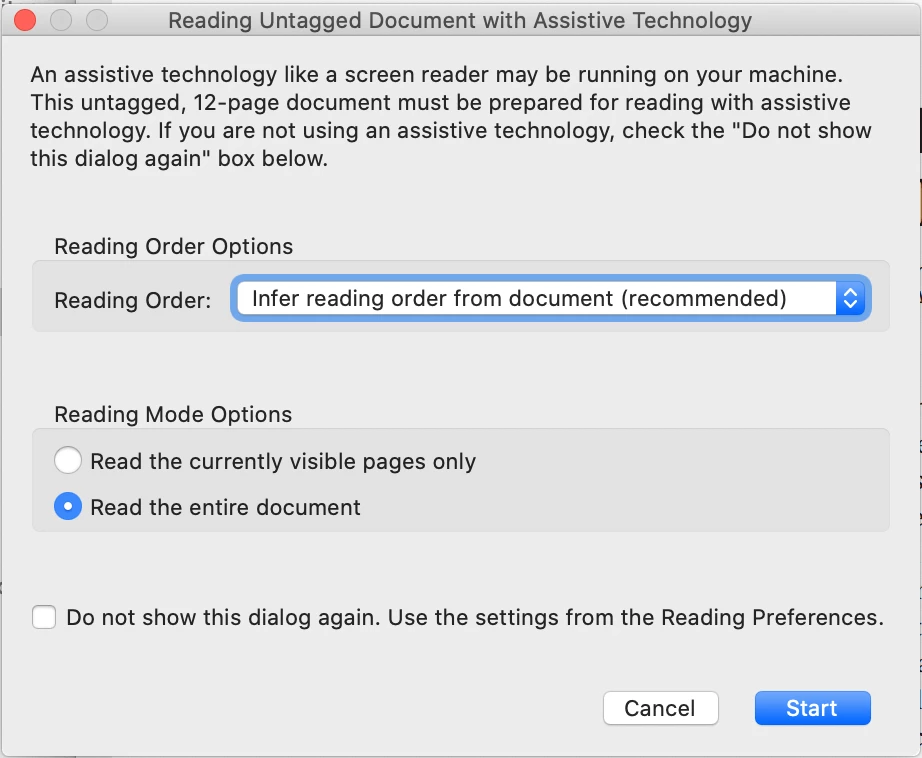
thanks. Updated.   didnt get the RAISE crash (opened two PDFs successfully.   Did get the attached window.   dont know if it is an error, something necessary or just an annoyance.   Have been getting it for a while.

Do I need to reset some preference? Or just click START each time it comes up? 


Hey, 


Thanks for the confirmation. We are glad to hear that the issue got resolved.


You may check the box at the bottom saying 'dont't show this dialog again' and click on start.


Feel free to contact us for any further assistance required in the future.


Regards

Amal

5 replies

Amal.
Legend
Nov 12, 2019 3:48 PM UTC

Hi there,


We are sorry for the trouble. This issue is already reported to us and our engineering team is working on it to find the fix.

Will share the update soon.


Thanks for your time and patience


Regards

Amal


Translate
MBLRAuthor
Participating Frequently
Nov 12, 2019 9:48 PM UTC

Another thread implied this might be due to my having a virtual keyboard open.  Is this a possibility? A workaround? any other issues with Catalina? 

Translate
Amal.
Legend
Nov 13, 2019 2:08 PM UTC

Hi there,


We have a new update released today for Adobe Acrobat/Reader DC version 19.21.20056.


Please update the application to the latest version. Go to Help > Check for Updates. For more information please refer to the help link (https://www.adobe.com/devnet-docs/acrobatetk/tools/ReleaseNotesDC/index.html)


Let us know how it goes


Regards

Amal

Translate