
Question
OCR is not recognizing a text correct and it won't let me correct it.
So I'm trying to manually correct an OCR from a file. I ran into a problem that the OCR wrongly recognized some texts but it won't let me correct it.
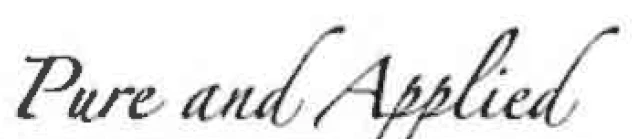
This is the original text.
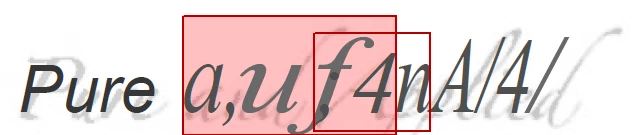
This is the OCRed text. As you can see, it only allows me to correct the text before the "A/4/". I wonder if there is anyway to either
1) delete the recognized "A/4/" so that I can make up for it just by the red block before it. I know I can delete the recognition for the red blocks by leaving it blank.
or
2) there is any way that I can make that text correctable.
Thank you so much for the help!


 AdChoices